
Design & MediaAlternatives
Kapwing Lifetime Deal Alternatives for Small Businesses
Five AppSumo lifetime deals that cover parts of what Kapwing does, from clip cutting to captions and dubbing. Each has caps worth knowing before you pay.
Ten Design & Media lifetime deals, grouped by need: voice, video, brand visuals and screenshots. We cover the caps and tier details that matter.
| Tool | Suits | Price |
|---|---|---|
| AudioHero | For frequent video publishers | $105 |
| Voicina | For subtitles and light dubbing | $69 |
| SurFast Video Downloader | For creators saving reference footage | $19 |
| Vois Studio | For frequent narration and audiobooks | $59 |
| Memogram | For event hosts and venues | $39 |
| Snappyit | For small apparel sellers | $59 |
| NarrateAI | For occasional product demos | $49 |
| Brandolia | For freelancers needing first-pass branding | $55 |
| Wideo | For solo marketers on a budget | $59 |
| Captures | For cheap everyday screenshots | $19 |
Lifetime deals in design and media make it easy to buy five tools you’ll open once each. The sharper decision is which one matches work you do every week, and which monthly cap or missing detail in a listing could undo the savings. We haven’t used any of these tools. What follows is a reading of the listings and reviews, grouped by what you’re trying to get done.
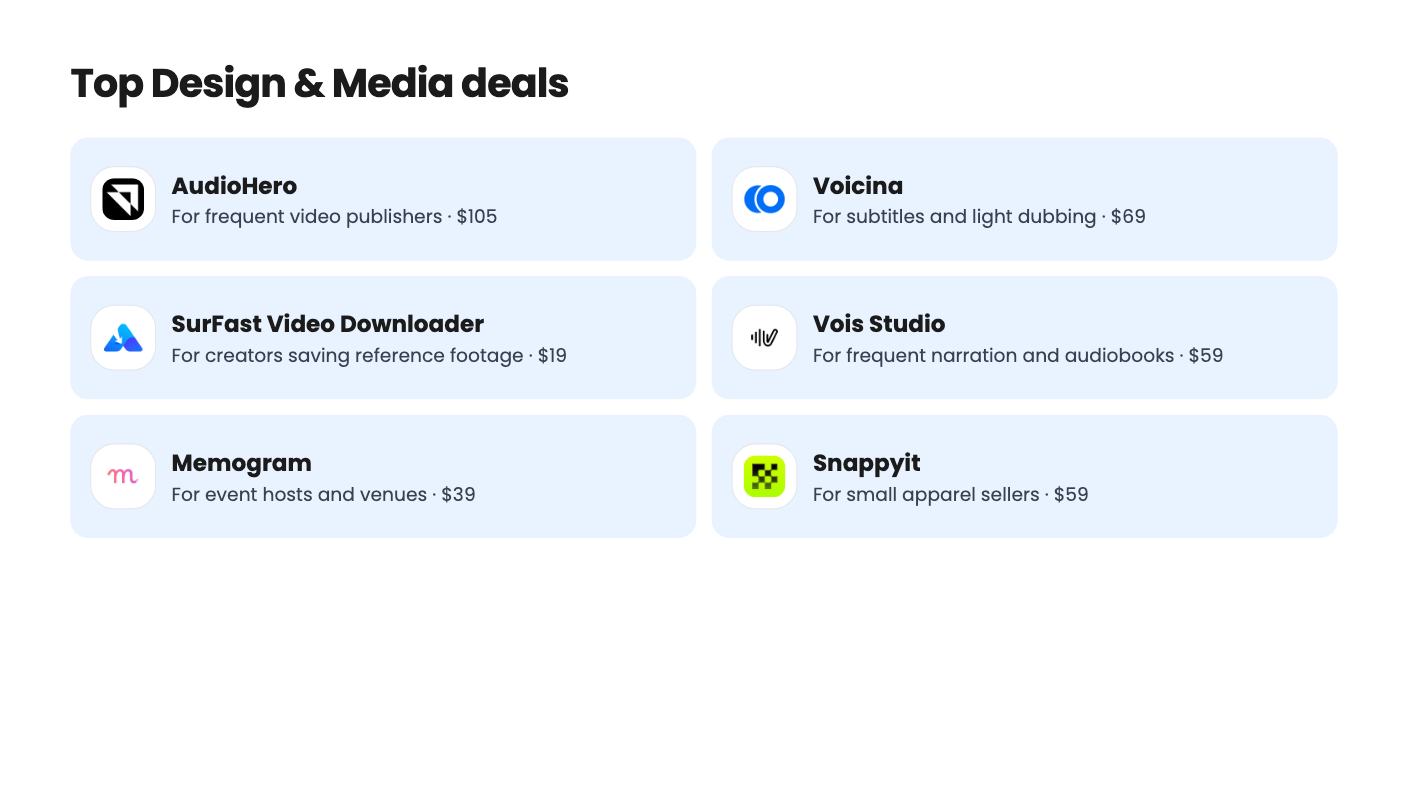
If you publish video or podcasts constantly, AudioHero is the simplest fit. It’s $105 (list $196) for 300,000+ tracks and sound effects, unlimited downloads, WAV and MP3 files, a cue sheet maker and YouTube channel whitelisting. There’s also an Adobe Premiere extension. The catch is one user per code. Codes stack, but a second editor costs another $105. The listing also says nothing about limits on its AI sound generator.
Voicina is a different animal, and the credit maths decides everything. Subtitles and transcription cost 2 credits per minute, which is cheap. A full dub costs 75 credits per minute per language, so the lower tiers cover very little. The listing’s credit figures also aren’t in a sensible tier order, and it doesn’t map API access to the lifetime tiers. Buy it for subtitles first and treat dubbing as a bonus.
Vois Studio runs offline, so retakes don’t cost you tokens. That’s the whole appeal. It also bundles a script editor, a multi-track timeline and loudness presets for YouTube, Spotify, Apple Podcasts and ACX. But it wants 16 GB of RAM, 10 GB of free disk and Apple Silicon on a Mac. Reviewers mention occasional audio artifacts and trouble with multi-speaker setups. The plan table is unlabeled and only one column shows the commercial license, so sort that out before paying.
NarrateAI is the cheap one at $49 (list $252). It writes a timed script from a silent screen recording and lets you edit segments before the voiceover is final. The cap is the problem: 45 processing minutes a month, with overage at $0.40 per minute. There’s no demo video, so you can’t judge voice quality from the listing. It’s fine for the odd how-to video, but it’s thin for anyone producing weekly.
Wideo starts at $59 (list $228) and offers 300+ templates, AI scripts, voiceover and translation into 40+ languages. It can turn a URL, blog post or Shopify page into a draft video. Our concern is the listing itself, which contradicts itself on tier limits, storage and downloads. AppSumo’s own summary admits dated templates. The lowest tier also limits videos to 1.5 minutes. The deal ends on November 5, 2026, so if you want to test it, the 60-day refund window is your safety net.
SurFast Video Downloader is a point-and-click way to save video, audio and subtitles from 1,000+ sites. It costs $19 (list $50) and covers 2 computers. You can paste up to 50 links, or grab whole playlists, channels and albums, and a clip tool saves just a time range. The honest downside is that platform changes can break downloads on specific sites. The Chrome extension also needs the desktop app installed. The listing doesn’t explain what the higher tiers add beyond the same 2-computer license, so the $19 tier looks like the sensible one.
Brandolia takes one brief and produces logos, palettes, typography, a brand kit, a website and marketing visuals. It handles multiple brands from one dashboard, which suits freelancers, and the site exports as clean HTML in a ZIP. But the monthly token cap is the thing to understand, and the listing doesn’t say what each action costs. Tier token numbers (150 / 300 / 25) are listed without saying which tier gets which. It’s a young product with only 13 AppSumo reviews.
Snappyit is narrower and clearer. A single garment photo becomes ghost mannequin, on-model, recolor and video assets, and a Shopify app moves images in and results back to products or variants. At $59 (list $199) it’s a low-risk try. The cheaper tiers run on 100 or 350 credits a month, though, and the listing never states what each result costs. If you shoot a big catalog monthly, that’s a real worry.
Memogram collects guest photos and videos through a QR code, with no app download. The tier you pick matters more than the price. The $39 tier gives one page that expires 30 days after the event, with media deleted after 90 days. The $139 and $249 tiers add the live photo wall, white-label pages, custom domain and lead capture. The listing also states no storage or file-size limits, and reviewers mention slow uploads.
Captures is $19 one-time for region, window, fullscreen and scrolling screenshots, with box, highlight and crop tools. The free tier has no account requirement or time limit, so you can try it before paying. It doesn’t list platforms, export options or sharing, and it has only 4 reviews. Fine for docs and client notes. Don’t expect screen video or OCR.
If you’re buying more than one, start with the tool whose cap you can already measure, like AudioHero’s flat license or SurFast’s $19 entry. Leave the credit-based tools for last, and put the refund deadline in your calendar the day you buy.
The listings mention a 60-day refund or money-back window for Memogram, Wideo, Brandolia, NarrateAI, Snappyit and Voicina. The listings for the others we cover here don't state one, so check the AppSumo page before you buy.
The license does, but the output is capped. Brandolia, Snappyit, NarrateAI, Voicina and Wideo all limit monthly usage through tokens, credits or minutes. If you need heavy volume, price the cap, not just the one-time fee.
No. This roundup is based on what the listings and reviews show. Where a listing is vague or contradicts itself, we say so, and we'd suggest using the refund window to check the claims yourself.
How this article was made: researched from each tool's official listing and our reviews of it, and written with help from AI. We have not tested these tools hands-on. Prices and deal terms change, so check AppSumo before you buy. See our affiliate disclosure.
Five AppSumo lifetime deals that cover parts of what Kapwing does, from clip cutting to captions and dubbing. Each has caps worth knowing before you pay.
Seven AppSumo lifetime deals named as Loom alternatives, grouped by job: narrated tutorials, plain recording, interactive demos and personalized outreach video.
Eight AppSumo lifetime deals named as Descript alternatives, grouped by the job you need done, with the caps and gaps each listing shows.

