Forms & SchedulingTop deals
AppSumo Black Friday 2026 buyer's guide: how to prepare
AppSumo hasn't announced its Black Friday 2026 deals yet. Here's how to shortlist, check plan limits and which lifetime deals to watch.
zcal is a design-focused scheduling tool with team booking and custom domains. The lifetime deal runs $59 to $219, with user caps that matter.

Lifetime deal price
$59$25277% off
Lifetime Deal · ends Nov 12, 2026
Our take: Buy it if your booking page is part of your sales pitch and you want a Calendly alternative without a monthly fee. Skip it if you need a proven, deep-featured scheduler or a large team on the cheapest tier, since the $59 plan appears to cap users at 3.
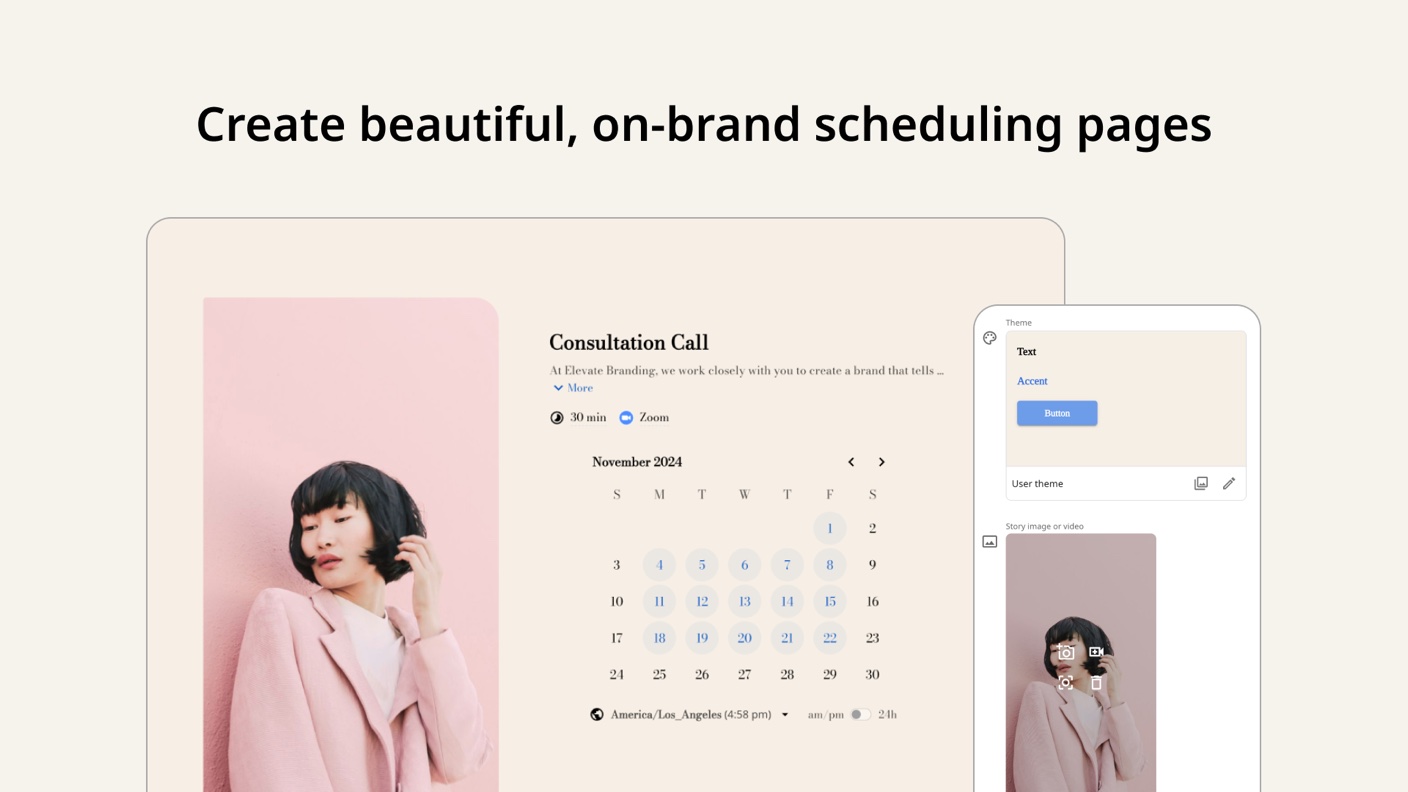
If you send a scheduling link to a prospect, that link is often the first thing they see from your business. For a lot of freelancers and small agencies, it’s a plain white page with a grid of time slots and someone else’s logo in the corner. It works. It also looks like everyone else’s.
zcal is built to fix that. The pitch in the listing is “Typeform-level customization and polish,” which is a bold claim, and we haven’t tried the tool ourselves. What follows is based on the listing and AppSumo’s demo video, so treat it as a read of the offer, not a hands-on verdict.
The core idea is a scheduling page that looks like part of your brand. You start from a themed template or build your own, then add custom fonts, colors and media. The listing says the styling carries through to profile, rescheduling and cancellation pages, which is a detail most scheduling tools get wrong. A branded booking page followed by a generic cancellation screen feels sloppy.
It competes with Calendly, Acuity Scheduling and Doodle, according to AppSumo. The calendar side covers Google Calendar, Outlook Calendar, Google Meet, Microsoft Teams and Stripe. The listing’s FAQ also walks through Zoom, Zapier, Google Analytics 4 and Meta Pixel setups.
That’s a decent integration list for a tool at this price. It isn’t a deep one, and the listing doesn’t mention a CRM connection beyond what Zapier could cover.
The demo video, narrated by an AppSumo host, is the clearest look we have at the interface. Be aware that the transcript is messy in places, with repeated sentences and one garbled passage about video, so some details below are best-effort.
Here is what the walkthrough covers:
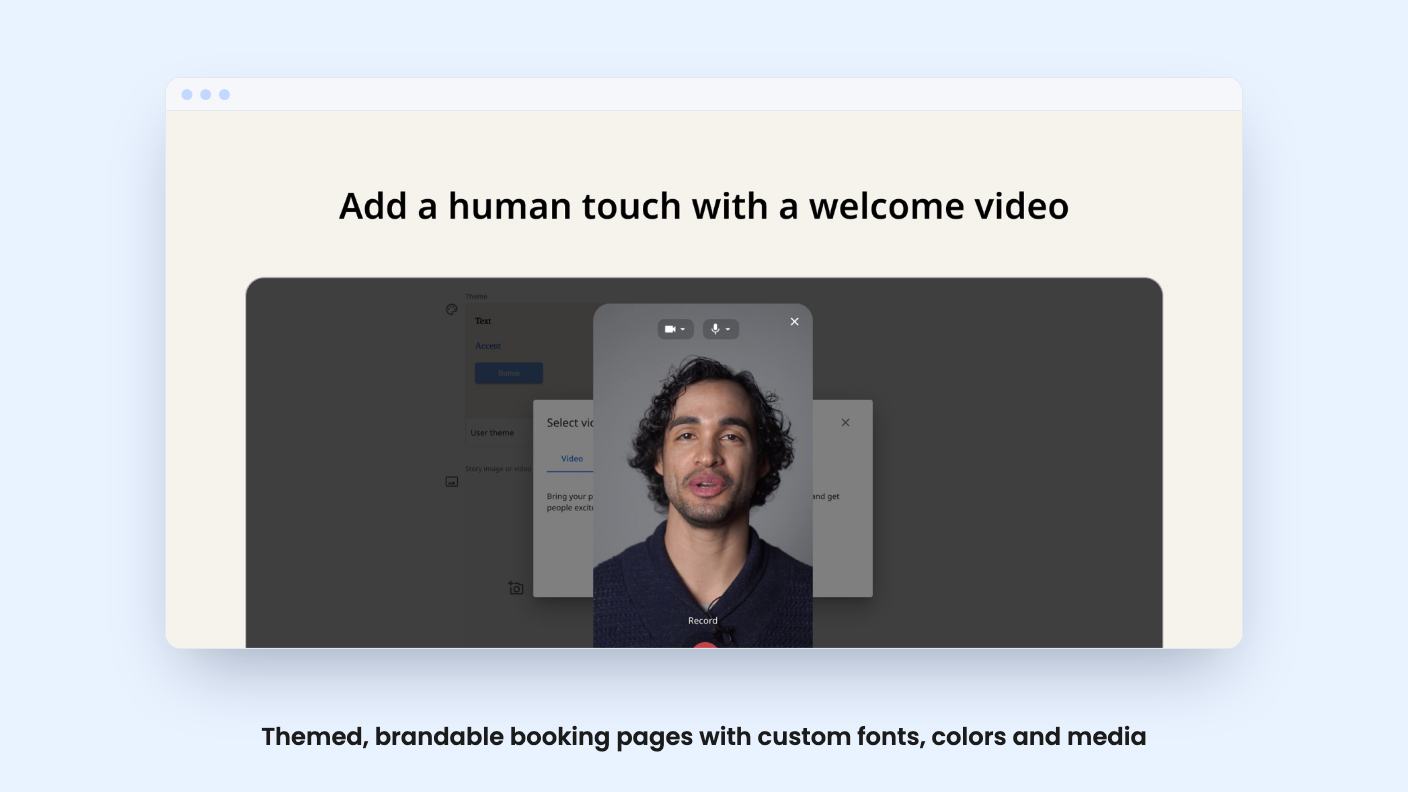
The video feature is the one that stands out. You can add a short intro video to a booking page by recording from your webcam, uploading a file, or picking stock footage from Pexels. The idea is that a new client sees your face and gets some context before the call. For consultants and coaches, that’s a sensible touch. For a plumber or a dental office, probably not.
Nothing in the listing says how long the videos can be or whether there’s a storage cap. That’s worth asking about.
This is where the deal gets more practical. The listing says all three tiers include teams, and describes two modes.
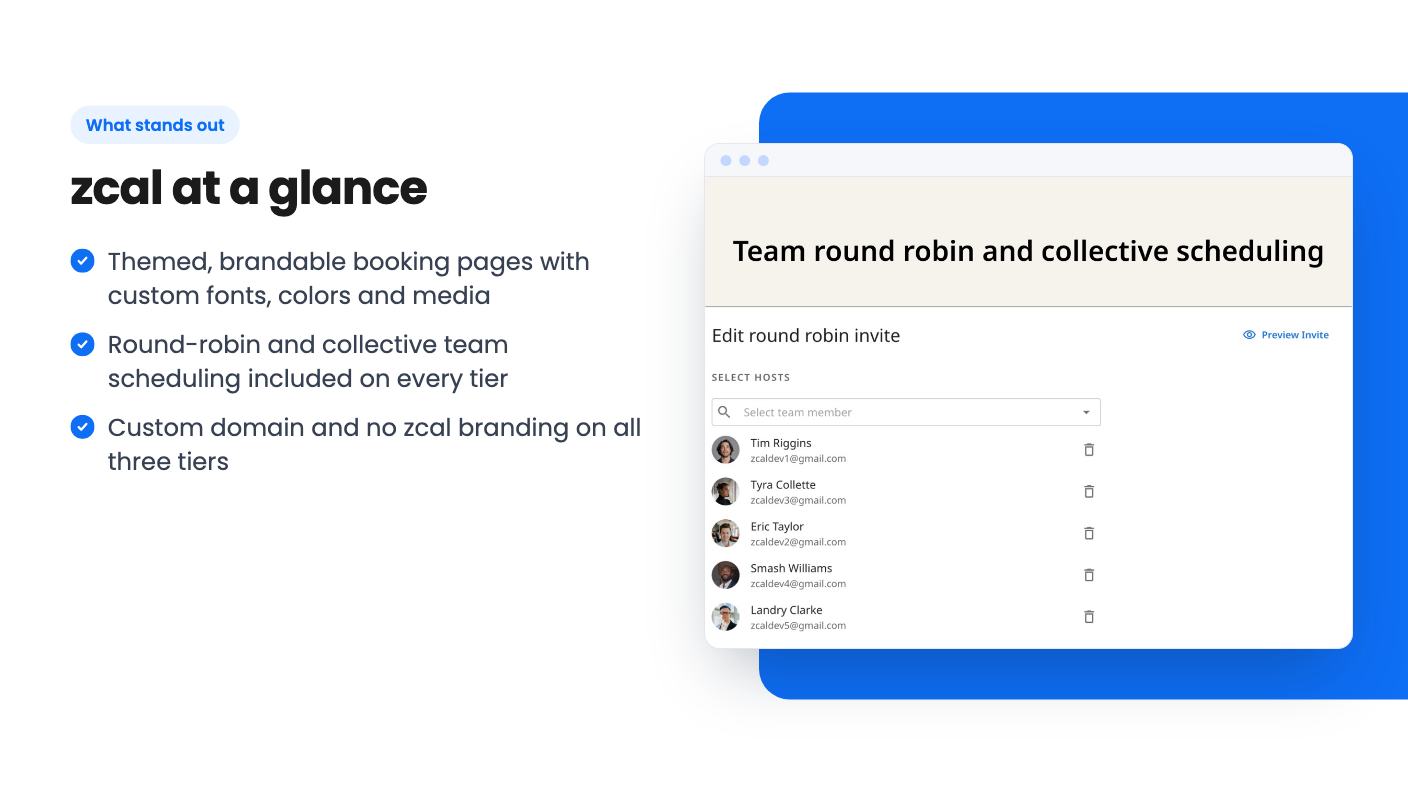
Round robin rotates incoming 1:1 meetings across your team so the load stays even. Collective scheduling checks several people’s calendars and only shows slots when everyone is free. If you run sales calls with a closer and a technical person on the line, that second option saves a lot of back and forth.
There’s more. You can set required or optional hosts, booking limits, custom availability, buffer times, meeting limits and minimum notice. Multiple invitees can book the same slot, which covers webinars, classes and small events. Teams can also have their own themes, integrations and profile pages, according to the video.
That’s a long feature list for a lifetime price. What we can’t tell from the listing is how well any of it works day to day. A younger product can have rough edges in exactly the places where calendars collide.
The video says you can host pages on your own subdomain and send notification emails from your own address. The listing’s FAQ explains the domain setup: add a CNAME record pointing to custom.zcal.co, then verify it in profile settings. It’s a normal DNS job, nothing scary, but you do need access to your domain.
Then there’s a line near the end of the video about “double the SMS credits compared to the grow plan.” That’s a comparison against a plan we can’t see, with no actual number attached. The listing doesn’t say how many SMS credits you get, whether they renew, or what happens when they run out. If text reminders matter to your no-show rate, ask before you buy.
The listing also says every tier gets “all Pro Plan features,” no zcal branding, unlimited links and unlimited connected calendars. It’s not obvious whether the video’s SMS and sender-email features are part of that Pro plan. We’d assume so, but the source doesn’t say.
AppSumo sells three lifetime tiers:
The feature table shows the same features across all three. The only difference is users, listed as 50, 10 and 3. It doesn’t label which number goes with which tier, which is sloppy. The list prices point to $59 for 3 users, $139 for 10 and $219 for 50. We’d still confirm that on the page.
If that’s right, $59 is a good price for a solo operator or a tiny team. A paid Calendly or Acuity plan costs a recurring monthly fee, so one lifetime payment is easy to justify if it does the job. The “list price” figures are AppSumo’s own and the $4,200 number in particular looks inflated, so ignore the discount percentages.
Terms to know: you must activate your license within 60 days, you can upgrade between tiers while the deal is live, and you can downgrade within 60 days of purchase. There’s a 60-day money-back guarantee. The deal ends November 11, 2026, so there’s less than a week left as we write this.
The listing shows 73 AppSumo reviews averaging 4.37 out of 5. That’s solid. AppSumo’s own summary, which is marketing copy, still admits some buyers had trouble with support responsiveness and language support. If your clients or team work in languages other than English, that last point deserves a second look.
Skip zcal if you need a scheduler with years of track record, a big plugin ecosystem or advanced routing. Skip it if you have more than three people and don’t want to pay for a higher tier. And skip it if your clients never see your booking page as a brand moment, because then you’re paying for polish you won’t use.
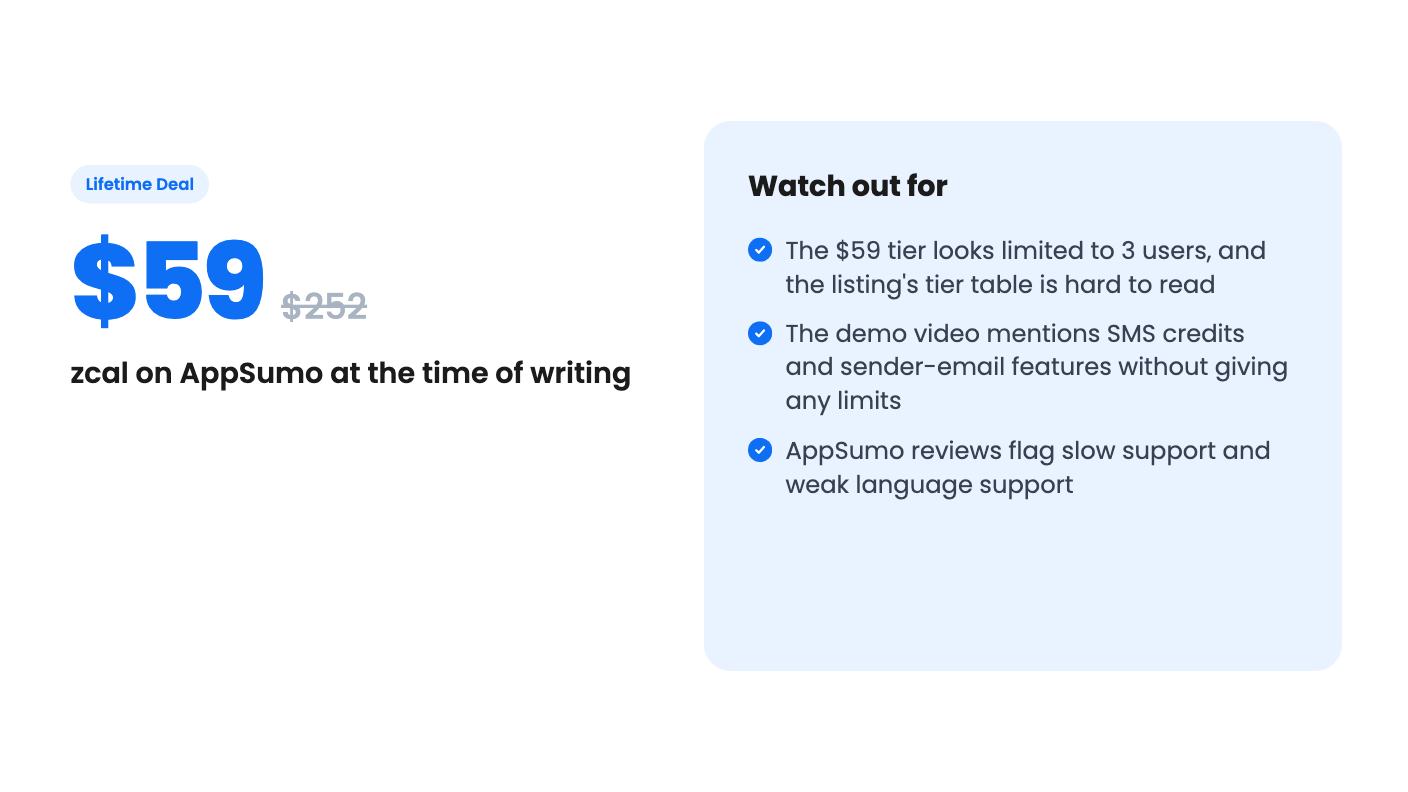
If you’re a freelancer, consultant or small agency that cares how the first click looks, the $59 tier with a 60-day refund window is low risk. Book a few test meetings with your real calendar in the first couple of weeks, check the SMS question, and decide before the window closes.
The listing's feature table gives users as 50, 10 and 3 but doesn't label which number belongs to which tier. The list prices ($252, $840, $4,200) suggest $59 is 3 users, $139 is 10 and $219 is 50. Confirm on the AppSumo page before you pay.
According to the listing, it integrates with Google Calendar, Google Meet, Microsoft Teams, Outlook Calendar and Stripe. The listing's FAQ also describes Zoom, Zapier (via an API key), Google Analytics 4 and Meta Pixel connections.
AppSumo lists a 60-day money-back guarantee. You also have to activate your license within 60 days of purchase. The deal ends on 2026-11-11.
How this review was made: researched from zcal's official listing and a transcript of its demo video, and written with help from AI. We have not tested zcal hands-on yet. Prices and deal terms change, so check AppSumo before you buy. See our affiliate disclosure.
AppSumo hasn't announced its Black Friday 2026 deals yet. Here's how to shortlist, check plan limits and which lifetime deals to watch.
Yoya swaps the booking form for an AI chat and sends you a pre-call brief. Here's what the $49, $129 and $249 AppSumo lifetime tiers really get you.
GoBrunch swaps the Zoom grid for themed virtual rooms with seats and breakouts. The AppSumo lifetime deal runs $89 to $269, but the tier table needs a close read.