
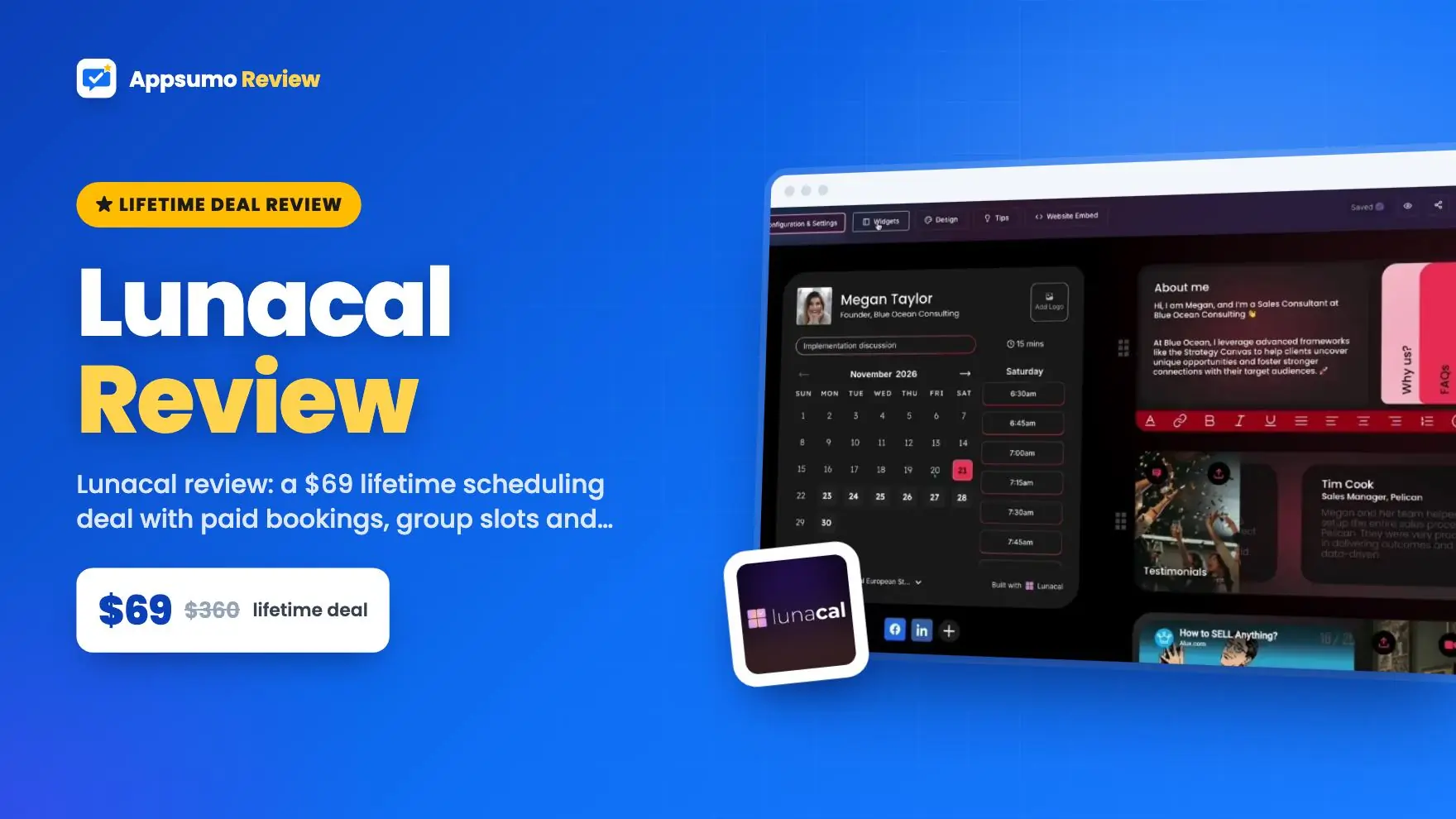


Lifetime deal price
$69$36081% off
Lifetime Deal · ends Dec 1, 2026
Price checked on AppSumo
4.7(129 AppSumo reviews)
What is Lunacal?
Lunacal is a scheduling and booking tool for consultants, marketing agencies and small businesses. It lets them build branded booking pages with intro videos and testimonials, take payments, send reminders, and route bookings across teams.
Is the Lunacal lifetime deal worth it?
Our take: Lunacal suits consultants, coaches and small agencies who want a booking page that sells and follows up, and who can live with the $69 tier's limits. Skip it if you need webhooks, packages or team routing on the cheapest plan, or if you want a long-proven product. The deal is also still young on payments and integrations.
Key facts: Lunacal sells for $69 once on AppSumo (list price $360), the deal ends Dec 1, 2026 and 129 AppSumo buyers rate it 4.7 out of 5 (price checked Nov 23, 2026).
Best for: Consultants, Marketing agencies, Small businesses
Alternative to: Acuity Scheduling, Calendly
What we like
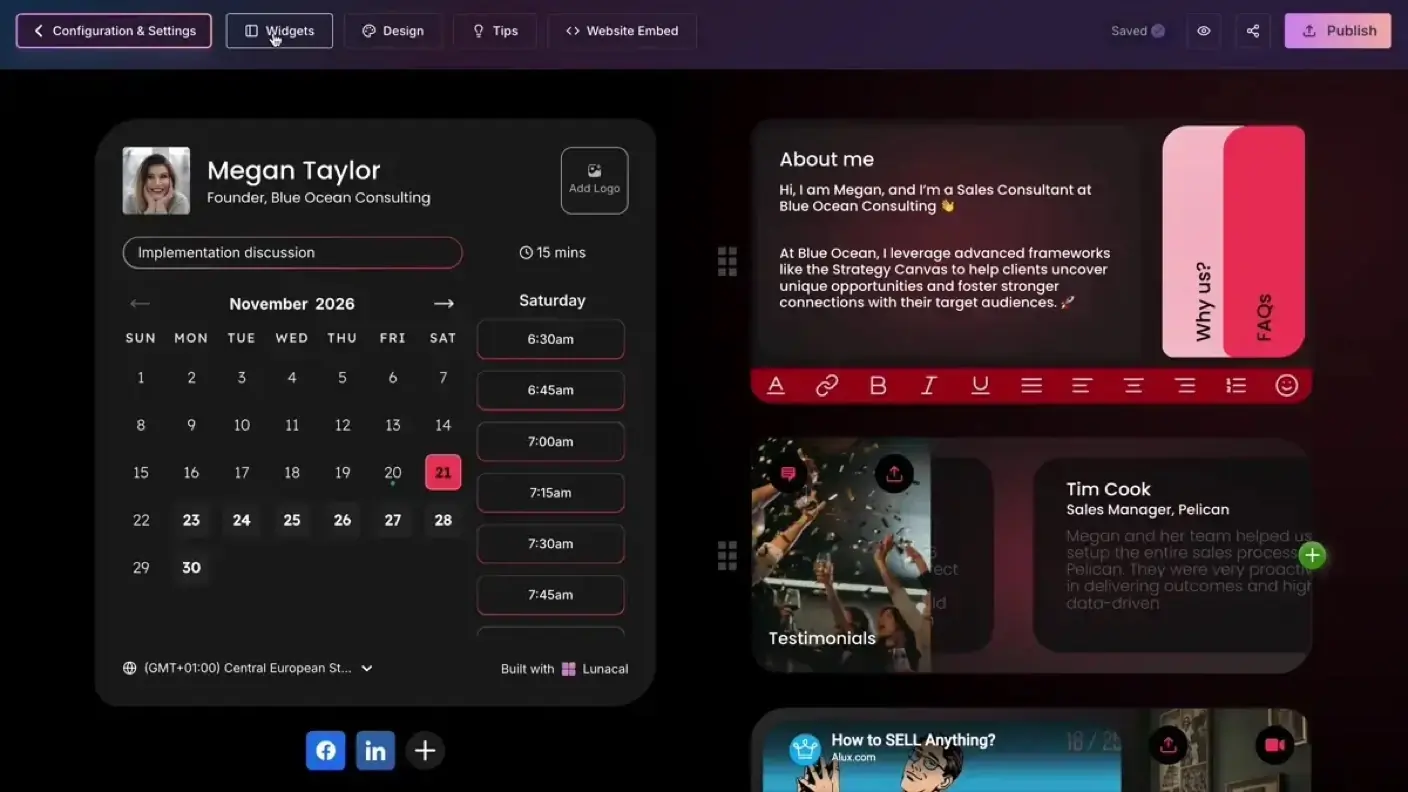
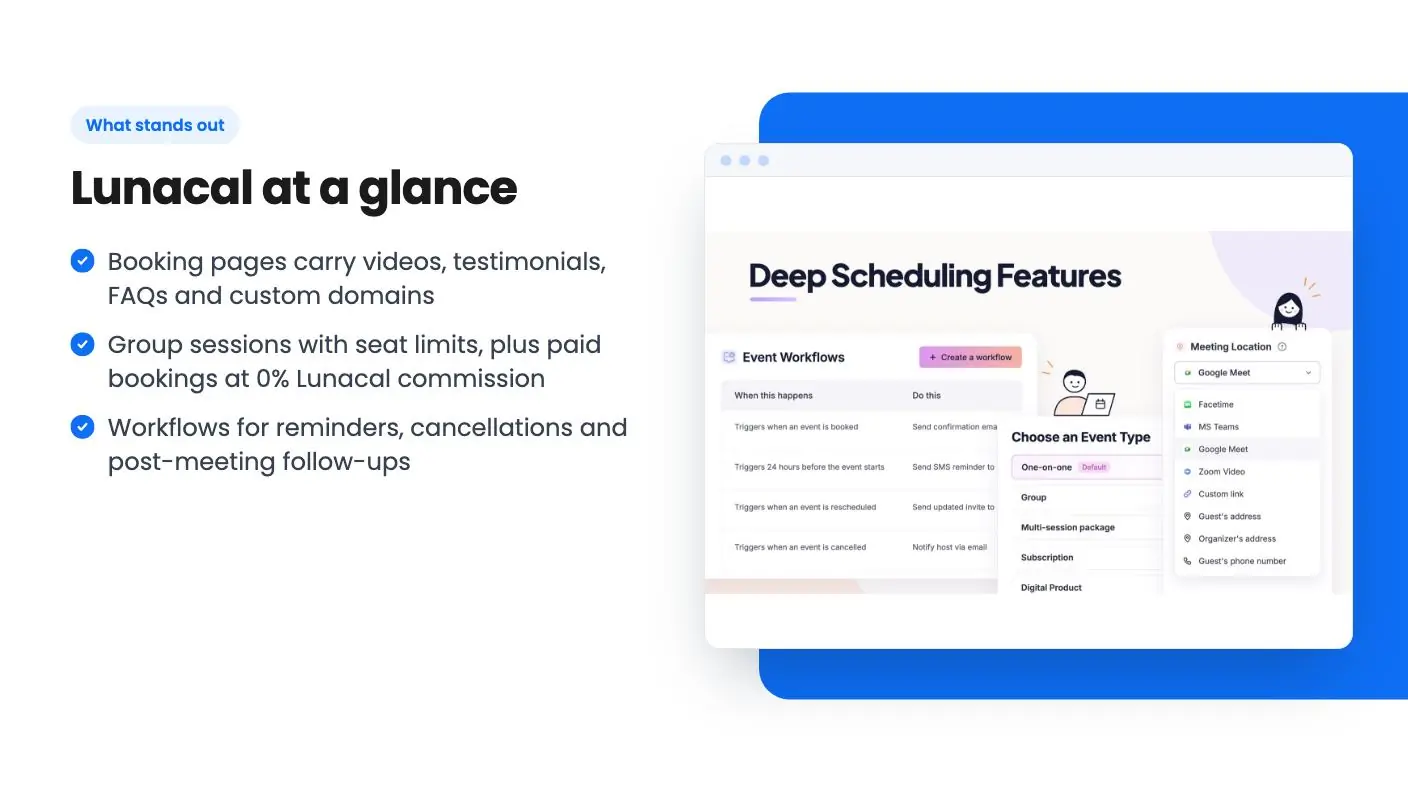
- Booking pages carry videos, testimonials, FAQs and custom domains
- Group sessions with seat limits, plus paid bookings at 0% Lunacal commission
- Workflows for reminders, cancellations and post-meeting follow-ups
- Workspaces for separate businesses or agency clients on higher tiers
Watch out for
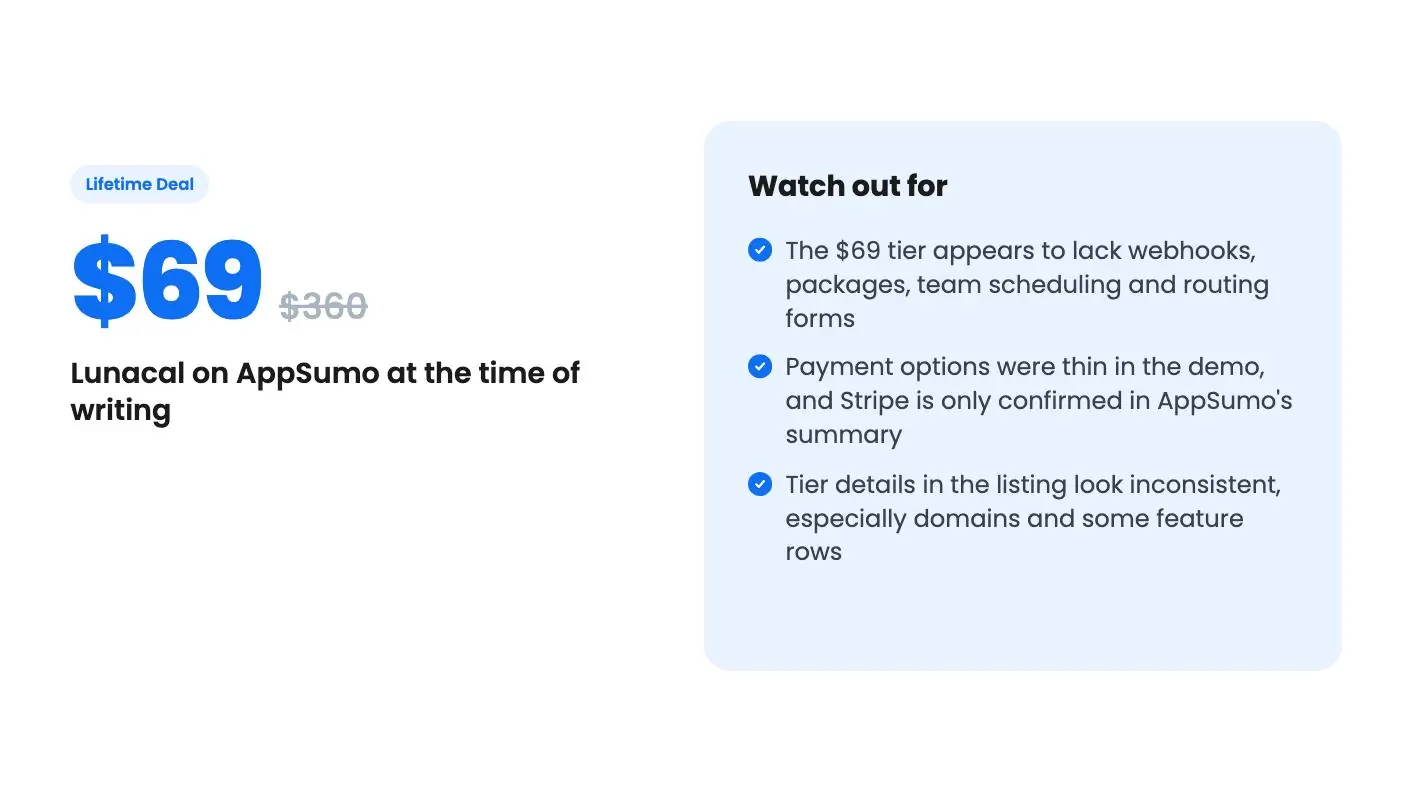
- The $69 tier appears to lack webhooks, packages, team scheduling and routing forms
- Payment options were thin in the demo, and Stripe is only confirmed in AppSumo's summary
- Tier details in the listing look inconsistent, especially domains and some feature rows
You send your scheduling link, the person books, and that’s it. They never see your podcast, your case study or your other offer. If they cancel, you probably never hear from them again. Lunacal is built around that gap.
It’s a scheduling tool sold on AppSumo as a lifetime deal, starting at $69 against a $360 list price. This Lunacal review is based on the listing and the founder’s demo video, not hands-on use. The pitch is simple: your booking page is where your most qualified visitors land, so it should do more than show open slots.
What can a Lunacal booking page do?
According to the listing, you can add intro videos, testimonials, case studies, FAQs and social content to the page. There are custom themes, colors, backgrounds and animations, and no coding is needed. A custom domain, a customer portal and branded emails round out the “look like a bigger company” angle.
The founder’s argument in the demo is about cross-selling. Someone booking time with you is already interested, so mention your other products or link your podcast right there. That’s a reasonable idea for consultants and coaches. It’s less useful if you run a high-volume service business where people just want a slot and a confirmation.
You can also embed the calendar on any site as an inline block or a floating widget, and WordPress is on the integration list.
What setting up a page looks like
Most people switching schedulers worry less about features than about the first afternoon. What do you have to rebuild? The listing doesn’t give a setup time or an import tool for moving event types over from another service, so assume you’ll recreate them by hand.
From the listing and its FAQ, the order looks like this:
- Connect your calendar. Google, Outlook and Apple calendars are named in the FAQ, and you can sync more than one.
- Set availability, buffer times between meetings and a minimum notice period. The FAQ points to these as the double-booking protection.
- Create your event types: one-on-one, group, recurring, in person, phone or video.
- Add intake questions, manual approval or cancellation rules where they make sense.
- Dress the page with your theme, videos and testimonials, then embed it or point a custom domain at it.
The content step is the one to budget time for. A page with an intro video and case studies is only as good as what you give it. If you don’t have a testimonial or two ready, the fancy layout won’t help much.
How does Lunacal compare with Calendly and Acuity?
The listing names both as alternatives. Both are established, subscription-priced tools, so the lifetime price is the obvious hook. The listing doesn’t give a feature-by-feature comparison, and I won’t invent one.
What Lunacal claims over them is page design and built-in follow-up. In the demo, the founder says he used to wire Calendly to Zapier and an email tool to send cancellation and thank-you emails, and he built workflows into Lunacal to avoid that. That’s a real annoyance if you’ve done it, and it’s the heart of this Lunacal review.
What you give up is track record. Lunacal has 127 AppSumo reviews averaging 4.73, which is good, but that’s the marketplace’s own summary and it’s marketing copy. A scheduling tool sits in front of your clients, so a young product deserves some caution.
Check Lunacal’s plan limits on AppSumo →
Three kinds of business and what they’d likely use
The listing lists consultants, marketing agencies and small businesses as the best fits. Here’s how each might use it, based on the features described, not on anyone’s reported results.
A solo consultant needs the page to explain who they are. Intro video, FAQs and a case study on the booking page can do some of the pre-call selling. A lower tier may be enough, though packages and subscriptions sit higher up.
An agency with several clients is the case the multi-business features seem built for. Each client gets a dedicated workspace with its own teams, pages, settings and permissions, so nothing bleeds across. That’s where the company cap on each tier matters most. Count your clients honestly, because the cap equals the user cap at every level.
A small studio or class operator would lean on group sessions, prepaid session packages and the customer portal, where clients see remaining sessions. Multiple locations, with customers picking a service and a preferred professional, is also in the listing. This is the audience that most needs the payments to work, so see the next section’s caution about processors before you commit.
Workflows, group slots and payments
The workflows are the part I’d look at first. The demo shows a re-engagement email when a meeting is canceled, with a rebooking link and maybe a case study. Another sends a thank-you after a meeting is completed, with a couple of video links. They’re links, not embedded players, which the host noticed and the founder seemed to take as an idea.
Group sessions are the other highlight of this deal. You set a seat limit per slot, the slot closes when it’s full, and a cancellation reopens a seat. You can show the remaining seats as a nudge. For office hours or small classes, that’s the feature many calendar tools hide on higher plans. The founder says it’s available at $69.
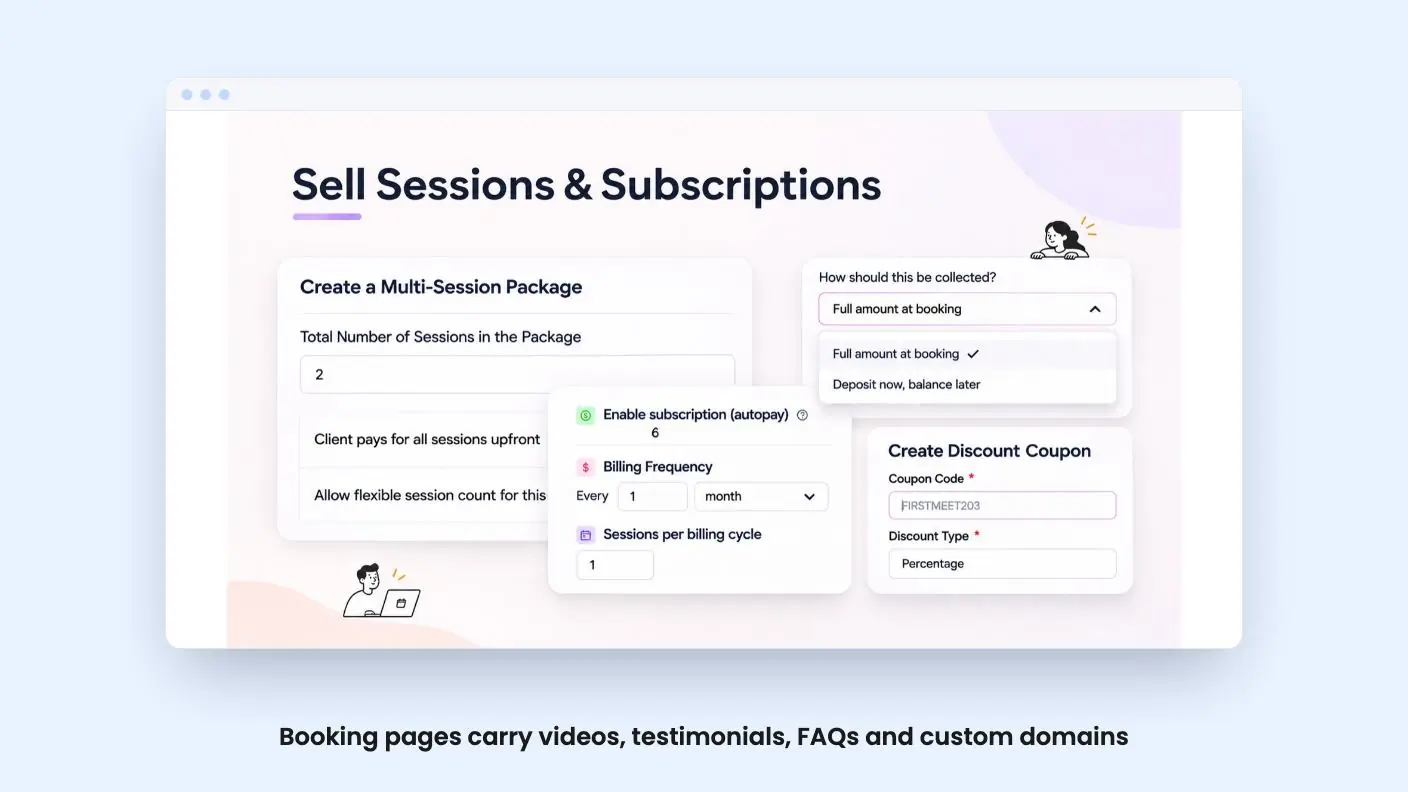
Payments need a caution. The listing promises full payments or deposits with 0% commission from Lunacal, plus coupons and prepaid session packages. But in the demo, PayPal was the only processor. Stripe was described as the top candidate, and AppSumo’s review summary now says Stripe was added. The listing itself doesn’t list Stripe, so verify it before you rely on it.
SMS and email reminders are on every tier. The listing doesn’t say whether SMS has a message cap or extra cost, so check that if you plan to text clients.
How the integrations fit around it
The headline integration list is short: G-Suite, Google Meet, Outlook Calendar, WordPress and Zapier. The FAQ adds Zoom, HubSpot, Pipedrive, Apple Calendar and WhatsApp. That’s a mismatch worth noticing, and the listing doesn’t explain whether the FAQ items are native or reached through Zapier.
In practice, here’s what each seems to cover:
- Calendars and video: your availability and meeting links.
- WordPress: the embed, as an inline block or a floating widget.
- WhatsApp: a chat button on the booking page, which suits clients who prefer messaging.
- HubSpot and Pipedrive: getting booked contacts into a CRM.
- Zapier and webhooks: everything else, though webhooks are missing from the lowest tier per the matrix.
The FAQ also says you can embed specific time slots in an email, so a recipient picks a time without leaving their inbox. That’s handy for outreach, and it’s a detail the main feature list skips. Start with the one or two connections your business already depends on, and ask support to confirm them before you buy.
What does each Lunacal tier include?
The prices are $69, $169, $319, $449, $629 and $899. The listing’s feature matrix seems to list tiers from highest to lowest, so I’ve read it in reverse. Some rows look odd, so treat the tier details in this Lunacal review as approximate.
| Tier | Price | Limits | What you get |
|---|---|---|---|
| Tier 1 | $69 | 2 users and 2 companies | No webhooks, packages and subscriptions, team scheduling or routing forms, and no custom domain |
| Tier 2 | $169 | 7 users and companies | One custom domain, webhooks, packages and team scheduling |
| Tier 3 | $319 | 20 users and companies | Two domains, and routing forms for auto-assigning bookings |
| Tier 4 | $449 | 30 users and companies | Four domains |
| Tiers 5 and 6 | $629, $899 | 30 and 50 users and companies | Rebrand-and-sell option appearing only here |
The domain numbers don’t agree. The plan text says tier 2 includes 1 CNAME, tier 3 includes 2 and tier 4 includes 4, with caps of 4, 15 and 25. The matrix shows other figures for tiers 5 and 6. Extra domains cost $39 each, and extra users cost $10 each, up to 100.
The webhooks line matters. In the demo, the founder hoped to ship webhooks within days and put them on the first tier, but said pricing was not final. The listing’s matrix now shows them missing at $69. If webhooks drive your decision, that’s the gap to close before you pay.
Tier 1 is probably fine for a solo consultant with one business. The moment you want packages, subscriptions or a teammate, you’re looking at $169 or more.
Checks to make before you pay
Lifetime deals reward a little homework. These are the open questions the listing leaves, in rough order of how much they could cost you.
- Tier count. There are six prices, but the plan text talks about upgrading and downgrading between 4 license tiers. The listing doesn’t say how those line up.
- Odd matrix rows. Custom SMTP, the public API and MCP, and AI voice call reminders appear in places that look backward. Ask which tier you’d actually get each one on.
- SMS. Reminders are on every tier, but the listing doesn’t mention a message cap or cost.
- Domains and users. Extra CNAMEs are $39 each and extra users $10 each, both lifetime. Do the math for your team before picking a tier.
- Payments. Confirm which processors work today, since the listing and the demo don’t agree.
The timing is simple. You must activate your license within 60 days, and downgrading is allowed in that same window. Upgrading is possible while the deal is live. Use those 60 days to run a real booking through each piece you rely on.
Who should buy, and who should skip
Buy if you’re a consultant, coach or small agency and your booking page is part of your sales pitch. The agency angle is interesting: separate workspaces for clients, each with its own teams, pages and permissions, at the higher tiers.
Skip it if your needs are plain. As this review sees it, a quick link and a confirmation email don’t require a lifetime commitment to a young vendor.
Skip it too if you need team routing, webhooks or packages at the lowest price. Those sit above tier 1.
The listing says you must activate your license within 60 days. The Lunacal review takeaway on risk is that AppSumo’s summary mentions a 60-day money-back guarantee, which gives you time to find out whether the workflows and payments work for you. The deal ends November 22, so don’t wait long.
Related reading: Formly - Forms, Surveys & Quizzes review, Quizlead review.
All Lunacal features
Taken from Lunacal's AppSumo listing. We haven't tested these features hands-on.
Win clients over before the first call
- Design stunning scheduling pages with custom themes, colors, backgrounds, and animations, no coding required
- Build trust before visitors book with intro videos, testimonials, case studies, FAQs, and social content
- Look like a big brand with a custom domain, branded booking page, customer portal, and polished emails
- Add booking calendars to any website as inline embeds or floating widgets
Get paid for sessions, packages, and subscriptions
- Sell prepaid multi-session packages recurring subscriptions, one-off appointments, or group classes
- Collect full payments or partial deposits with 0% commission from Lunacal
- Create discount coupons with date and usage limits to attract and retain customers
- Set up custom client portals where customers manage appointments, subscriptions, and remaining package sessions
Handle every booking type and automate the rest
- Offer 1:1 meetings, group sessions, and recurring sessions in person, over the phone, or via video conferencing
- Customize every booking with intake forms, manual approvals, cancellation rules, availability controls, and more
- Automate the entire booking journey with workflows, SMS and email reminders, and post-meeting follow-ups
- Sync multiple calendars and support 13+ languages with seamless time zone management
Manage multiple teams, locations, and businesses
- Offer services across multiple offices and locations letting customers pick their service and preferred professional
- Auto-assign bookings with round-robin scheduling, routing forms, and team-specific availability
- Coordinate group meetings with collective scheduling and shared availability across team members
- Run separate businesses or agency clients from dedicated workspaces, each with its own teams, booking pages, settings, and permissions
Included in every plan
- Remove "Powered by Lunacal"
- Multiple themes/colors
- SMS/email reminders & workflows
- Scheduling page widgets
- Calendar embed
- Integrations
- Paid meetings (0% commission)
- Flexible meeting locations
- 13+ languages
- Custom booking questions
- Group sessions
- Time-zone detection
- Limited-use/one-time inks
What changes by plan
Price checked Nov 23, 2026 on AppSumo. Tier prices and limits can change; the AppSumo page has the current ones.
| Feature | Tier 1 $69 | Tier 2 $179 | Tier 3 $329 | Tier 4 $459 | Tier 5 $639 | Tier 6 $909 |
|---|---|---|---|---|---|---|
| Users/licenses | 2 | 7 | 20 | 30 | 30 | 50 |
| Max companies | 2 | 7 | 20 | 30 | 30 | 50 |
| Custom domain/CNAME | N/A | 1 | 2 | 4 | 5 | 7 |
| Webhooks | — | ✓ | ✓ | ✓ | ✓ | ✓ |
| Packages & subscriptions | — | ✓ | ✓ | ✓ | ✓ | ✓ |
| Add social links & WhatsApp widgets | ✓ | ✓ | — | ✓ | ✓ | ✓ |
| Team scheduling | — | ✓ | ✓ | ✓ | ✓ | ✓ |
| Routing forms | — | — | ✓ | ✓ | ✓ | ✓ |
| AI voice call reminders | ✓ | ✓ | ✓ | ✓ | — | — |
| Custom SMTP | ✓ | ✓ | ✓ | — | — | — |
| Public API & MCP | ✓ | ✓ | ✓ | — | — | — |
| Rebrand & sell Lunacal | — | — | — | — | ✓ | ✓ |
What the lifetime deal includes
- Lifetime access to Lunacal
- All future Standard (Tier 1) or Teams (Tier 2+) Plan updates
- If Plan name changes, deal will be mapped to the new Plan name with all accompanying updates
- No codes, no stacking—just choose the plan that’s right for you
- You must activate your license within 60 days of purchase
- Ability to upgrade between 4 license tiers while the deal is available
- Ability to downgrade between 4 license tiers within 60 days of purchase
- GDPR compliant
- Optional Add-on: Purchase additional custom domains (CNAME) for $39/domain (lifetime)
- Domains: Tier 2 includes 1, Tier 3 includes 2 CNAMEs, and Tier 4 includes 4
- You can use up to 4 CNAMEs in Tier 2, 15 in Tier 3, and 25 in Tier 4
- Optional Add-on: Purchase addtl. users for $10/user, with an upper limit of max. 100 users (lifetime/purchase direct w/ Lunacal)
At a glance
- Best for
- Consultants, Marketing agencies, Small businesses
- Alternative to
- Acuity Scheduling, Calendly
- Integrations
- G-Suite, Google Meet, Outlook Calendar, WordPress, Zapier
- Category
- Operations › Calendar & Scheduling
- Website
- lunacal.ai
Decided Lunacal fits? The lifetime deal starts at $69, until Dec 1, 2026. Check the tier limits on AppSumo before you pick one.
Get Lunacal on AppSumoKeep reading about Lunacal
Lunacal FAQ
Can Lunacal run group sessions or office hours?
Yes. In the demo video the founder says you can set how many people may book one time slot, for example 10 for a 30-minute block. When it fills, the slot closes, and a cancellation reopens a seat. You can optionally show how many seats are left. He says this works at the $69 tier.
Which tier do I need for team scheduling and webhooks?
Going by the listing's feature matrix, tier 1 ($69) lacks team scheduling, webhooks, packages and subscriptions, and routing forms. Tier 2 ($169) adds the first three, and routing forms appear from tier 3 ($319). The matrix is formatted confusingly, so confirm on the AppSumo page before buying.
Does Lunacal take a cut of paid bookings?
The listing says 0% commission from Lunacal on paid meetings, in every tier. Your payment processor will still charge its own fees, and the listing doesn't spell those out.
Topic guide