
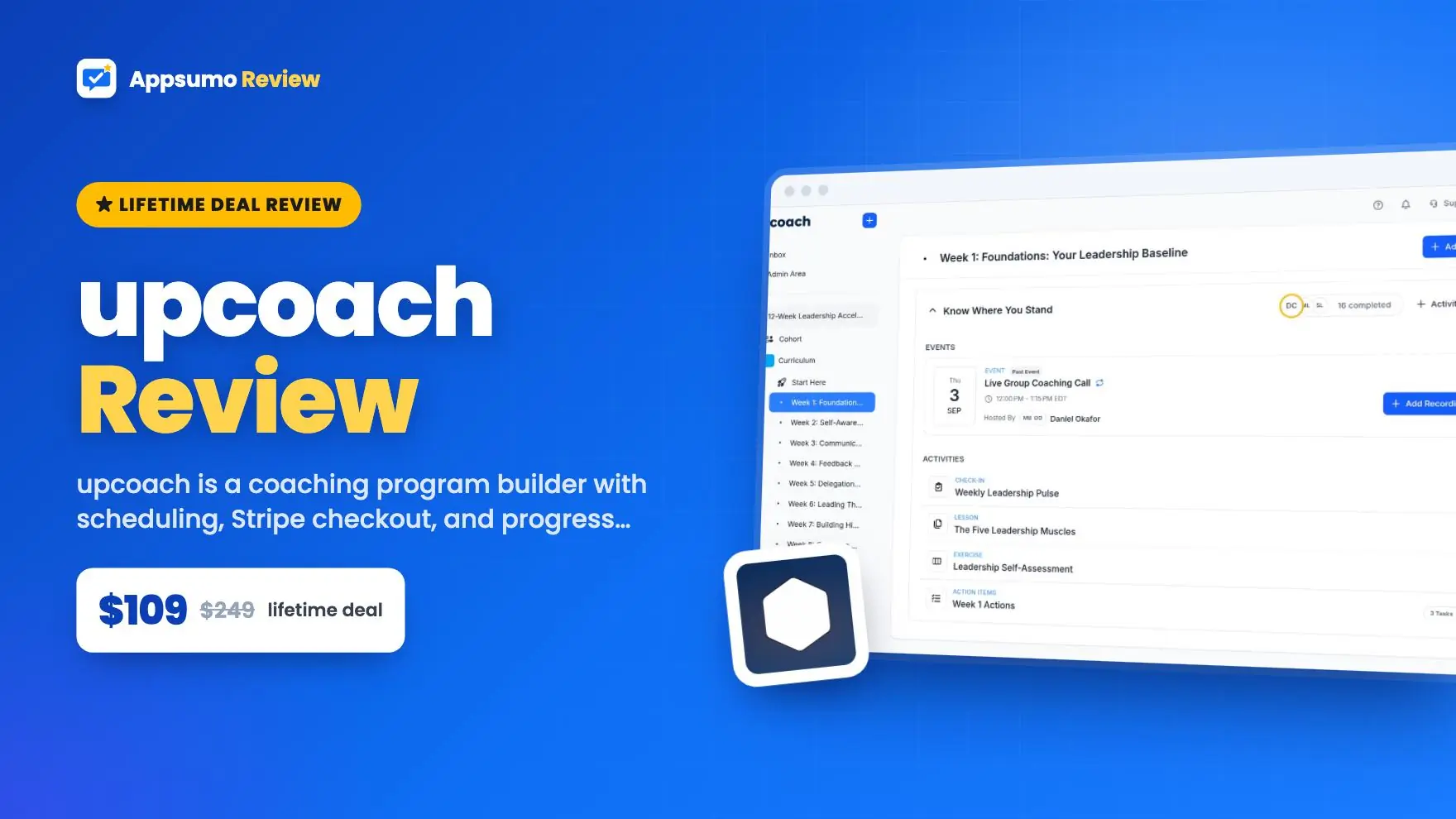


Lifetime deal price
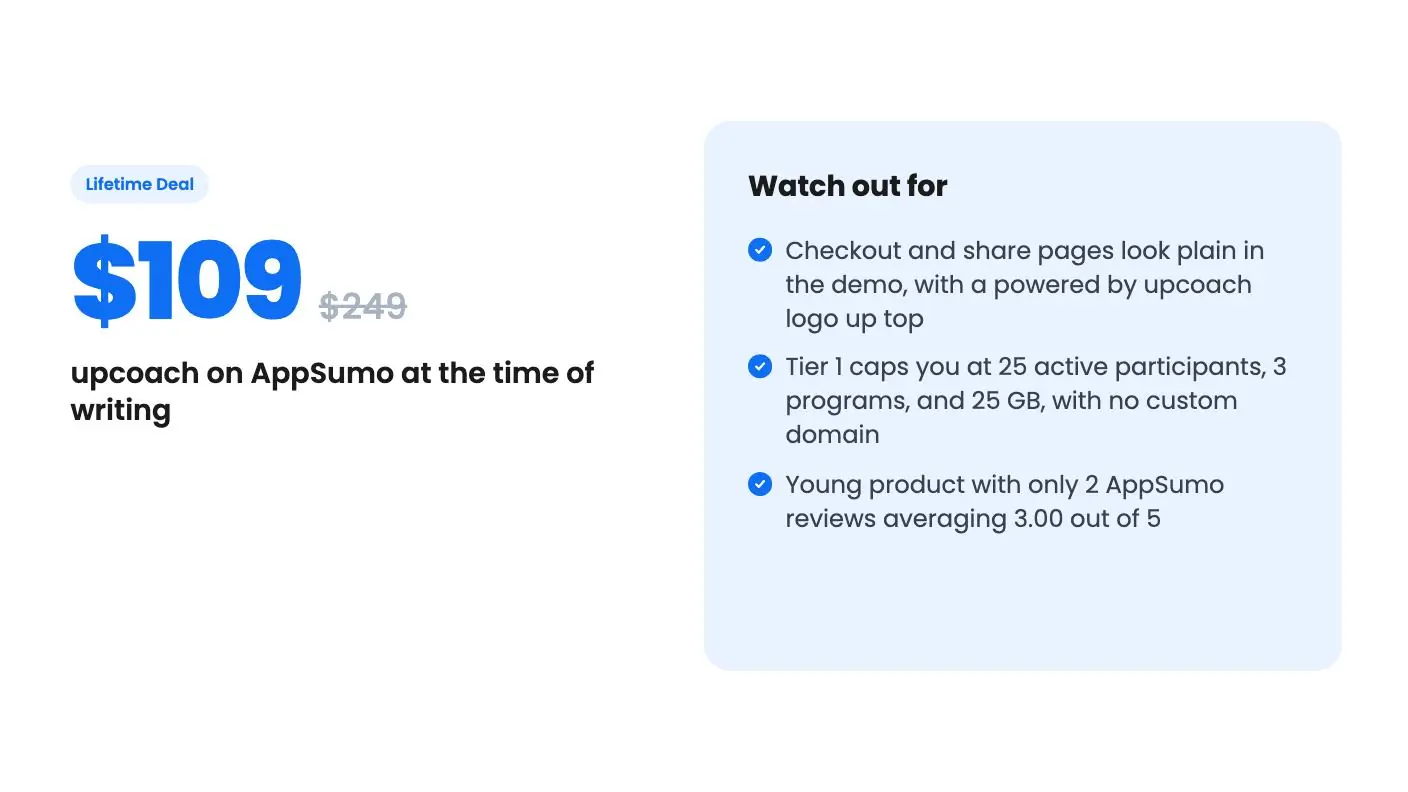
$109$24956% off
Lifetime Deal · ends Dec 1, 2026
Price checked on AppSumo
5.0(1 AppSumo review)
What is upcoach?
upcoach is an all-in-one program builder for online coaches and course creators that lets them design structured programs, host group and one-to-one calls, sell through Stripe checkout, and track participant progress.
Is the upcoach lifetime deal worth it?
Our take: Buy the $109 tier if you run one-to-one or small cohort coaching and want structure, booking, and payments in one place, and you can live with a plain-looking checkout. Skip it if you sell high-ticket programs where the sales page has to look polished, or if you need more than 25 active clients at the entry price.
Key facts: upcoach sells for $109 once on AppSumo (list price $249), the deal ends Dec 1, 2026 and 1 AppSumo buyers rate it 5 out of 5 (price checked Nov 23, 2026).
Best for: Course creators, Online coaches, Solopreneurs
Alternative to: Mighty Networks, Thinkific
What we like
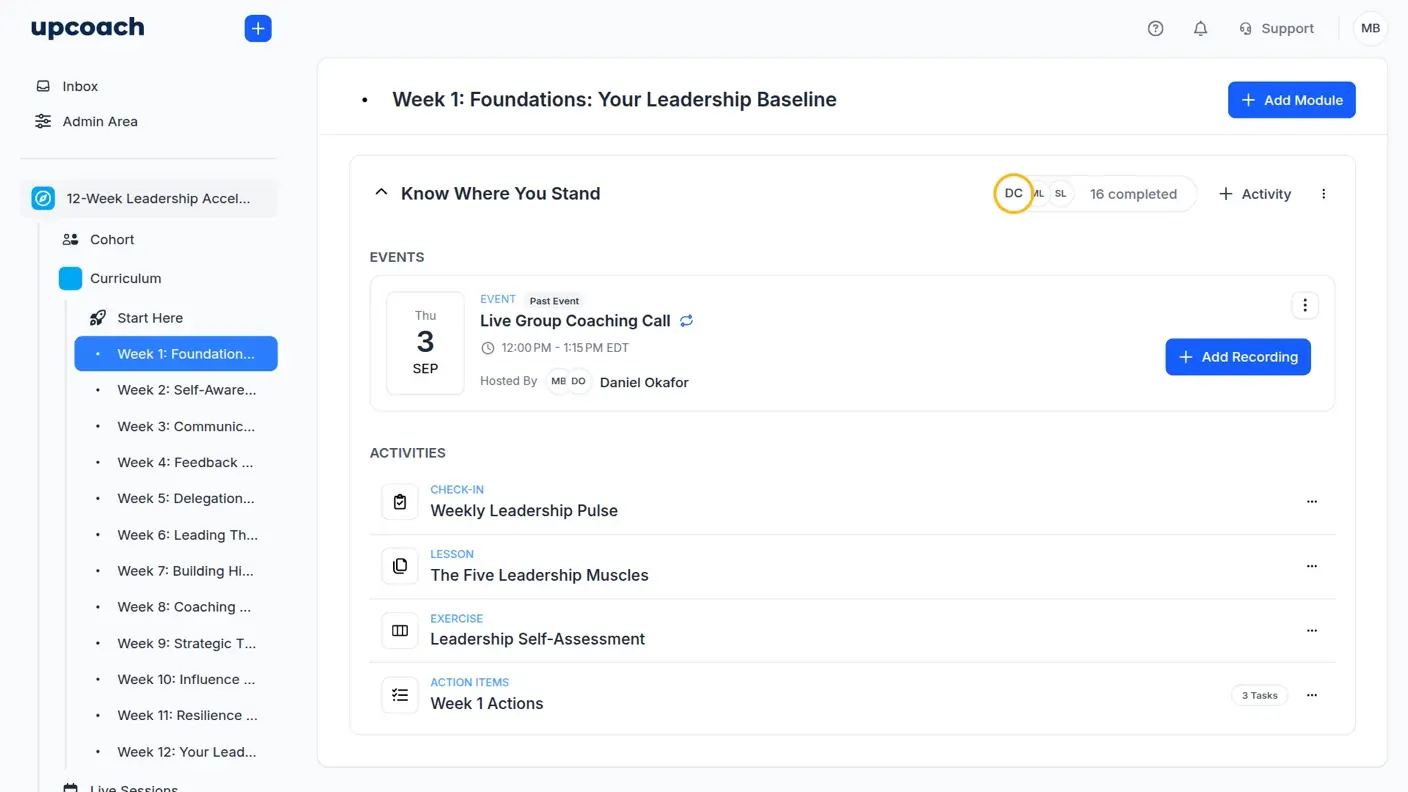
- Program formats come with curriculum and schedule already in place
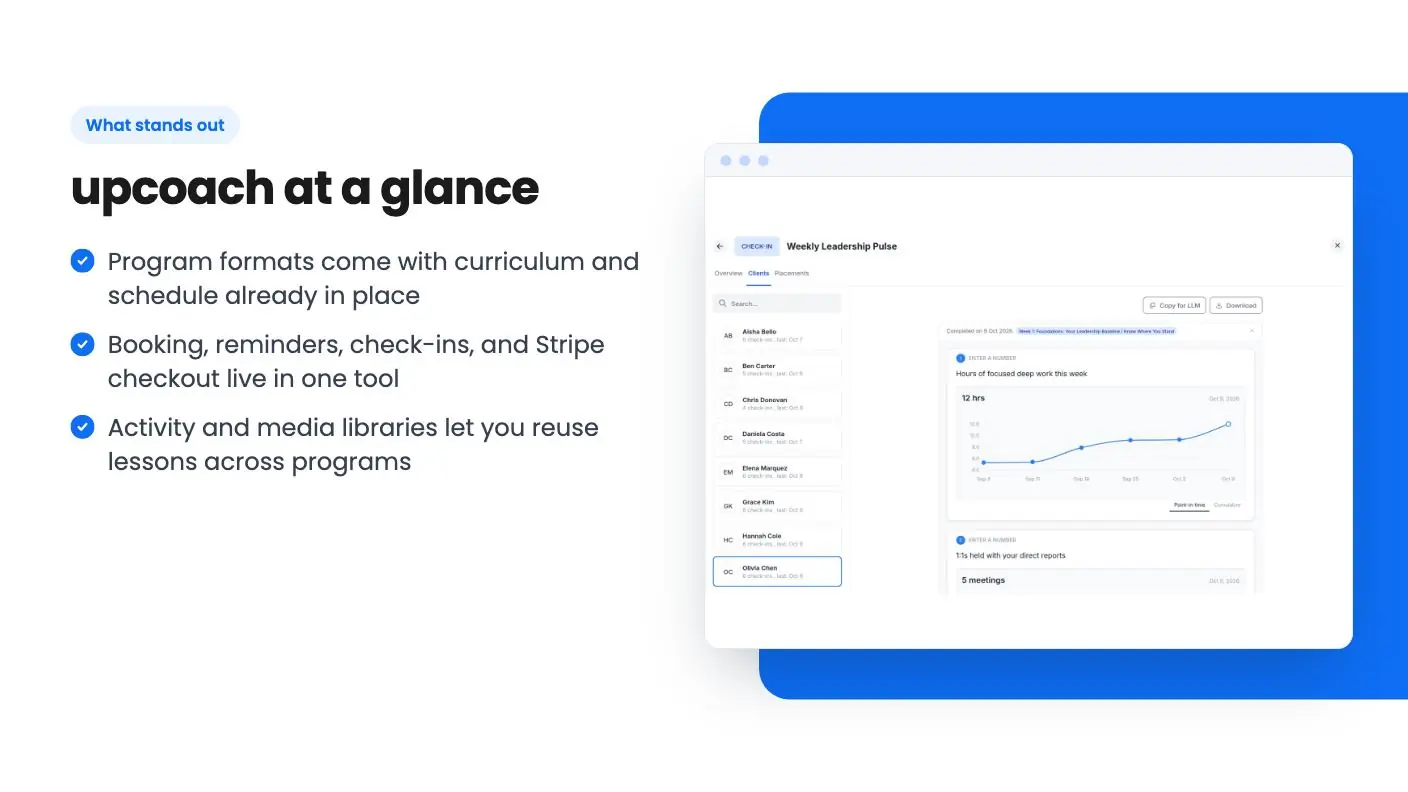
- Booking, reminders, check-ins, and Stripe checkout live in one tool
- Activity and media libraries let you reuse lessons across programs
- Claude and ChatGPT connect out of the box
Watch out for
- Checkout and share pages look plain in the demo, with a powered by upcoach logo up top
- Tier 1 caps you at 25 active participants, 3 programs, and 25 GB, with no custom domain
- Young product with only 2 AppSumo reviews averaging 3.00 out of 5
Most coaches I can picture running a business like this: a booking link in one tab, a Stripe payment link in another, worksheets in a shared folder, and a spreadsheet where they try to remember who showed up last week. It holds together for a handful of clients. After that it starts to leak.
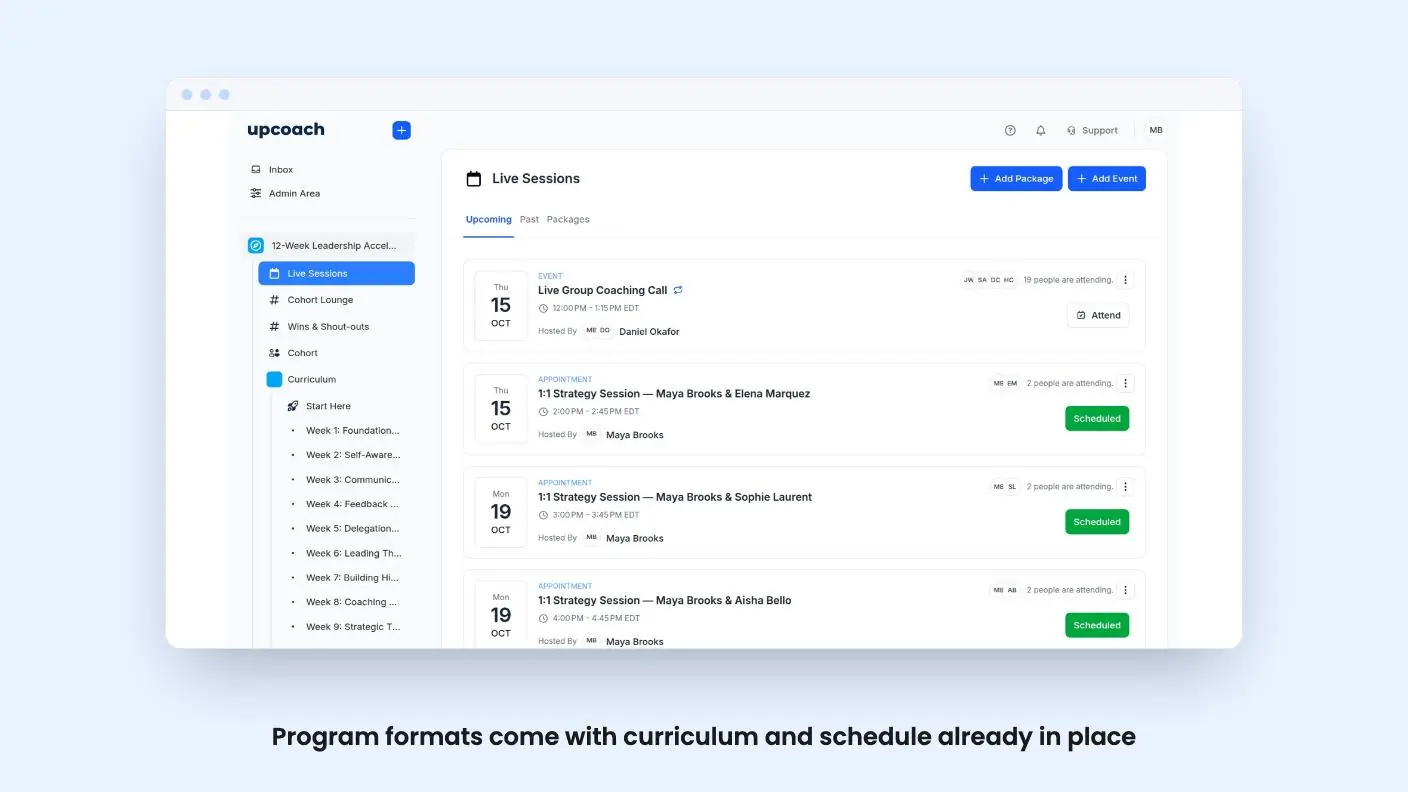
upcoach wants to replace that pile with one workspace. It’s a program builder with scheduling, an offer page, and progress tracking attached, and AppSumo lists it from $109. The tier table matters a lot in this upcoach review, so read it before you pick.
What can you sell with upcoach?
The idea, as this review sees it, is structured coaching. You choose a format first: cohort course, mastermind, challenge, bootcamp, or one-to-one program. The curriculum and schedule arrive pre-filled, and you edit from there.
Each week can hold lessons, videos, worksheets, check-ins, and task lists that open as the program moves along. Everything goes into an activity library, so the same exercise can sit in a second program without being rebuilt. In the demo video, the library shows an exercise marked as used in two programs. Small thing, real time saved.
Selling runs through a shareable offer page with Stripe checkout. Buyers can pay once, use a payment plan, or subscribe, and you can set registration deadlines, limited spots, and launch-week coupons. Bundles are possible too, like a flagship cohort paired with an alumni community. Per the listing, a buyer who pays is dropped into the right program with no manual invite.
The listing doesn’t say what upcoach charges beyond the platform fee below, or how Stripe’s own processing fees sit on top. Sort that out before you build a pricing model.
Matching a format to your kind of business
A coach who sells an eight-session package to one client at a time has a very different week from someone running a group cohort, and the formats in upcoach follow that split.
The one-to-one coach
This is the case the listing handles most clearly. Clients book their own sessions within your availability, and you can set rules like one session a week or an eight-session package. That removes the back-and-forth over times, which is where most solo coaches lose their evenings. On the $109 tier you get one team seat, so it’s you alone. That’s fine for this kind of practice, since the three-program cap matters less when each client moves through the same structure.
The cohort or mastermind host
Group formats lean on the recurring calls, the channels, and the feeds. The listing mentions agendas and prep notes pinned to each event for you and your co-hosts, plus attendance and session ratings afterward. Co-hosts need seats, though, and the entry tier has one. If you plan to run a group with a partner, check the seat counts before you pick a tier. The listing also says nothing about how many people can join a single call, so ask before you promise a big live session.
The challenge or bootcamp seller
Short, deadline-driven programs fit the offer page well. Registration deadlines, limited spots, and launch-week coupons are all listed, and activities that open as the program moves forward suit a fixed run. The catch is volume. Challenges tend to attract people who join for a low price, and the $109 tier counts only 25 active participants. A popular launch could hit that ceiling fast. The add-on is 100 participants per unit, but the listing gives no price for it, so don’t plan a big launch around it.
What are the upcoach fees and caps on each tier?
The listing’s feature table runs from the biggest tier to the smallest, which is easy to misread. The demo video confirms that the $109 tier covers 25 active participants and three programs, so here it is in price order.
| Tier | Price | Limits | What you get |
|---|---|---|---|
| Tier 1 | $109 | 25 active participants, 1 team seat, 3 programs, 3 channels/feeds/connected schedules, 25 GB storage | 4% platform fee, no custom domain |
| Tier 2 | $249 | 100 participants, 2 seats, 10 programs, 10 channels, 50 GB | 4% fee, no custom domain |
| Tier 3 | $499 | 250 participants, 5 seats, 25 programs, 25 channels, 100 GB | 3% fee, custom domain |
| Tier 4 | $799 | 500 participants, 10 seats, unlimited programs and channels, 250 GB | 2% fee, custom domain |
Any tier can add 100 participants per unit. The listing gives no add-on price.
The platform fee is the part I’d think hardest about in this upcoach review. At 4%, a coach who sells $10,000 of programs pays $400 to upcoach, on top of Stripe’s cut. A flat-fee tool wouldn’t take that, so the lifetime price isn’t your full cost if sales are healthy. The only way to shrink the fee is the $799 tier, which is a steep jump from $109.
Storage deserves a thought if you plan to host video directly. 25 GB disappears quickly with session recordings. At the low tiers, embedding from YouTube or another host looks like the safer plan.
All four tiers include future Pro plan updates. The listing also warns that access to future AI models may come at a discounted rate or may need an add-on, so don’t assume the AI features stay free forever.
Check upcoach’s plan limits on AppSumo →
What the demo video shows
We haven’t used upcoach ourselves, so everything here comes from the listing and Dave Swift’s Black Friday drop video. In it, he builds an eight-week, one-to-one program.
First comes scheduling. He connects Google Calendar, sets a 60-minute session, and chooses how far ahead people must book. There are optional gaps before and after sessions, a switch to let clients reschedule or cancel inside a notice window, and a location field that accepts a meeting link or an in-person address. After that, one click generates the eight-week structure. If you already have an outline, you can paste it in instead.
That’s the part he liked, and it’s the interesting bit. In his words, it’s an appointment booking tool with a curriculum attached. Each week has a call, and inside it you see the activities for that call, like a lesson plan. He did point out that one generated week held four activities, which is a lot for 60 minutes, so expect to trim.
The AI side connects through MCP. Claude, ChatGPT, and other MCP clients can build or adjust programs and answer progress questions in plain English. Handy if you already live in one of those tools, but I wouldn’t buy on that alone.
Setup steps and what connects to what
Before anyone can pay you, there’s a short list of things to connect, and the listing’s FAQ spells out where each one lives.
- Stripe. Go to Admin Area, then Sell, then Connect with Stripe, and finish Stripe’s onboarding. That means business details, a bank account, and identity verification. Do this early, because verification isn’t something you want to be waiting on the day your launch goes live.
- Calendar. One Google Calendar or Outlook account can be connected. It pushes events you attend or book, checks free and busy times when someone books, and syncs changes and cancellations. If you run work and personal calendars separately, you’ll need to decide which one counts.
- Video calls. upcoach doesn’t host them. You paste a meeting link from Zoom, Google Meet, Microsoft Teams, or similar onto the event.
- Zapier and the API. Both are listed. In either case you create an API token under Admin area, then Advanced, then Integrations. The token is shown only once, so copy it somewhere safe right away.
Getting your data out
This is worth checking for a lifetime purchase. You can download CSV exports of people, notes on a person, and check-in responses from the Admin area. Owners can also request a full workspace archive. Exports of 1,000 people or more arrive by email with a download link, which won’t matter on the smaller tiers.
The listing doesn’t say whether lessons, worksheets, or videos come out in a reusable form, and the FAQ only names people, notes, and check-in responses. If your curriculum is the valuable part, keep your own copy of it outside upcoach. Nothing in the listing promises you can lift it out in one piece later.
Where upcoach looks rough
The video is blunt about design, and that’s the main reason to pause. The program list cuts off week details, so you click through to read titles. The default share page is plain, and nothing walks you through writing the offer.
The checkout page does accept a featured image, an embedded video, a what’s included list, a who is this for section, testimonials, a bio, and an FAQ. Even filled in, Dave found the layout templated and short on the confidence a high-ticket buyer wants. A powered by upcoach logo also sits at the very top of the page. The booking widget, by contrast, looked fine to him.
Branding settings in the demo cover a custom domain, background colors, a logo, and a favicon. The logo area showed an odd square crop even though a favicon option exists. He didn’t know which AppSumo tier includes white labeling, but the listing’s table points to custom domains on the $499 and $799 tiers only.
His overall verdict was a great idea that isn’t yet polished enough to sell high-ticket coaching. AppSumo’s two reviews, averaging 3.00 out of 5, fit that picture. It’s a tiny sample, but it’s also a young product, so plan for rough edges and a roadmap that keeps moving.
What participants see
The demo is thin here, and I’d rather say so than guess. It shows the join page, where someone clicks join, and the booking widget, where they pick a time and a location. A participant’s dashboard isn’t shown.
The listing fills in some of the rest of the picture. Programs get channels and feeds with threads, @mentions, and smaller groups. Participants fill in check-ins, and numbers like hours, revenue, or confidence build into a trend line over the weeks. You see who started, who’s moving, and who went quiet, and AI Insights summarizes open-ended answers across a group. Sponsors can get a read-only view of reports.
Events support up to three reminders, with a minimum of 15 minutes before. Calls run through whatever meeting link you paste in, so Zoom, Google Meet, and Teams all work, but upcoach doesn’t host the call itself. You can connect one Google or Outlook calendar. Without one, it emails ICS files.
Should you buy the upcoach lifetime deal?
The $109 tier fits a solo coach with a small roster who wants a tidy way to run an eight-week program and collect payment. Twenty-five active participants and three programs is enough to test the idea. One rule to keep in mind: per the listing, you must activate your license within 60 days, and downgrades are only allowed within 60 days of purchase, though you can upgrade while the deal is live.
Coach groups of 50 or more and the entry tier is too small, so you’re looking at $249 or above. If your sales page does much of the persuading, the plain checkout is a real cost. And if you already pay for a course platform you like, there’s little here to justify switching, unless booking plus curriculum is the exact gap you’ve been working around. That is the bottom line of this upcoach review.
Related reading: Time review, kiwilaunch review.
All upcoach features
Taken from upcoach's AppSumo listing. We haven't tested these features hands-on.
Start every program from a proven structure
- Pick a ready-made format like a cohort course, mastermind, challenge, bootcamp, or 1:1 program, and start with the curriculum and schedule already in place
- Fill each week with lessons, videos, worksheets, check-ins, and task lists that open up as the program moves forward
- Reuse any activity across programs from your library
- Build or tweak programs by chatting with Claude or ChatGPT since both connect to upcoach out of the box
Host group calls and 1:1s without chasing anyone
- Schedule recurring group calls with Google Calendar or Outlook sync and reminders that go out automatically
- Let clients book their own 1:1s within your availability, using rules like one session a week or an eight-session package
- Pin agendas and prep notes to every event for you and your co-hosts, then review attendance and session ratings afterward
- Keep the conversation going in program channels and feeds complete with threads, @mentions, and smaller groups
See who’s doing the work and what’s changing
- Track check-in numbers like hours, revenue, or confidence as each participant’s trend line builds week over week
- Spot who’s falling behind in live program reports showing who started, who’s moving, and who went quiet
- Summarize open-ended answers across the whole group with AI Insights with no reading every response required
- Ask Claude or ChatGPT for a progress update in plain English, or give sponsors a read-only view of your reports
Sell your programs and enroll buyers automatically
- Publish a shareable offer page with Stripe checkout, registration deadlines, and limited spots
- Give buyers one-time payments, payment plans, or subscriptions side by side, plus coupons for launch week
- Bundle several programs into a single offer like a flagship cohort paired with an alumni community
- Drops them into the right program The moment someone pays, upcoach does so with no manual invites required
What changes by plan
Price checked Nov 23, 2026 on AppSumo. Tier prices and limits can change; the AppSumo page has the current ones.
| Feature | Tier 1 $109 | Tier 2 $259 | Tier 3 $509 | Tier 4 $809 |
|---|---|---|---|---|
| Active participants | 25 | 100 | 250 | 500 |
| Team seats | 1 | 2 | 5 | 10 |
| Programs | 3 | 10 | 25 | Unlimited |
| Channels / feeds / connected schedules | 3 | 10 | 25 | Unlimited |
| Storage | 25 GB | 50 GB | 100 GB | 250 GB |
| Platform fee | 4% | 4% | 3% | 2% |
| Participants add-on | +100 per unit | +100 per unit | +100 per unit | +100 per unit |
| Custom domain | — | — | ✓ | ✓ |
What the lifetime deal includes
- Get lifetime access to upcoach
- All future Pro (Tiers 1-4) plan updates
- If the plan name linked to your deal changes, it will automaticallytransfer to the new plan with all updates
- This deal is only for brand-new upcoach users—no previous accounts, trials, or paid plans with this partner
- Activate your license within 60 days—you can upgrade while the deal is live but can only downgrade within 60 days of purchase
- Access to all future AI models may be provided at a discounted rate OR Access to future AI models may require an add on
At a glance
- Best for
- Course creators, Online coaches, Solopreneurs
- Alternative to
- Mighty Networks, Thinkific
- Category
- Build & Code › Course & Community Builders
- Website
- upcoach.com
Decided upcoach fits? The lifetime deal starts at $109, until Dec 1, 2026. Check the tier limits on AppSumo before you pick one.
Get upcoach on AppSumoKeep reading about upcoach
upcoach FAQ
What can I sell with upcoach?
Cohort courses, masterminds, challenges, bootcamps, and one-to-one programs. Buyers can pay once, use a payment plan, or subscribe, and you can bundle several programs into one offer. Payments run through Stripe, so you need a connected Stripe account.
Which lifetime tier gets a custom domain?
According to the listing, the two higher tiers do: $499 (tier 3) and $799 (tier 4). The $109 and $249 tiers don't. The platform fee also drops from 4% to 3% at tier 3 and 2% at tier 4.
Can I export my data if I leave?
Yes. The listing says you can download CSV exports of people, notes, and check-in responses from the Admin area, and owners can request a full workspace archive. There's also an API and a Zapier integration.
Topic guide