


Lifetime deal price
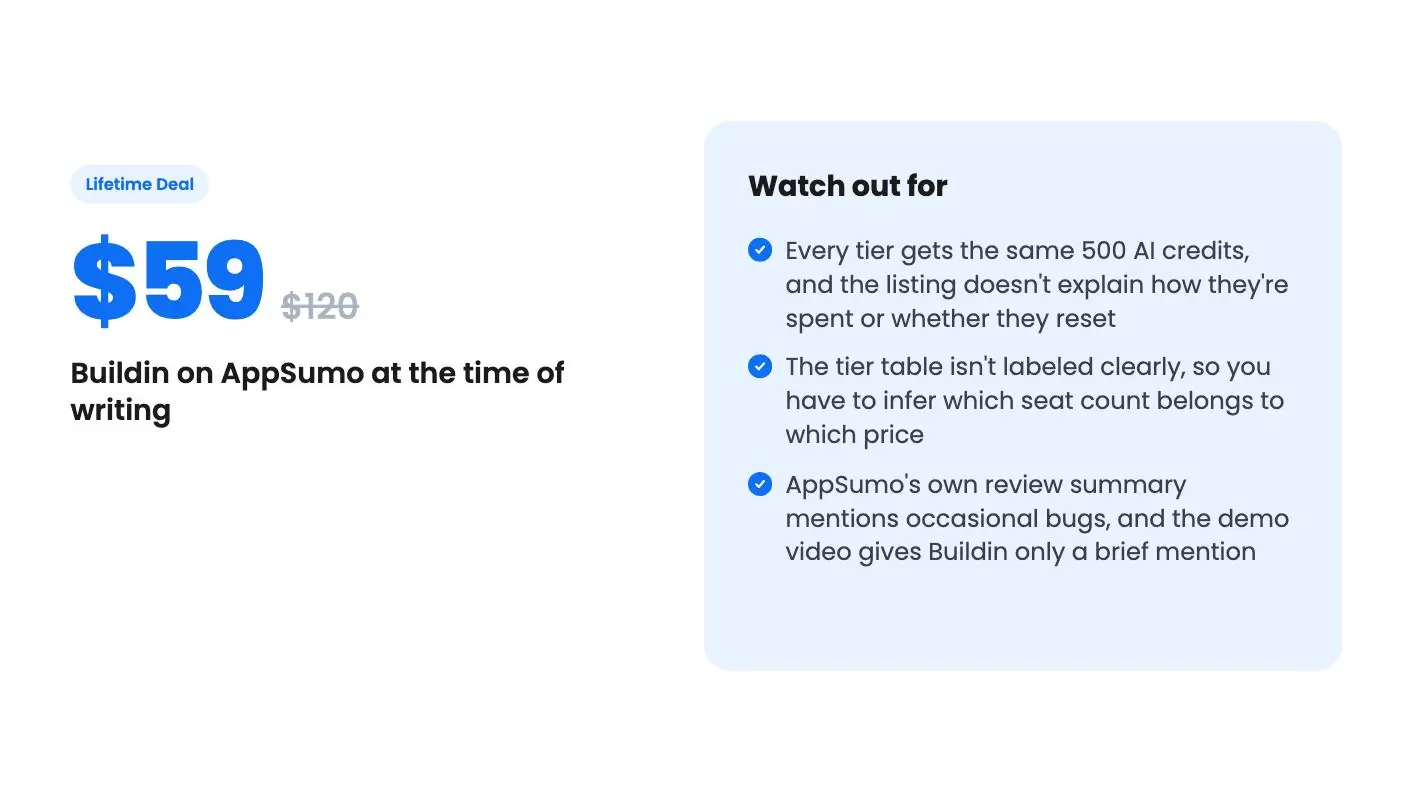
$59$12051% off
Lifetime Deal · ends Dec 1, 2026
Price checked on AppSumo
4.1(59 AppSumo reviews)
What is Buildin?
Buildin is an all-in-one workspace for teams and small businesses that combines docs, databases and project views with AI agents, and lets users sell paid access to content through subscriptions.
Is the Buildin lifetime deal worth it?
Our take: Buildin suits small teams and solo operators who want one docs, wiki and project workspace and are tired of paying monthly for Notion or Evernote. Skip it if you plan to lean on the AI agents heavily, because every tier gets the same 500 credits and the listing doesn't say what a credit buys or how often it resets.
Key facts: Buildin sells for $59 once on AppSumo (list price $120), the deal ends Dec 1, 2026 and 59 AppSumo buyers rate it 4.1 out of 5 (price checked Nov 23, 2026).
Best for: Small businesses
Alternative to: Evernote, Microsoft OneNote, Notion
What we like
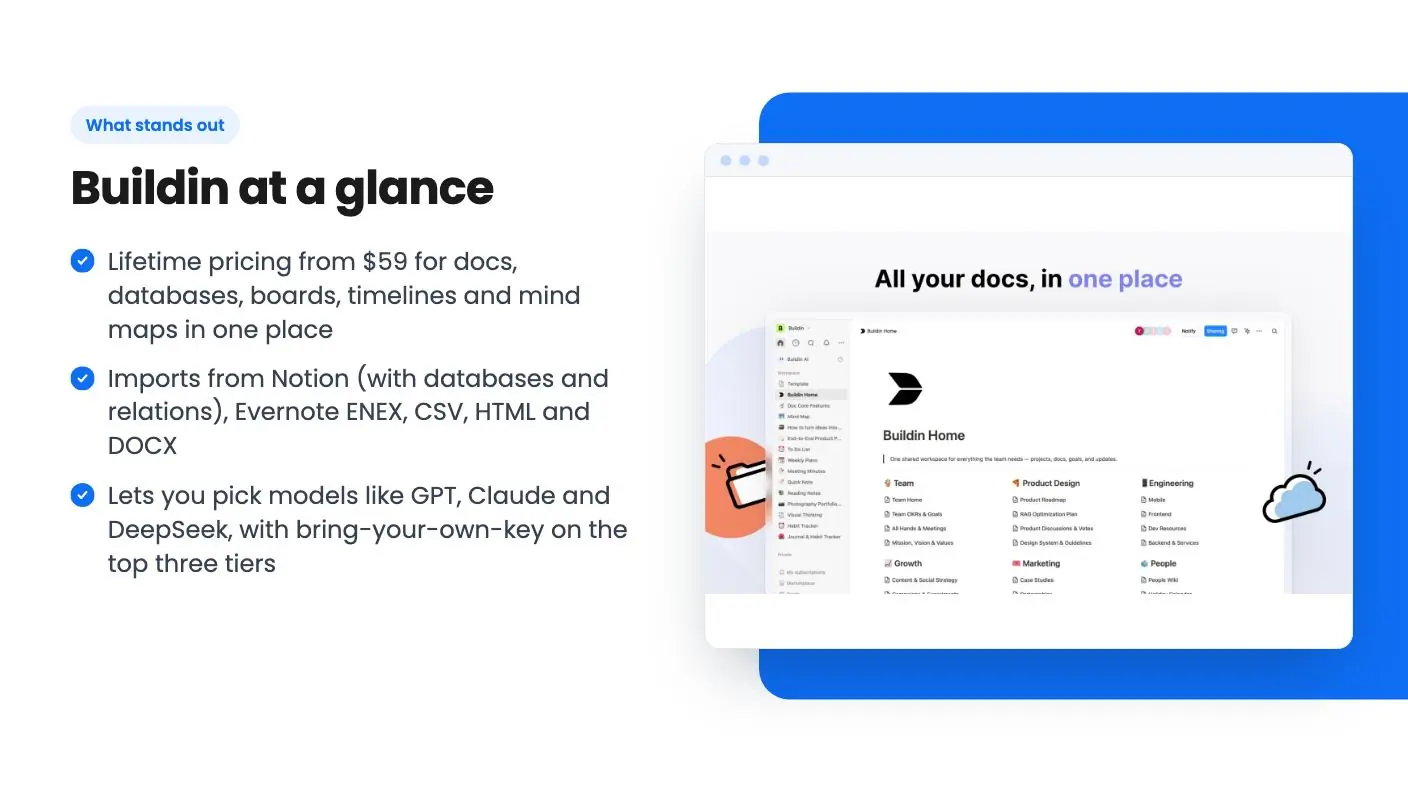
- Lifetime pricing from $59 for docs, databases, boards, timelines and mind maps in one place
- Imports from Notion (with databases and relations), Evernote ENEX, CSV, HTML and DOCX
- Lets you pick models like GPT, Claude and DeepSeek, with bring-your-own-key on the top three tiers
- Can sell paid access to docs and workspaces, with custom domains on the top three tiers
Watch out for
- Every tier gets the same 500 AI credits, and the listing doesn't explain how they're spent or whether they reset
- The tier table isn't labeled clearly, so you have to infer which seat count belongs to which price
- AppSumo's own review summary mentions occasional bugs, and the demo video gives Buildin only a brief mention
If your notes live in Evernote, your wiki lives in Notion and your task board lives somewhere else, you already know the cost. Three logins, three monthly bills, and a recurring hunt for the page you swear you wrote last week. Buildin is a lifetime-deal attempt to fold all of that into one workspace, with AI agents added on top.
It’s listed on AppSumo as an alternative to Evernote, OneNote and Notion, and that is how this Buildin review treats it. You get docs, wikis, databases, mind maps, and project views as boards, timelines, lists, tables and calendars. The pitch is that you stop paying monthly for each of them.
What does the Buildin lifetime deal include?
The core is a shared workspace where you organize pages in folders, build databases, and track projects from backlog to done. The listing also says you can write decisions and requirements directly inside project pages, which is the part Notion fans will recognize.
Imports are a real selling point of this deal. On the deal page, Notion migration runs through an API-level integration that keeps databases and relations. Evernote comes in as ENEX files, and CSV, HTML and DOCX are supported as well.
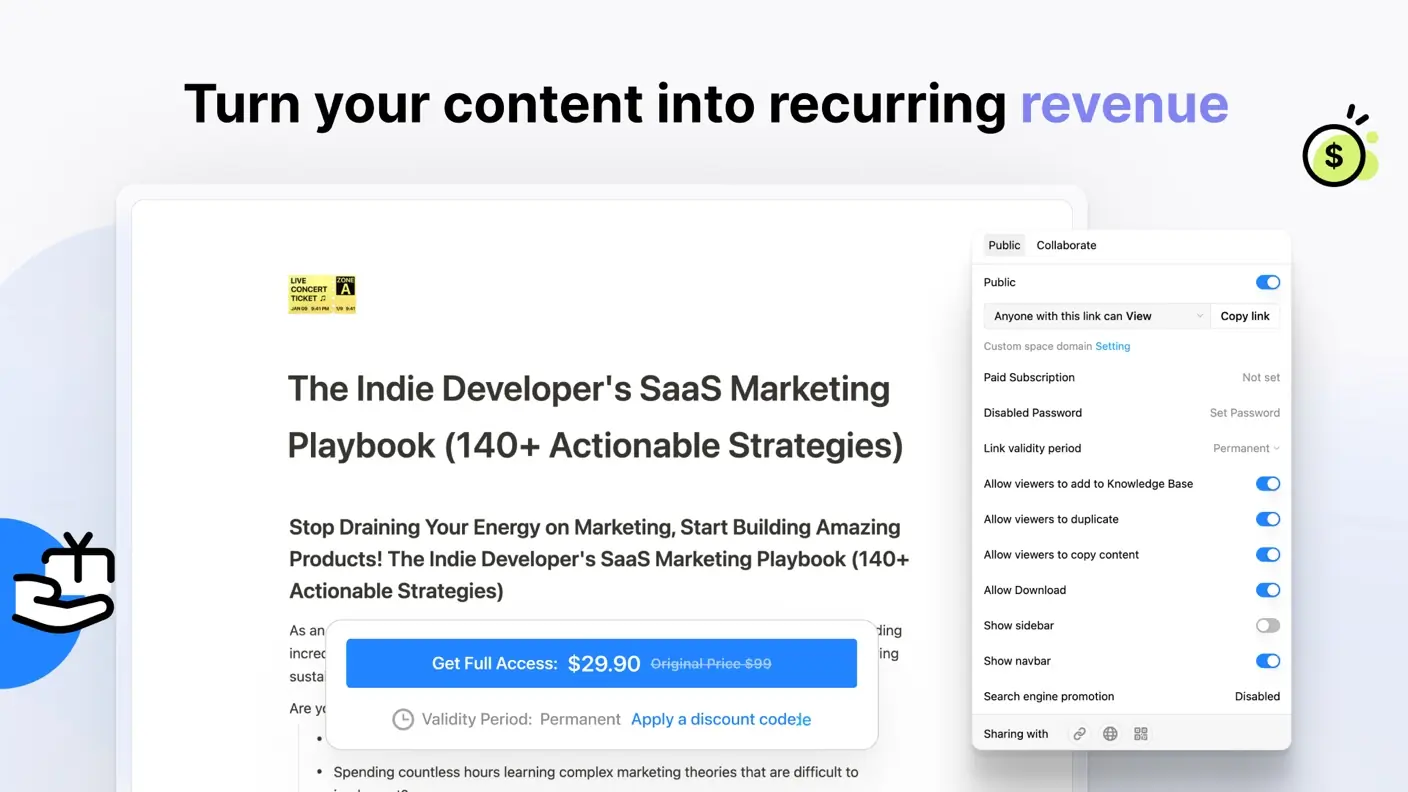
There’s also a monetization feature that’s unusual for a docs tool, and it stands out here. You can sell paid access to docs, templates, playbooks or whole workspaces through subscriptions, and control who sees premium content. If you sell templates or a members-only knowledge base, that’s interesting. If you don’t, ignore it.
How do you import from Notion or Evernote into Buildin?
Nobody wants to rebuild a workspace by hand, so the migration path deserves its own look. The listing gives three routes. Notion comes across through an API-level integration, which it says keeps databases and relations. Evernote notes arrive as ENEX files. Everything else goes through CSV, HTML or DOCX.
That split suggests an order. Move the databases first, because those are the pieces most likely to break if relationships get lost. Then bring in the loose notes. Old Word files and saved web pages are covered by DOCX and HTML, and CSV is the obvious route for spreadsheets or task lists.
Two things the listing doesn’t say. It gives no size limit for imports, and it doesn’t say what happens to formulas, templates or attachments. Don’t assume they carry over. Import one small project before you commit your whole archive, and check that the pages look the way you expect.
The 60-day windows make a trial like that easy to fit in. You have 60 days to activate your license, downgrades are allowed within 60 days of purchase, and AppSumo’s summary mentions a 60-day money-back guarantee. Keep your old tool’s subscription running until you’ve looked at your real pages in Buildin. Canceling early is the one mistake you can’t undo.
What your 500 AI credits actually buy
Here’s where we have to be careful. The listing shows 500 AI credits on every one of the five tiers. It doesn’t say whether that’s per month or a one-time pool. It also doesn’t say how many credits a rewritten paragraph, a generated slide deck, an image or a video costs.
So we can’t honestly turn 500 credits into a number of articles or videos. Anyone who gives you that number from this listing is guessing.
What we can do is divide. The plan table reads 20, 10, 6, 3 and 1 seats, while the tiers are numbered 1 to 5 starting at $59. Read literally, that would give the cheapest tier 20 seats, which makes little sense next to a $799 top tier. The columns more likely run from the biggest plan to the smallest, so the $799 tier gets 20 seats and the $59 tier gets one. The listing doesn’t label this, so confirm it on the AppSumo page before you pay.
Under that reading, here’s the math if the credits are shared across the team:
| Tier | Price | What you get |
|---|---|---|
| — | $59 | 1 seat, 500 credits per person |
| — | $139 | 3 seats, about 167 credits per person |
| — | $309 | 6 seats, about 83 credits per person |
| — | $469 | 10 seats, 50 credits per person |
| — | $799 | 20 seats, 25 credits per person |
The flat 500 means the AI allowance shrinks per head as you scale up. A 20-person team on the biggest plan is rationing 25 credits each. The listing doesn’t say whether credits are pooled or per seat, so this could be better than it looks. It could also be worse.
Check Buildin’s plan limits on AppSumo →
Bring your own key is the real escape hatch
The deal page says you can choose models such as GPT, Claude and DeepSeek, and use your own API key on some tiers. BYOK is listed as true for the top three tiers and false for the bottom two. Custom domains follow the same split.
In practice, that matters more than the credit count. If you already pay for an API key, BYOK should let heavy AI use run on your own provider account instead of Buildin’s 500-credit cap. The listing doesn’t spell that out, so treat it as the likely meaning rather than a promise.
It also means the $59 and $139 tiers are the ones stuck with the fixed credits and no way around them. If AI is your main reason to buy, those two are the weakest fit.
How do Buildin’s AI agents and integrations work?
The integration list is short but pointed. According to the FAQ, Buildin supports embedded tools such as Figma and Canva. A design file or a Canva board can sit inside a page right next to the brief that explains it. If your specs live in one place and your visuals in another, that’s a small but real convenience.
The more interesting part is the developer side. The FAQ lists API, MCP and CLI access. You can connect external tools to Buildin’s own agent through MCP, or go the other way and let outside agents such as Claude Code and Codex read and edit authorized pages and databases. In plain terms, your workspace can act as shared memory for agents you already use.
Here’s where the listing goes quiet. It doesn’t say whether an outside agent working through MCP or the CLI draws on the 500 AI credits. It gives no rate limits. And while it mentions authorized pages, it doesn’t describe how you grant or revoke that authorization.
It also doesn’t list native connectors for email, calendars or payments. If your workflow depends on those, you’d be leaning on the API or MCP, which is a job for someone comfortable with them. For a non-technical owner, the practical integration story today is Figma and Canva embeds plus the built-in agent. That’s thinner than the MCP talk makes it sound.
Seats, guests and storage, tier by tier
Using the same most-likely reading of the table, storage runs from 100 GB at $59 up to 1 TB at $799. Guests run from 100 to 10,000. Page history is 30 days on the cheapest tier and 180 days on the rest.
Price per seat is fairly flat. It works out to about $59 at one seat, $46 at three, $52 at six, $47 at ten and $40 at twenty. So you aren’t saving much by buying bigger. You buy a higher tier because you need the seats or BYOK, not because it’s cheaper per head.
The guest counts are generous on paper. Whether guests can comment, edit or only view isn’t spelled out. The listing mentions custom permissions and commenting, but not how they apply to guests.
One practical point on upgrades. AppSumo’s page says you can move between tiers while the deal is available and downgrade within 60 days of purchase, and that you must activate your license within 60 days. AppSumo’s summary also mentions a 60-day money-back guarantee. Set a reminder so you don’t miss the activation window.
What the demo video shows, and doesn’t
The video we have is Dave Swift’s Black Friday Drop 3 roundup, and it’s sponsored by AppSumo. Buildin gets one line: a workspace for your docs and projects that also comes with AI agents built right in.
That’s all. Buildin wasn’t one of the three tools given a deep dive. The video covers Plutio, Nifty and UpCoach in detail, so there’s no walkthrough of the editor, no agent demo, and no look at how fast or accurate the AI output is. We haven’t used the tool ourselves either.
So the quality questions stay open. We can’t tell you whether generated slides look usable, whether the agents edit databases correctly, or how well a messy Notion import survives.
The one outside signal in this Buildin review is AppSumo’s review summary, which lists 59 reviews averaging 4.14 out of 5 and mentions occasional bugs. That’s marketing copy, but a 4.14 with bug mentions is a believable picture of a product still maturing.
What to check before you buy
A $59 purchase is easy to make on impulse. A $799 one shouldn’t be. Since the listing leaves a few things open, here’s what we’d confirm on the AppSumo page before paying:
- Seats per price. The plan table isn’t labeled, so make sure the seat count, guest cap and storage you’re reading belong to the tier you’re about to click.
- Credit terms. Look for any statement on whether the 500 credits renew, and what each AI action costs. The listing says neither.
- Guest permissions. Ask whether guests can comment, edit or only view, especially if you plan to invite clients.
- Plan naming. Tier 1 maps to the Plus plan and tiers 2 to 5 map to Business. If the plan name changes, the deal is mapped to the new name with its updates.
- Your deadlines. Activate within 60 days. Downgrades are only allowed in the same 60 days.
There’s also a practical angle on how to buy. The listing says you can upgrade between the five tiers while the deal is available, and that earlier AppSumo buyers can upgrade to raise their limits and are grandfathered into new features. Codes don’t stack here. So if you’re unsure, starting at a lower tier and upgrading once the workspace proves itself is a sensible hedge, as long as the tier you need for BYOK or custom domains isn’t the one you skip.
Who should skip Buildin
Skip it if AI generation is the main draw and you expect to produce slides, images and video on a regular basis. The main problem is that 500 credits with no stated price list is too vague to build a workflow on, and the lower tiers can’t use your own key.
Skip it too if you’re deeply invested in a complex Notion setup with lots of automations and integrations. The import claims sound good, but nothing here shows them handling a messy real workspace.
That is the short version of this Buildin review: it makes more sense for a freelancer or tiny team that wants docs, a wiki and simple boards in one place for $59 to $139, and treats the AI as a bonus. The deal ends on November 22, 2026, so if that describes you, check the tier table on AppSumo first and confirm which seat count belongs to which price.
All Buildin features
Taken from Buildin's AppSumo listing. We haven't tested these features hands-on.
Turn your content into recurring revenue
- Sell paid access to docs, playbooks, templates, or entire workspaces using subscriptions
- Control sharing and permissions so only paying members can view premium content
- Manage pricing and access directly inside your workspace—no extra platforms needed
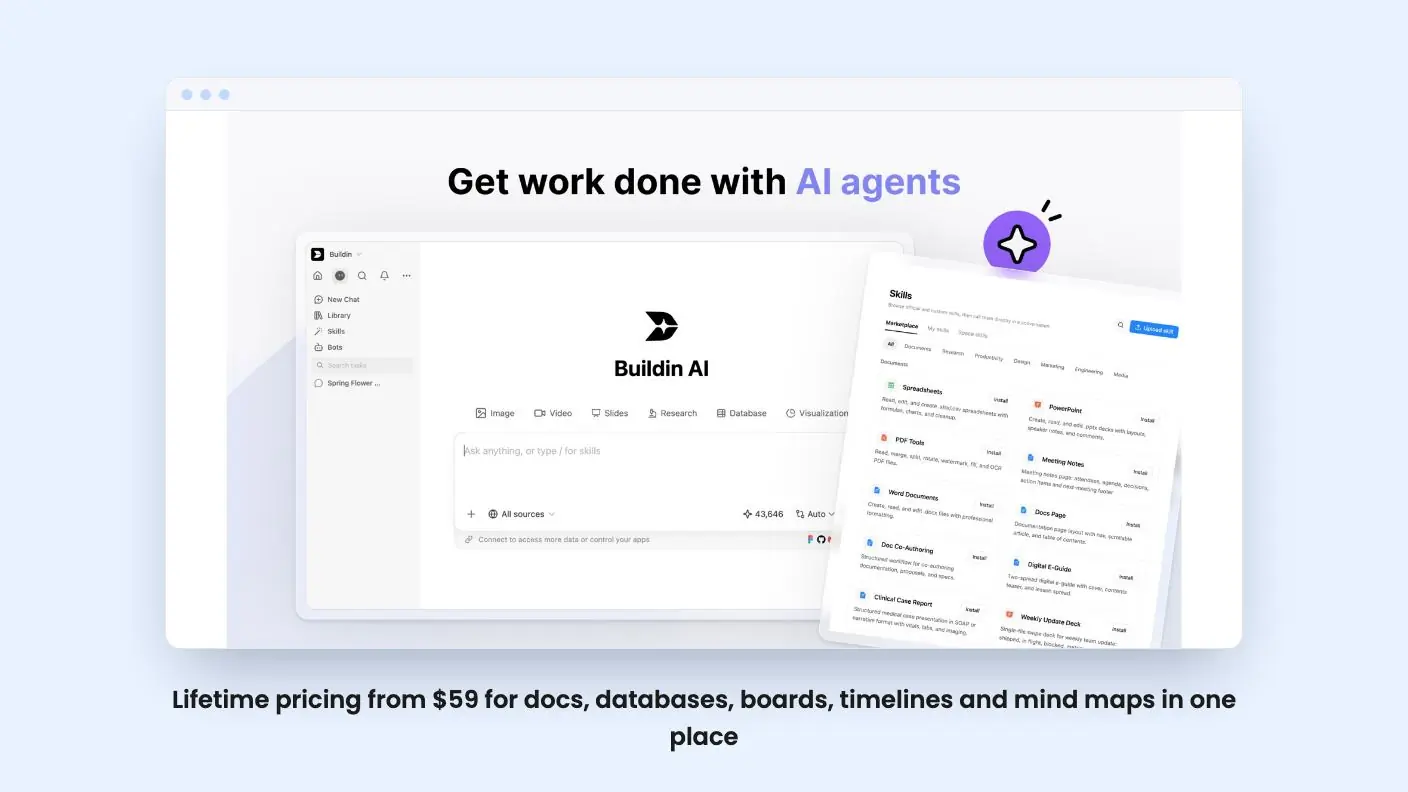
Get work done with AI agents
- Generate slides, web pages, images, and videos from your ideas
- Create and edit pages, build databases, and update records in your workspace.
- Add marketplace skills and connect external tools through MCP
- Choose from leading models like GPT, Claude, and DeepSeek to match each task
All your docs, in one place
- Centralize docs, goals, and updates inside shared workspaces for teams or projects
- Structure knowledge clearly using folders, pages, and mindmaps
- Import content from Notion, Evernote (ENEX), CSV, HTML, or DOCX
- Preserve databases and relationships so complex structures don’t need to be rebuilt manually
Stay on top of your projects
- Manage projects visually with boards, timelines, and list views
- Track progress across stages from backlog to done
- Document decisions and requirements directly inside project pages
- Stay on schedule without juggling separate project management tools
What changes by plan
Price checked Nov 23, 2026 on AppSumo. Tier prices and limits can change; the AppSumo page has the current ones.
| Feature | Tier 1 $59 | Tier 2 $149 | Tier 3 $319 | Tier 4 $479 | Tier 5 $809 |
|---|---|---|---|---|---|
| Seat(s) | 1 | 3 | 6 | 10 | 20 |
| Guests | 100 | 1,000 | 2,500 | 5,000 | 10,000 |
| Days page history | 30 | 180 | 180 | 180 | 180 |
| Storage | 100 GB | 250 GB | 500 GB | 750 GB | 1 TB |
| AI credits | 500 | 500 | 500 | 500 | 500 |
| Custom domains | — | — | ✓ | ✓ | ✓ |
| BYOK | — | — | ✓ | ✓ | ✓ |
What the lifetime deal includes
- Lifetime access to Buildin
- All future Plus (Tier 1) or Business (Tiers 2-5) Plan updates
- If Plan name changes, deal will be mapped to the new Plan name with all accompanying updates
- No codes, no stacking—just choose the plan that’s right for you
- You must activate your license within 60 days of purchase
- Ability to upgrade between 5 license tiers while the deal is available
- Ability to downgrade between 5 license tiers within 60 days of purchase
- Previous AppSumo customers who purchased Buildin can upgrade their license to increase their feature limits
- Previous AppSumo customers will be grandfathered into any new features and feature limits
At a glance
- Best for
- Small businesses
- Alternative to
- Evernote, Microsoft OneNote, Notion
- Category
- Operations › Project Management
- Website
- buildin.ai
Decided Buildin fits? The lifetime deal starts at $59, until Dec 1, 2026. Check the tier limits on AppSumo before you pick one.
Get Buildin on AppSumoKeep reading about Buildin
Buildin FAQ
How many AI credits do you get with the Buildin lifetime deal?
The listing shows 500 AI credits on all five tiers. It doesn't say whether that's a monthly allowance or a one-time pool, or how many credits a slide deck, image or video costs. Ask before you count on the agents for daily work.
Can you bring your own API key to Buildin?
Yes, but only on the top three tiers, according to the listing. Based on the order of the plan table, those appear to be the $309, $469 and $799 tiers. The two cheapest tiers don't list BYOK or custom domains.
Can you move over from Notion or Evernote?
The listing says Notion migration works through an API-level integration that keeps databases and relations. Evernote notes come in as ENEX files, and CSV, HTML and DOCX imports are supported too. It doesn't say how well complex Notion setups survive the move.
Topic guide