
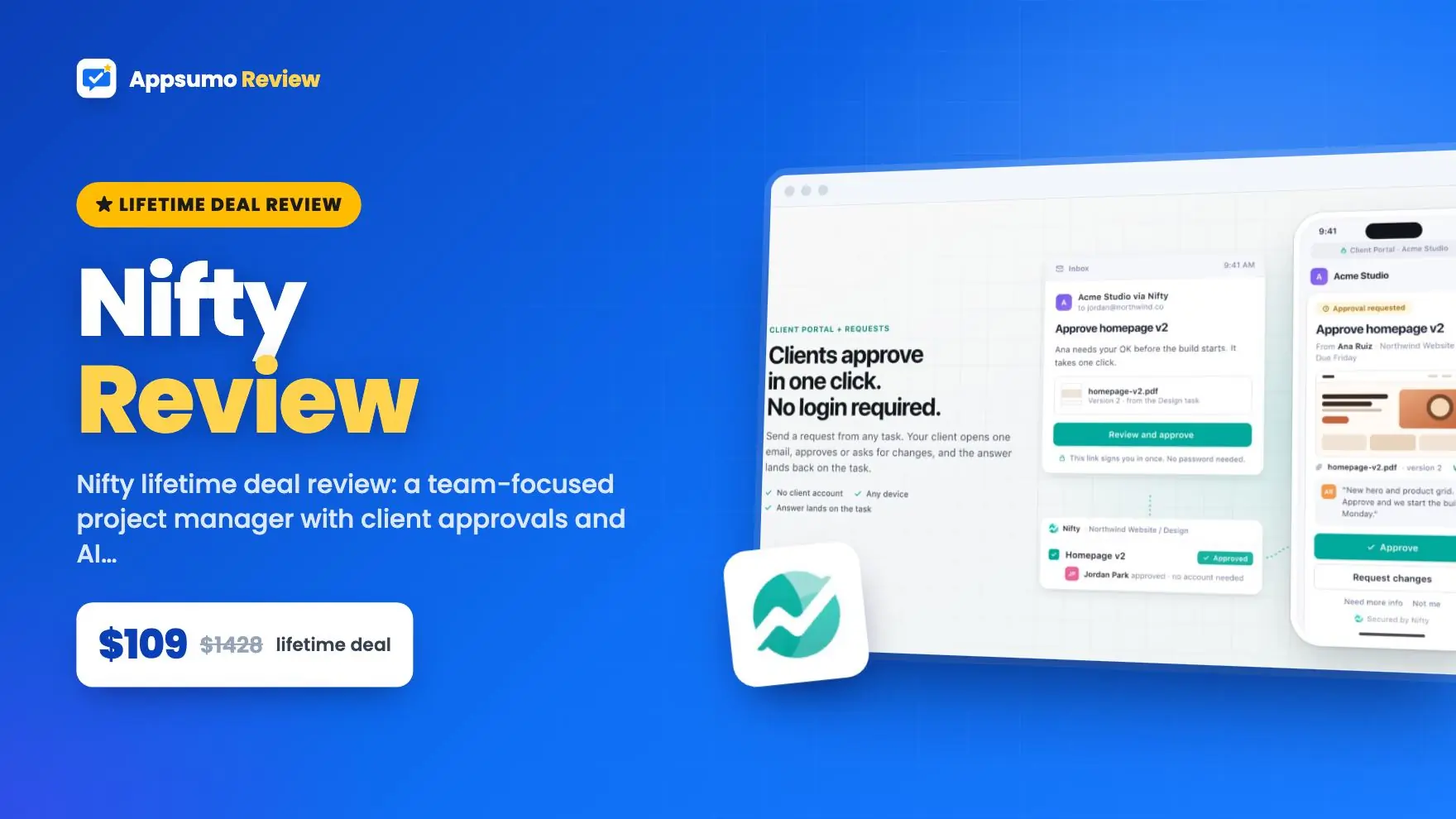


Lifetime deal price
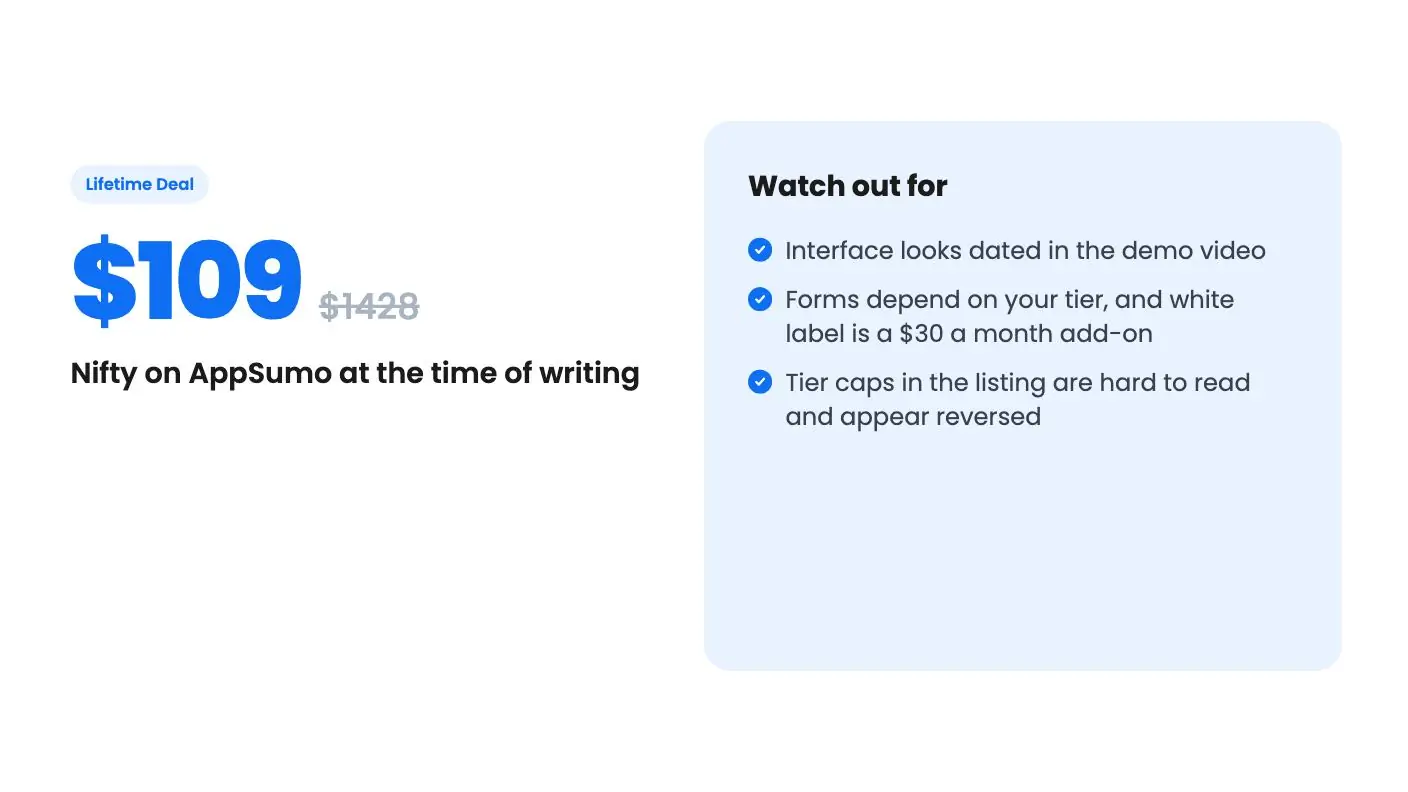
$109$142892% off
Lifetime Deal · ends Dec 1, 2026
Price checked on AppSumo
4.7(259 AppSumo reviews)
What is Nifty?
Nifty is a project management platform that lets agencies, consultants and marketers organize tasks, docs and team chat, collect client approvals and files, track team workloads, and connect AI agents to project work.
Is the Nifty lifetime deal worth it?
Our take: Buy Nifty if you run a small team or agency and want client approvals, workload tracking and AI connections in one project tool at a one-time price. Skip it if you need invoicing built in, a modern interface, or white labeling without a monthly add-on.
Key facts: Nifty sells for $109 once on AppSumo (list price $1428), the deal ends Dec 1, 2026 and 259 AppSumo buyers rate it 4.7 out of 5 (price checked Nov 23, 2026).
Best for: Consultants, Marketers, Agencies
Alternative to: Asana, ClickUp, Monday.com
What we like
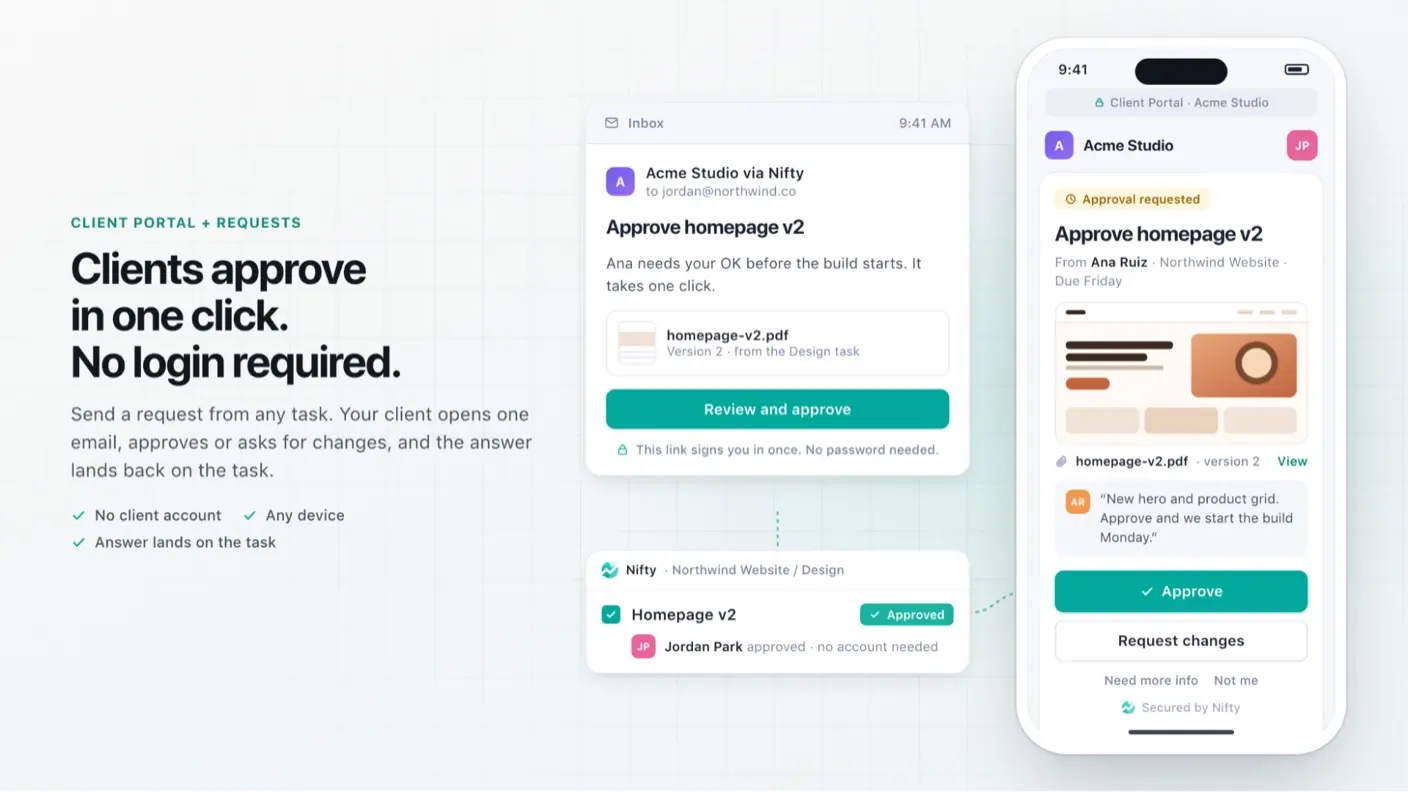
- Client approvals and file requests by secure email link, no client account needed
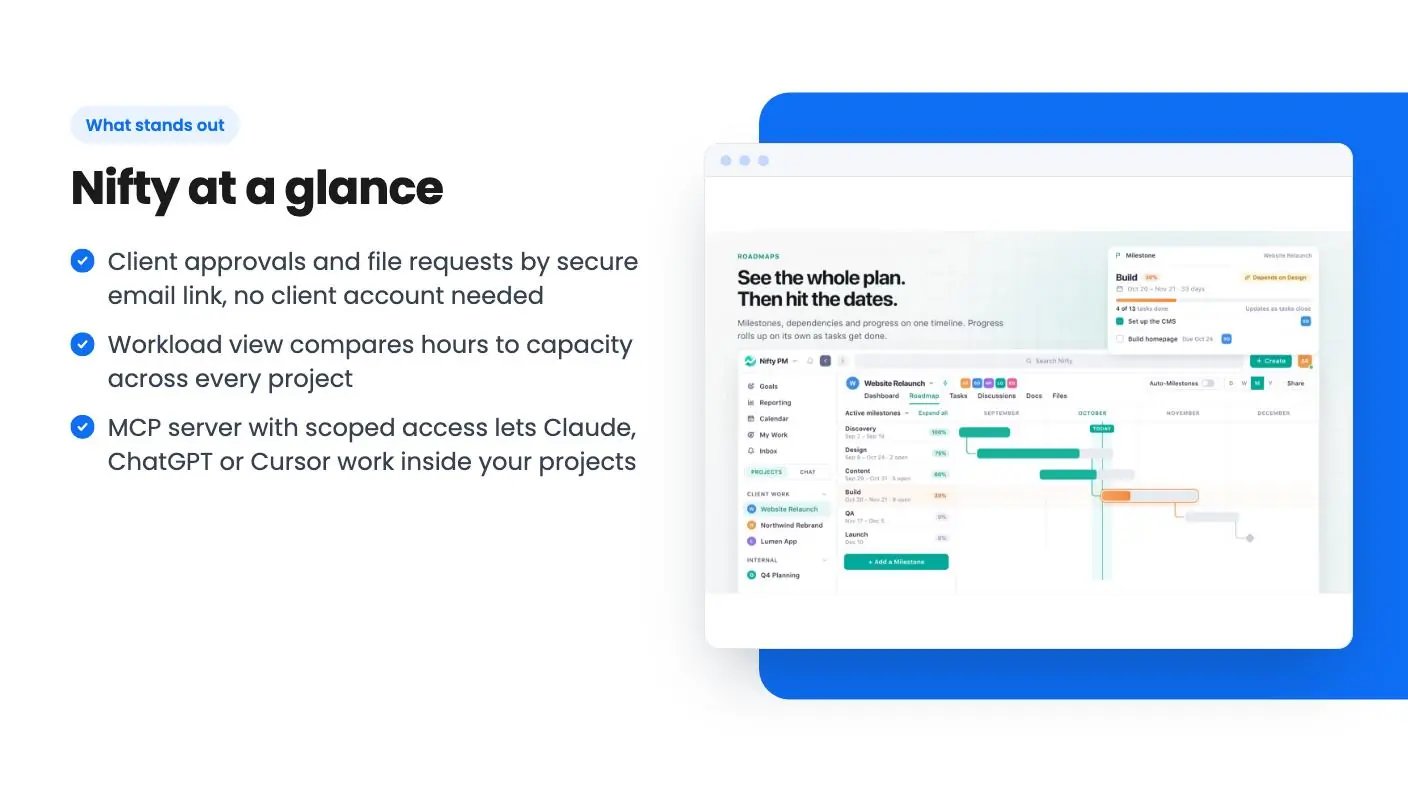
- Workload view compares hours to capacity across every project
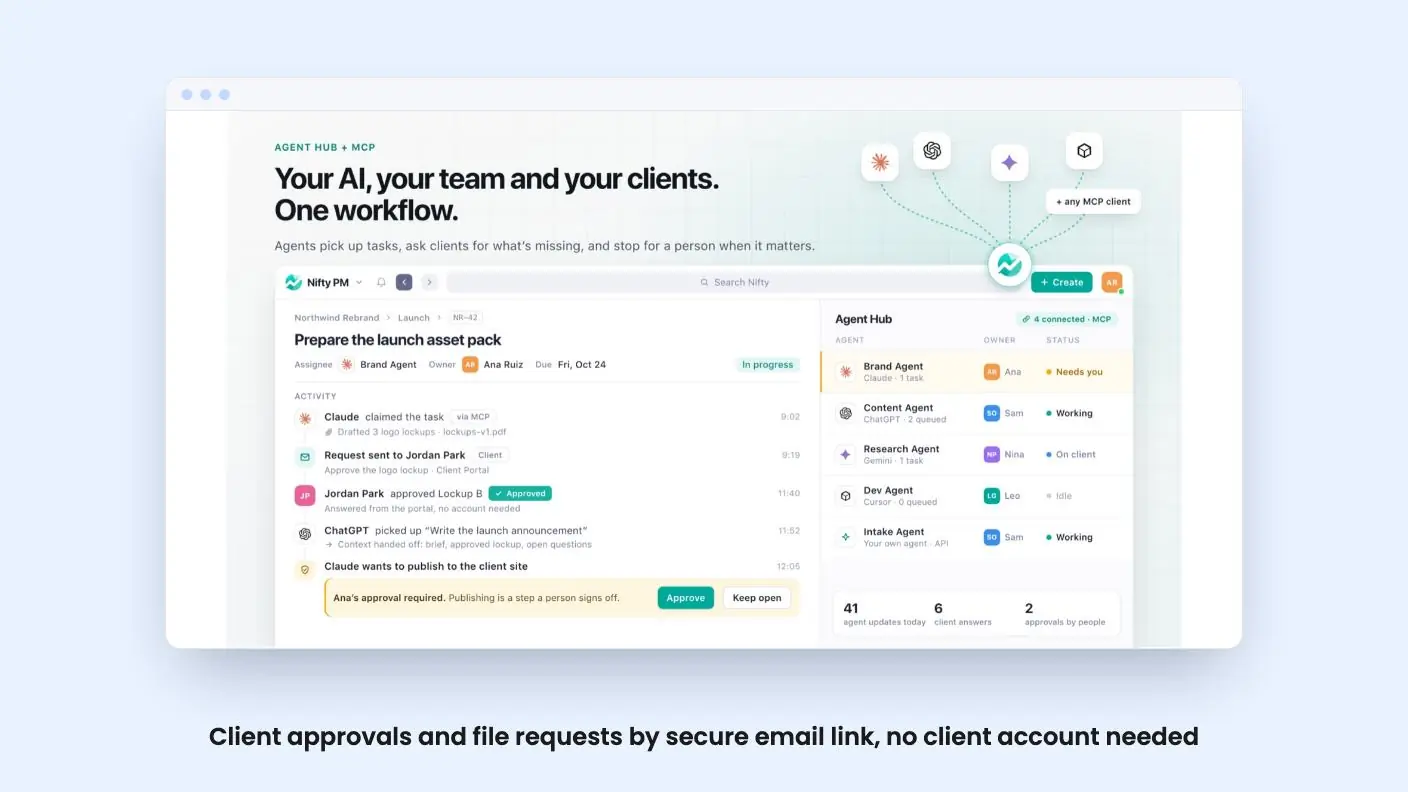
- MCP server with scoped access lets Claude, ChatGPT or Cursor work inside your projects
- Imports from Asana, ClickUp, Trello, Monday, Jira and others
Watch out for
- Interface looks dated in the demo video
- Forms depend on your tier, and white label is a $30 a month add-on
- Tier caps in the listing are hard to read and appear reversed
If you run a small agency or consulting shop, you probably know the loop. A client gets a draft, replies to one email in a thread of twelve, and three days later you still aren’t sure whether they approved it. Meanwhile your team lead is quietly buried, and you only find out when a deadline slips.
Nifty is built around those two headaches: getting client sign-off and seeing who has room before you assign more work. It’s a project management tool first, and that focus shapes the whole deal in this Nifty review.
What can clients do in Nifty without an account?
According to the listing, which is what this review draws on, you can send an approval or file request from any task, and the client’s answer lands back on that task. Clients get a secure email link. They can approve, ask for changes or upload what’s missing, and they don’t need a Nifty account.
There’s also a client portal where they can follow progress from intake to delivery. You can run your workspace on your own domain using a CNAME record. That’s handy, but read the section on extras below before you count on a fully white-labeled experience.
Onboarding and intake forms can turn into tasks automatically, which saves copying responses by hand. The listing says forms are available in Tier 3 and above.
Three kinds of shops where the client tools would earn their keep
Picture a solo consultant with three retainer clients. Each one needs to sign off on a deliverable, and none of them wants another login. The secure email link fits that. The client approves, asks for changes or uploads the missing file, and the answer sits on the task instead of in your inbox. The listing doesn’t say how many requests you can send, so there’s no cap to plan around.
A small marketing team has a different problem. Briefs arrive through intake forms, and someone retypes them into tasks. Forms that turn into tasks fix exactly that, but they only exist on Tier 3 and above, so a team that wants this should count it as a requirement, not a bonus.
An agency with a handful of accounts will care most about the portal. Each client gets a place to follow progress from intake to delivery, and the portal count is capped by tier. If you run one portal per client, the number of clients you serve sets the tier you need. We’d work that out before looking at anything else.
The listing doesn’t describe what a client sees inside the portal beyond progress, so ask yourself whether that’s enough for your accounts.
How does Nifty compare with Asana, ClickUp and Monday.com?
Those three are the names AppSumo lists as alternatives, and Nifty sits in the same family. You get Kanban, list, swimlane and calendar views across unlimited active projects, with subtasks, custom fields, recurring tasks, time tracking and automations inside each task. Roadmaps with milestones and dependencies update as tasks get done.
The difference is in the extras. ClickUp tries to be everything, and Monday.com leans on dashboards. Nifty puts docs, team chat and threads inside each project and lets you turn a chat message into a task. Client approvals and workload planning sit near the center.
The listing doesn’t say how deep Nifty’s automations or reporting go compared with those three. AppSumo’s own review summary mentions limited advanced task management and no way to view Google Docs inside the app. If you live in heavy task dependencies and custom dashboards, that matters.
The import list is a point in its favor for any Nifty review. Per the listing you can bring data from Asana, Basecamp, ClickUp, Trello, Wrike, Jira, Monday, Todoist or a CSV. Imports run at the workspace, portfolio or project level, though project-level imports only cover CSV and Trello.
Check Nifty’s plan limits on AppSumo →
Getting set up and moving your data in
Most buyers aren’t starting from a blank page. You’ve got a board in Trello or a pile of projects in Asana, and the question is how much of a headache the move will be.
The FAQ describes the structure as Workspace, Portfolio, Folder, Project, List, Task and Subtask. Each project is built from modules you add or remove: Roadmap, Tasks, Discussions, Docs, Files and Dashboard widgets. That’s useful for a small shop, because a simple client project can run with just tasks and files while a bigger one adds a roadmap.
The listing doesn’t say how long an import takes, or whether comments, attachments and assignees come across. Run a small test import inside the 60-day window before you move everything.
Slack is the one integration with real detail. You can link a Slack channel to a Nifty discussion, choose one-way or two-way message sync, and use slash commands such as /nifty task. Only one person in the channel has to connect it.
On security, the FAQ says a workspace owner can switch on SAML sign-in from the security settings and lists Microsoft Active Directory and Okta setup steps. Two-factor authentication needs an authenticator app, and you confirm with your password.
The AI angle, and what the demo video shows
Nifty runs an MCP server, so Claude, ChatGPT, Gemini, Cursor or any MCP client can connect to it. The listing says agents can claim tasks, update work and record decisions, then hand context to a teammate. They can also pull a person in when they need an approval or an answer.
In the demo video, the reviewer liked this approach and put it plainly: you don’t need AI built into the app, you need to connect your own AI to it. He showed read-only access, full access and scoped access, where you choose which features an AI can read and which it can edit, create or delete. Scoped access is the setting most small teams will want, because it keeps an agent away from things it shouldn’t touch.
He also showed an AI project builder. You pick a starting point like a sales CRM or describe your own, and it sketches the project as you speak. He called it imperfect but close enough to customize. Nifty doesn’t ship with saved templates, so this is the shortcut.
The rest of the demo was ordinary and reassuring. A demo project in a Kanban view, with views you can switch on and off per project. His take was that most people will spend their time moving cards and checking the next task, and that it works fairly well for that.
He was less kind about looks. The interface seemed dated to him, and he said it hasn’t had a fresh coat of paint in a while. That’s a real consideration if clients will see your portal.
Nifty tier limits, and a table that looks backwards
All ten tiers carry the same core terms: lifetime access, future Business Plan updates, GDPR compliance and code stacking up to 10 codes. AI templates are capped at 20 per workspace per day on every tier. Prices run from $109 at Tier 1 up to $990 at Tier 10, in $109 steps.
The listing’s feature table is where I’d slow down. It shows team members and guests, and portals, falling from 30 to 3 as the tiers go up. Storage falls from 2 TB to 100 GB. Forms are true for the first seven columns and false for the last three.
Taken literally, that means the $109 tier gets the most and the $990 tier gets the least, which makes no sense. The table is most likely listed in reverse, so the biggest allowance belongs to the most expensive tier. The listing doesn’t say so, and “Tier 3 and above” for forms doesn’t line up neatly with the table either. Read the plan selector on the AppSumo page before you pay.
If the reversed reading is right, the entry tier is tight: 3 members and guests, 3 portals and 100 GB. That’s fine for a freelancer with a few clients and thin for a team of eight.
What to check before you pick a tier
Here’s a detail that helps make sense of the pricing. Ten tiers, $109 apart, and the top one costs $990. That’s exactly ten times the entry price, and the listing lets you stack up to 10 codes. The listing never says the tiers are just stacked codes, so treat that as an observation, not a rule.
It does say previous AppSumo buyers of Nifty can add codes to raise their limits, and that they’ll be grandfathered into the new limits. So starting small isn’t a trap, as long as the deal is still open when you need more.
That last part matters. According to the listing, the deal ends on November 22, 2026 at 8:00 a.m. in the UTC-6 time zone. Check the date before you plan to wait.
Before you pay, run through this list:
- Count your active clients and compare them to the portal cap on the tier you’re eyeing.
- Count team members plus guests, since the listing groups them together.
- Confirm forms are included at your tier, because the table and the “Tier 3 and above” note don’t match cleanly.
- Remember AI templates stop at 20 per workspace per day.
- Put the 60-day redeem deadline on your calendar.
The listing doesn’t say what happens to the lifetime deal if Nifty renames its Business Plan, beyond promising a mapping to the new plan name with the same updates. That’s reasonable, but it’s a promise, so keep your purchase email.
What’s missing or costs extra
The video reviewer found that creating a new form on his plan triggered an upgrade prompt. That fits the listing’s note that forms depend on your tier.
White labeling was described as a $30 a month add-on, and he knew of no way to get it through the deal. He suggested checking AppSumo for any change in terms. If a fully branded portal is part of why you’d buy, that’s a recurring cost sitting beside a lifetime price.
The custom roles are detailed enough that he thought there were too many permissions, though presets for owners, admins, members and guests are included. The listing also mentions Google and Microsoft SSO. Nifty has no built-in invoicing, which is why the reviewer pointed people who bill clients toward Plutio instead.
Integrations are lean: Google Calendar, Google Drive, Pabbly Connect, Slack and Zoom. The Slack link supports channel sync and slash commands. Beyond that you’ll rely on the API or Pabbly.
One more point on the buyer side. AppSumo’s summary mentions a 60-day money-back guarantee, and the plans say you must redeem codes within 60 days. We haven’t used this product ourselves, so this article treats that window as a sensible way to check the portal and import before you commit.
Who should buy Nifty and who should skip it?
The Nifty review verdict is that it fits a small agency, consultant or marketing team that manages client work and wants approvals tracked where the work happens. It also suits teams that want to try AI agents on real tasks without handing over everything, since access can be scoped.
The caveats are simple: skip it if you want proposals and invoices in the same tool, if a modern interface is a priority, or if you need white labeling included. Solo freelancers with one or two clients may also find the entry tier more than they need, and a free plan elsewhere could do the job.
All Nifty features
Taken from Nifty's AppSumo listing. We haven't tested these features hands-on.
Get client sign-off without the email chase
- Send approval and file requests from any task and the client’s answer lands right back on it
- Let clients approve, request changes, or upload what’s missing from a secure email link—no Nifty account needed
- Give clients a simple portal to follow progress from intake to delivery, and run your workspace on your own domain with CNAME (aka a custom domain record)
- Turn onboarding and intake forms into actionable tasks instead of copying responses over by hand (available in Tier 3 and above)
Put your AI agents to work on real projects
- Hook up Claude, ChatGPT, Gemini, Cursor, or any MCP client through Nifty’s MCP (aka Model Context Protocol) server
- Let agents claim tasks, update work, and record decisions then hand context off to a teammate or another agent
- Bring a person into the loop whenever an agent needs an approval, file, answer, or decision
- Build your own agents and integrations with BYOK (aka bring your own key), the API and developer platform, or Pabbly
Run every project in the view that fits
- Switch between Kanban, list, swimlane, and calendar views across unlimited active projects, with subtasks, custom fields, and recurring tasks
- Track time and trigger workflow automations right inside each task
- Map milestones and dependencies on visual roadmaps whose progress updates as tasks get done
- Turn any chat message into a task while docs, files, threads, and mentions stay with the project
Spot team overload before deadlines slip
- Compare each person’s hours against their capacity across every project, with daily and weekly limits
- Pull workspace-wide reports on tasks, progress, workloads, and time without opening each project
- Lock down access with custom roles and permissions Google and Microsoft SSO (aka single sign-on), and GDPR compliance
- Check priorities and approve work on the go with Nifty’s rebuilt iOS and Android apps
What changes by plan
Price checked Nov 23, 2026 on AppSumo. Tier prices and limits can change; the AppSumo page has the current ones.
| Feature | Tier 1 $109 | Tier 2 $218 | Tier 3 $327 | Tier 4 $436 | Tier 5 $545 | Tier 6 $654 | Tier 7 $763 | Tier 8 $872 | Tier 9 $981 | Tier 10 $1,090 |
|---|---|---|---|---|---|---|---|---|---|---|
| Team members/guests | 3 | 6 | 9 | 12 | 15 | 18 | 21 | 24 | 27 | 30 |
| Portals | 3 | 6 | 9 | 12 | 15 | 18 | 21 | 24 | 27 | 30 |
| Storage space | 100 GB | 200 GB | 500 GB | 600 GB | 1 TB | 1.2 TB | 1.4 TB | 1.6 TB | 1.8 TB | 2 TB |
| Forms | — | — | — | ✓ | ✓ | ✓ | ✓ | ✓ | ✓ | ✓ |
What the lifetime deal includes
- Lifetime access to Nifty
- All future Business Plan updates
- If Plan name changes, deal will be mapped to the new Plan name with all accompanying updates
- You must redeem your code(s) within 60 days of purchase
- Stack up to 10 codes
- GDPR compliant
- Available for new Nifty users and returning AppSumo purchasers
- Previous AppSumo customers who purchased Nifty can buy more codes to increase their feature limits
- Previous AppSumo customers will be grandfathered into the new feature limits
- AI Templates are limited to 20 per workspace per day
At a glance
- Best for
- Consultants, Marketers, Agencies
- Alternative to
- Asana, ClickUp, Monday.com
- Integrations
- Google Calendar, Google Drive, Pabbly Connect, Slack, Zoom
- Category
- Operations › Project Management
- Website
- niftypm.com
Decided Nifty fits? The lifetime deal starts at $109, until Dec 1, 2026. Check the tier limits on AppSumo before you pick one.
Get Nifty on AppSumoKeep reading about Nifty
Nifty FAQ
Can clients use Nifty without paying for a seat?
According to the listing, clients can approve work, request changes or upload files from a secure email link without a Nifty account. Portals are counted separately from team members and guests, with caps that vary by tier.
Does the Nifty lifetime deal include forms and white labeling?
Forms are listed as available in Tier 3 and above, and the demo video showed a form prompt asking for an upgrade on the presenter's plan. The video described white labeling as a $30 a month add-on, so confirm current terms on the AppSumo page.
Can I move my existing projects into Nifty?
The listing says you can import from Asana, Basecamp, ClickUp, Trello, Wrike, Jira, Monday, Todoist and CSV files, with Teamwork listed as coming soon. Project-level imports only support CSV and Trello.
Topic guide