


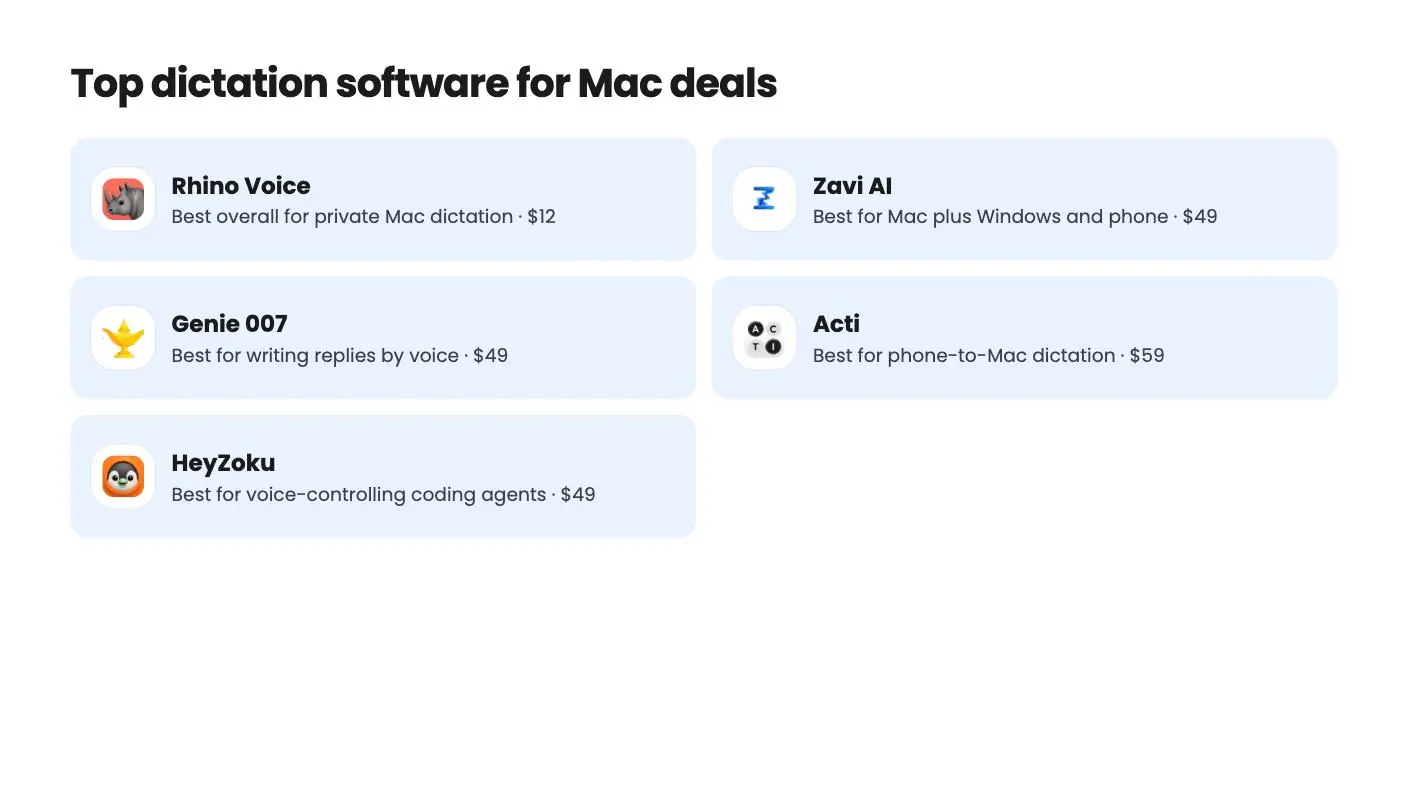
The deals at a glance
| Tool | Suits | Price |
|---|---|---|
| Rhino Voice | Best overall for private Mac dictation | $12 |
| Zavi AI | Best for Mac plus Windows and phone | $49 |
| Genie 007 | Best for writing replies by voice | $49 |
| Acti | Best for phone-to-Mac dictation | $59 |
| HeyZoku | Best for voice-controlling coding agents | $49 |
The best dictation software for Mac lets you hold a key, talk naturally, and see clean text appear in whatever app you’re using. For most people, that’s Rhino Voice, an AppSumo Original that costs $12 once, runs entirely on your Mac and has no minute limits. See the deal on AppSumo.
Get Rhino Voice for $12 on AppSumo →
Below we compare nine options: Apple’s free built-in Dictation, the big subscription apps, and five lifetime deals on AppSumo. Prices for non-AppSumo tools come from each vendor’s own pricing page.
Which dictation software for Mac is best?
Rhino Voice is the best pick for most Mac users because it’s private, unlimited and costs $12 once. Pick Wispr Flow or Zavi AI if you also dictate on Windows or a phone, and start with Apple’s built-in Dictation if you just want to try voice typing free.
| Tool | Price | Platforms | Best for |
|---|---|---|---|
| Rhino Voice | $12 once (AppSumo) | Mac | Private, unlimited Mac dictation |
| macOS Dictation | Free, built in | Mac | Trying voice typing at no cost |
| Wispr Flow | Free plan; Pro $15/user/mo or $12/mo billed annually | Mac, Windows, iPhone, Android | Cross-platform users and teams |
| Superwhisper | Free plan; Pro $8.49/mo or $84.99/yr | Mac, Windows, iOS, Android | Custom prompts and model choice |
| Willow Voice | Free plan; Pro $15/user/mo or $12/mo billed annually | Mac, iOS, Windows | Subscription users who want a polished model |
| Zavi AI | From $49 once (AppSumo) | Mac, Windows, iOS, Android | Lifetime deal on every device |
| Genie 007 | From $49 once (AppSumo) | Mac, Windows, Chrome | Writing replies by voice |
| Acti | From $59 once (AppSumo) | iOS and Android keyboard, Mac | Phone-first creators |
| HeyZoku | $49 once (AppSumo) | Mac | Voice-driven coding agents |
1. Rhino Voice: best overall dictation software for Mac
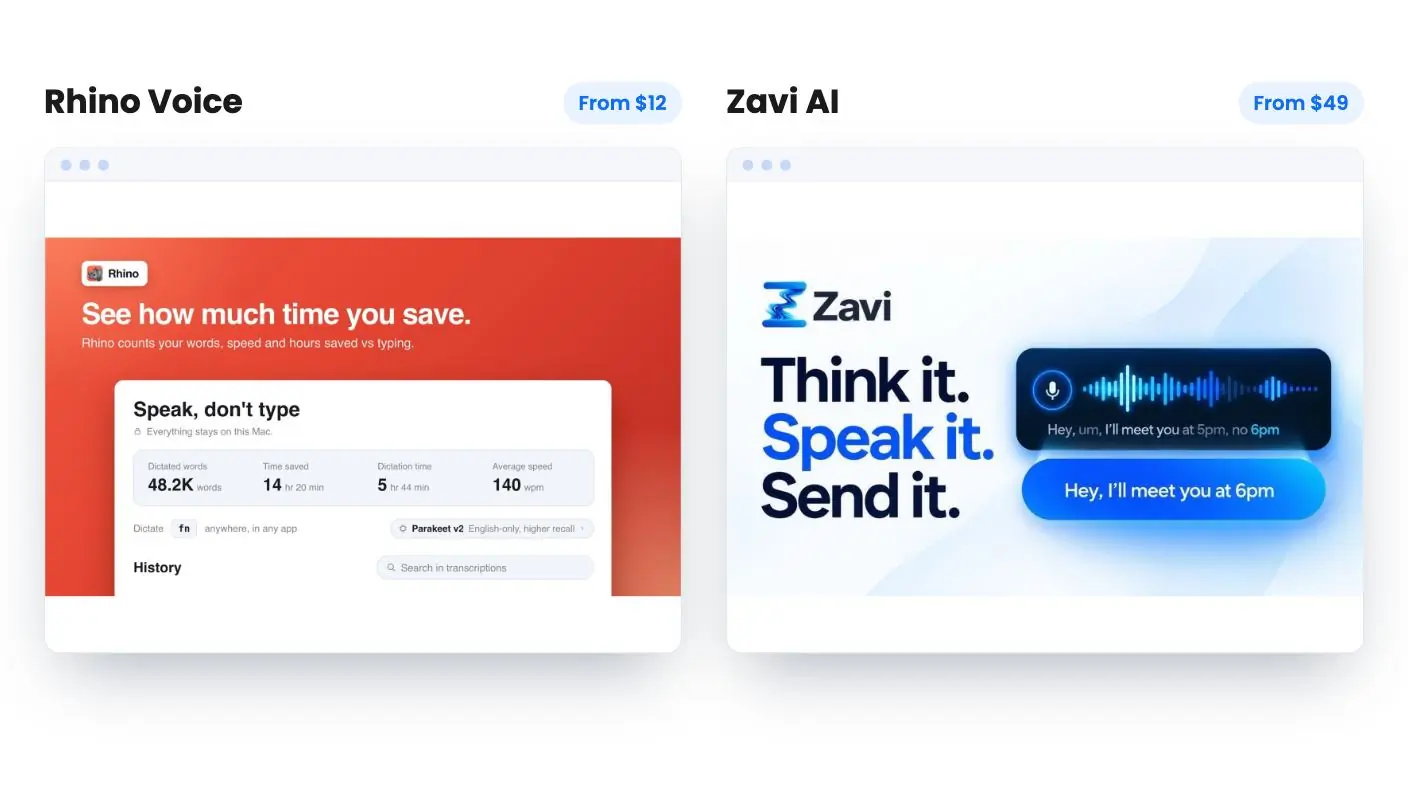
Rhino Voice is a Mac app that types your speech into any app, processes everything on-device, and costs $12 once with unlimited minutes.
You hold Fn, speak, and release to drop the text where your cursor is. A double-press locks hands-free recording on for longer passages. AppSumo’s listing names Slack, Gmail, Notion, Xcode and the terminal as places it works, and says it works anywhere text goes.
Privacy is the big draw. Rhino transcribes with Whisper or Parakeet running locally, then an embedded model removes filler words and fixes dropped words. The listing says no audio or text leaves your machine, there’s no account or login, and there’s zero telemetry. It works with Wi-Fi off.
A personal dictionary with unlimited entries handles client names and jargon. You also get a local history of past dictations and writing stats.
Buyers rate it 4.56 out of 5 across 45 AppSumo reviews, praising its accuracy, privacy and ease of use. It’s a young app, first shipped on August 11, 2026, with updates most weeks.
Who should pick something else: Rhino needs macOS 14 or later, covers one Mac per code, and the deal isn’t stackable. Reviewers mention some language recognition issues and no clipboard preservation yet. It’s built for fast dictation, not voice commands or AI rewriting.
Read the full Rhino Voice review, or see the deal on AppSumo.
Get Rhino Voice for $12 on AppSumo →
2. macOS Dictation: the free built-in option
Every Mac includes Dictation at no extra cost. You turn it on in System Settings > Keyboard > Dictation and start it with the Microphone key, a keyboard shortcut you can customize, or Edit > Start Dictation.
Apple’s help page says it works anywhere you can type. In supported languages it adds commas, periods and question marks automatically. You can also say punctuation names, emoji names, “new line” and “new paragraph.” There’s no timeout, though it stops after 30 seconds without speech.
Apple also says that in macOS 27 with Apple Intelligence, an on-device model improves spelling, punctuation and capitalization in English on Macs with M3 or later and at least 12GB of unified memory.
It’s the right place to start if you’ve never tried voice typing. What Apple’s page doesn’t mention is filler-word cleanup, a personal dictionary or a history of your dictations. Those are the gaps a dedicated app like Rhino fills for $12.
3. Wispr Flow: best subscription for cross-platform users
Wispr Flow is a polished subscription app with dictation on Mac, Windows, iPhone and Android. Its pricing page lists a Free plan with limited words per week, and Pro at $15 per user per month, or $12 billed annually.
Every plan includes speech-to-text in any app, 100+ languages, and a dictionary with snippets. Pro adds unlimited dictation, a meeting Notetaker with unlimited history, shared team dictionaries and admin tools. Higher plans add SSO, HIPAA enforcement and audit logs. Students get 50% off Pro.
It’s a strong choice for teams and anyone who dictates across devices. For a solo Mac user, though, Pro costs $144 to $180 a year. We compare the two directly in Rhino Voice vs Wispr Flow, and list pay-once options in WisprFlow alternatives.
4. Superwhisper: best for model choice and custom prompts
Superwhisper has a free plan that includes voice-to-text in any app, 100+ languages, custom prompt control and unlimited use of Whisper models. It lists Mac, Windows, iOS and Android.
Pro costs $8.49 a month or $84.99 a year, according to Superwhisper’s billing docs. Pro adds your own AI API keys, unlimited cloud and local AI models, translation into English, and audio and video file transcription. Superwhisper also sells a lifetime license, but its site and docs show different figures, so check the current price before buying. The site says a 30-day refund is available on all plans.
It suits tinkerers who want to choose models and write custom prompts. If you’d rather not configure anything, Rhino’s hold-a-key approach is simpler.
5. Willow Voice: a polished subscription alternative
Willow Voice’s pricing page lists a free Basic plan with unlimited use of a lighter speech model, and Pro at $15 per user per month, or $12 billed annually. Pro adds its stronger model, a writing-style memory and longer dictations. It lists Mac, iOS and Windows, with Android coming soon.
AppSumo names Willow Voice as one of the tools Rhino replaces. The trade-off is the same as with Wispr Flow: more platforms, but a monthly bill.
6. Zavi AI: best lifetime deal for Mac plus other devices
Zavi AI runs as a native app on macOS 12+, Windows 10+, iOS 16+ and Android 8+. The $49 tier includes 200,000 cloud words a month and one user, according to its AppSumo listing.
On-device mode is the default privacy setting on every tier. Magic Wand lets you select text in any app and say “make this shorter” or “translate to Spanish,” and it edits in place. Live translation covers 100+ languages. Bring-your-own-key support arrives on Tier 3 and up.
Pick Zavi if you need dictation on your phone and a Windows PC as well as your Mac. Pick Rhino if all your dictation happens on a Mac and you want no monthly word cap.
Get Zavi AI for $49 on AppSumo →
7. Genie 007: best for writing replies by voice
Genie 007 does two things. Voice typing turns speech into clean text in any app, for up to 5 minutes per recording. Genie mode takes an instruction like “reply and tell them yes” and writes the full email or comment from what’s on screen.
The $49 code includes 600 credits a month. A voice-typing recording is one credit and a Genie command is two, refreshed on the 1st. It works on the Windows app, the Mac app and a Chrome extension, with 140+ languages. Mobile apps aren’t part of the deal.
It’s the pick for people who answer a lot of messages. If you just want plain dictation with no meter, Rhino is the better value. See how it stacks up in Acti vs Genie 007.
Get Genie 007 for $49 on AppSumo →
8. Acti: best for phone-to-Mac dictation
Acti is an AI keyboard for iOS and Android with a Mac app. You can dictate from your phone directly to your Mac, highlight text to rewrite or translate it, and build reusable workflows called Acts by describing them in plain language.
Lifetime tiers run from $59 to $399, with 1,000 to 30,000 monthly AI credits depending on tier. Buyers rate it 4.92 across 149 AppSumo reviews, the most reviewed tool on this list. The desktop app is currently macOS only.
9. HeyZoku: best for developers who talk to coding agents
HeyZoku isn’t general dictation. It’s a Mac app that runs coding-agent CLIs such as Claude, Codex, Cursor and Pi side by side, and lets you spawn, redirect and interrupt them by voice.
Voice commands are transcribed on-device with Parakeet, so they’re unlimited, according to the listing. It costs $49 once and needs macOS 14 or later, with Apple Silicon for on-device voice. Pair it with Rhino if you want both dictation and voice-run agents.
Get HeyZoku for $49 on AppSumo →
What features matter most?
The features that matter most are type-anywhere input, cleanup of filler words, a personal dictionary, and a clear answer on where your audio goes. Price model comes next.
- Type-anywhere input. Good dictation software for Mac drops text where your cursor is, in Slack, Gmail, Notion or the terminal, with no extra window. Rhino, Wispr Flow, Superwhisper, Zavi AI and Genie 007 all work this way. Otter.ai doesn’t, since it’s built for meeting transcription, with 300 free minutes a month on its Basic plan.
- Cleanup. Raw transcripts are full of “um” and false starts. Rhino, Zavi AI and Genie 007 all list automatic cleanup.
- A personal dictionary. This is how you fix client names and jargon for good. Rhino’s has unlimited entries.
- Where audio is processed. On-device tools like Rhino keep your voice on your Mac and keep working offline.
- Usage limits. Cloud tools often cap words or credits. Check the cap against how much you talk.
How do you choose dictation software for Mac?
Start with where you dictate and how private it needs to be. Then decide whether you’d rather pay once or monthly.
- Only on a Mac, and privacy matters: Rhino Voice. It’s on-device, unlimited and $12 once.
- Mac plus Windows or a phone: Zavi AI for a lifetime deal, or Wispr Flow for a subscription with a free plan.
- You answer a lot of email and comments: Genie 007.
- You want to try voice typing free first: Apple’s built-in Dictation, then upgrade when you hit its limits.
- You run a team that needs SSO and admin tools: Wispr Flow’s higher plans.
Rhino is also one of the AppSumo Originals, the products AppSumo builds itself, like TidyCal and SendFox. For a $12 app, being built by the marketplace itself is a real point in its favor.
The bottom line
For most people, the best dictation software for Mac is Rhino Voice. It does the core job, clean text in any app from your voice, on your own machine, for less than one month of most subscriptions.
If you’re shopping for dictation software for Mac that also covers your phone or a Windows PC, Zavi AI and Wispr Flow are the strongest options. And if you only dictate now and then, Apple’s free Dictation may be all you need.
Ready to stop typing everything? See the Rhino Voice deal on AppSumo and redeem your code within 60 days.
Why each one made the list
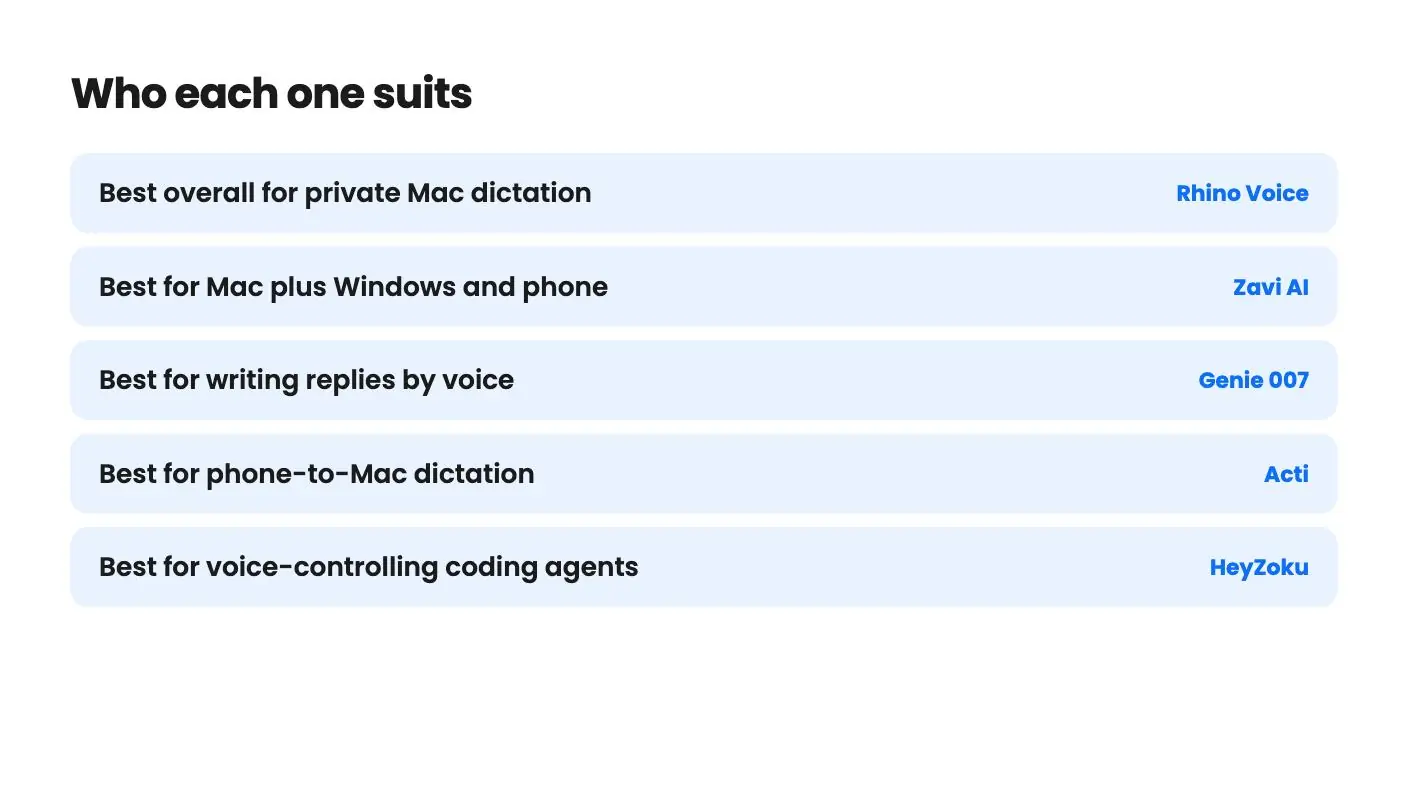
- Rhino Voice: $12 once gets unlimited dictation minutes in any Mac app, with transcription and cleanup running on-device, no account and all future updates.
- Zavi AI: $49 covers native apps for macOS, Windows, iOS and Android, 200,000 cloud words a month, on-device mode and Magic Wand voice editing.
- Genie 007: $49 adds Genie mode, which writes emails and comments from what's on screen, plus voice typing in 140+ languages on Mac, Windows and Chrome.
- Acti: From $59, an AI keyboard for iOS and Android pairs with a Mac app, backed by a 4.92 average across 149 AppSumo reviews.
- HeyZoku: $49 runs Claude, Codex, Cursor and Pi CLIs side by side on a Mac, with on-device voice commands transcribed by Parakeet.
Frequently asked questions
What is the best dictation software for Mac?
For most people, Rhino Voice. It costs $12 once, types into any Mac app, runs entirely on your Mac and has no minute limits. If you also need Windows or phone apps, look at Zavi AI or Wispr Flow.
Does the Mac have free built-in dictation?
Yes. macOS includes Dictation, which you turn on in System Settings > Keyboard > Dictation. Apple says it works anywhere you can type, adds commas, periods and question marks automatically in supported languages, and has no timeout.
Is there dictation software for Mac that works offline?
Yes. Rhino Voice transcribes and cleans up text on your Mac, so it works with Wi-Fi off, according to its AppSumo listing. Superwhisper's free plan includes unlimited use of Whisper models, and Zavi AI has an on-device mode.
Is Wispr Flow free on Mac?
Wispr Flow has a free plan with limited words per week. Pro costs $15 per user per month, or $12 per user per month billed annually, according to its pricing page.
How much does Superwhisper cost?
Superwhisper has a free plan. Its billing docs list Pro at $8.49 a month or $84.99 a year, and it also sells a lifetime license. Check its site for the current lifetime price.
Is Otter.ai a dictation app?
Not in the type-anywhere sense. Otter.ai is built for meeting and recording transcription. Its free Basic plan includes 300 transcription minutes per user per month, per its pricing page.
What's the cheapest paid dictation app for Mac?
Rhino Voice, at $12 once on AppSumo. That's less than a single month of Wispr Flow Pro or Willow Voice Pro on monthly billing.