


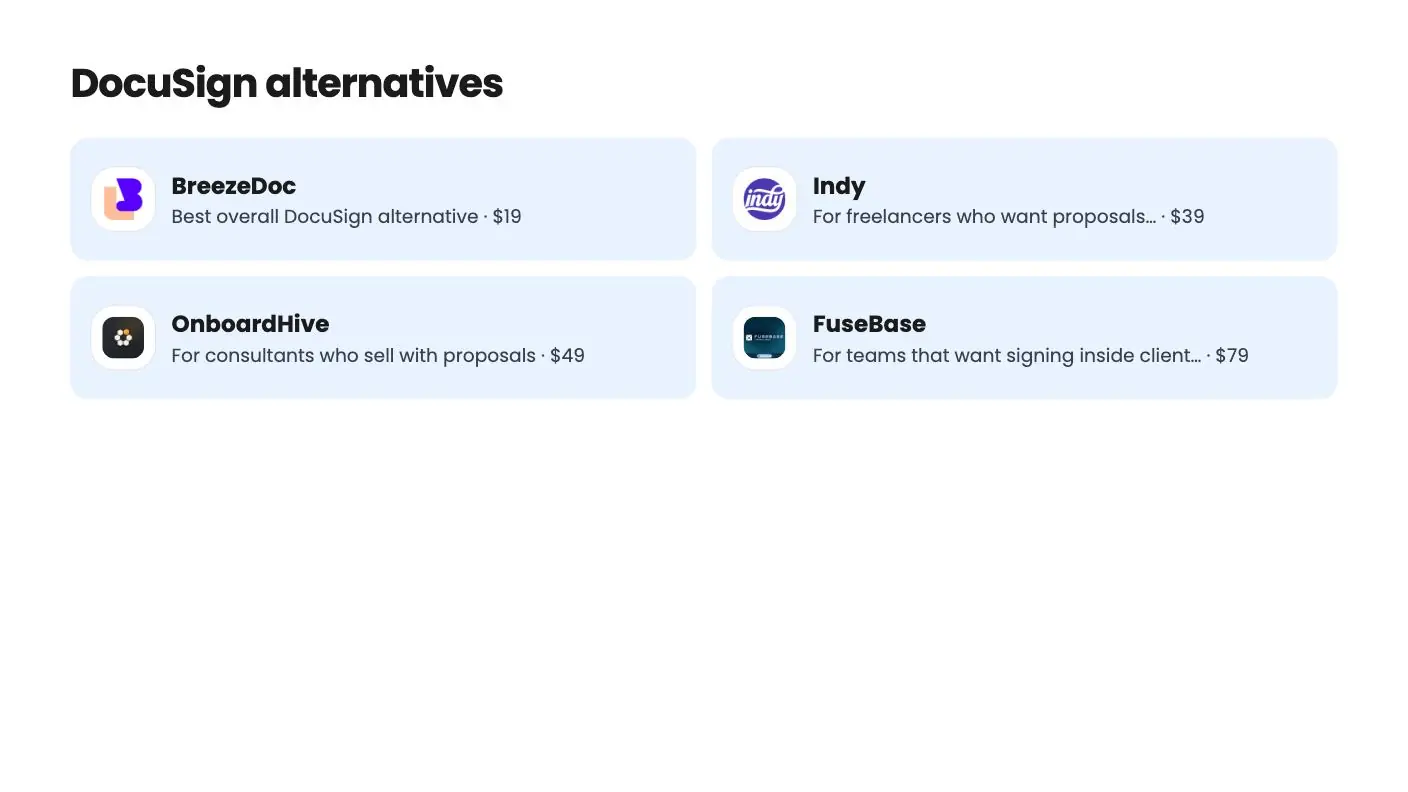
The alternatives at a glance
| Tool | Suits | Price |
|---|---|---|
| BreezeDoc | Best overall DocuSign alternative | $19 |
| Indy | For freelancers who want proposals, contracts and invoices together | $39 |
| OnboardHive | For consultants who sell with proposals | $49 |
| FuseBase | For teams that want signing inside client portals | $79 |
DocuSign is the name everyone knows, but its pricing is built for companies, not for a freelancer sending a few contracts a week. Its Personal plan costs $120 to $132 a year and includes 5 envelopes a month. The good news is that there are plenty of DocuSign alternatives, several with real free plans, and the best one for a small business costs $19 once.
Get BreezeDoc for $19 on AppSumo →
This guide ranks the alternatives worth your time, then answers the questions people ask most: which tool is free, which is cheapest, and whether these signatures hold up legally. AppSumo picks use facts from each AppSumo listing. Subscription tools use prices from each vendor’s own pricing page, checked on November 13, 2026.
What is the best DocuSign alternative?
For freelancers, coaches, consultants and small agencies, the best DocuSign alternative is BreezeDoc. It costs $19 or $49 once on AppSumo and sends unlimited documents, with templates, reminders, bulk send and Stripe payments included.
For teams that want a familiar monthly subscription, BoldSign and signNow are the cheapest verified paid options, Dropbox Sign is a strong all-rounder, and Adobe Acrobat makes sense if you already live in PDFs. PandaDoc is the pick for sales proposals.
See the BreezeDoc deal on AppSumo
DocuSign alternatives compared
Here’s every tool in this guide side by side. Prices are for one user on the entry paid plan with annual billing, unless noted.
| Tool | Price per year | Free plan | Document limits | Best for |
|---|---|---|---|---|
| BreezeDoc (AppSumo Original) | $19 once (Agency $49 once) | Yes | Unlimited on every plan | Freelancers and small teams |
| Indy (AppSumo) | $39 once | Not stated | Not stated on listing | Proposals, contracts and invoices together |
| OnboardHive (AppSumo) | From $49 once | Not stated | Varies by tier | Consultants who sell with proposals |
| FuseBase (AppSumo) | From $79 once | Not stated | Varies by tier | Client portals with signing |
| BoldSign Growth | $60 per user | Yes | 50 envelopes per user a month | Cheapest subscription |
| signNow Business | $96 | Not listed | 100 invites a year | Low-volume senders |
| SignWell Light | $120 | Yes | Unlimited | Simple solo signing |
| Zoho Sign Standard | $120 per user | Yes | 25 envelopes per user a month | Zoho users |
| Youtrust (formerly Yousign) One | €108 | Yes | 10 requests a month | European businesses |
| Adobe Acrobat Standard | $179.88 | No | Not listed on pricing page | Teams that already edit PDFs |
| Dropbox Sign Essentials | $180 | Yes | Unlimited requests | Dropbox users |
| PandaDoc Starter | $228 per seat | Yes | Unlimited | Sales proposals |
| DocuSign Personal (for reference) | $120 prepaid, $132 billed monthly | No | 5 envelopes a month | Brand-name signing |
Dropbox Sign was showing lower first-year prices on annual plans when we checked, such as $120.60 for Essentials. The figures above use its regular prices.
1. BreezeDoc: the best overall DocuSign alternative
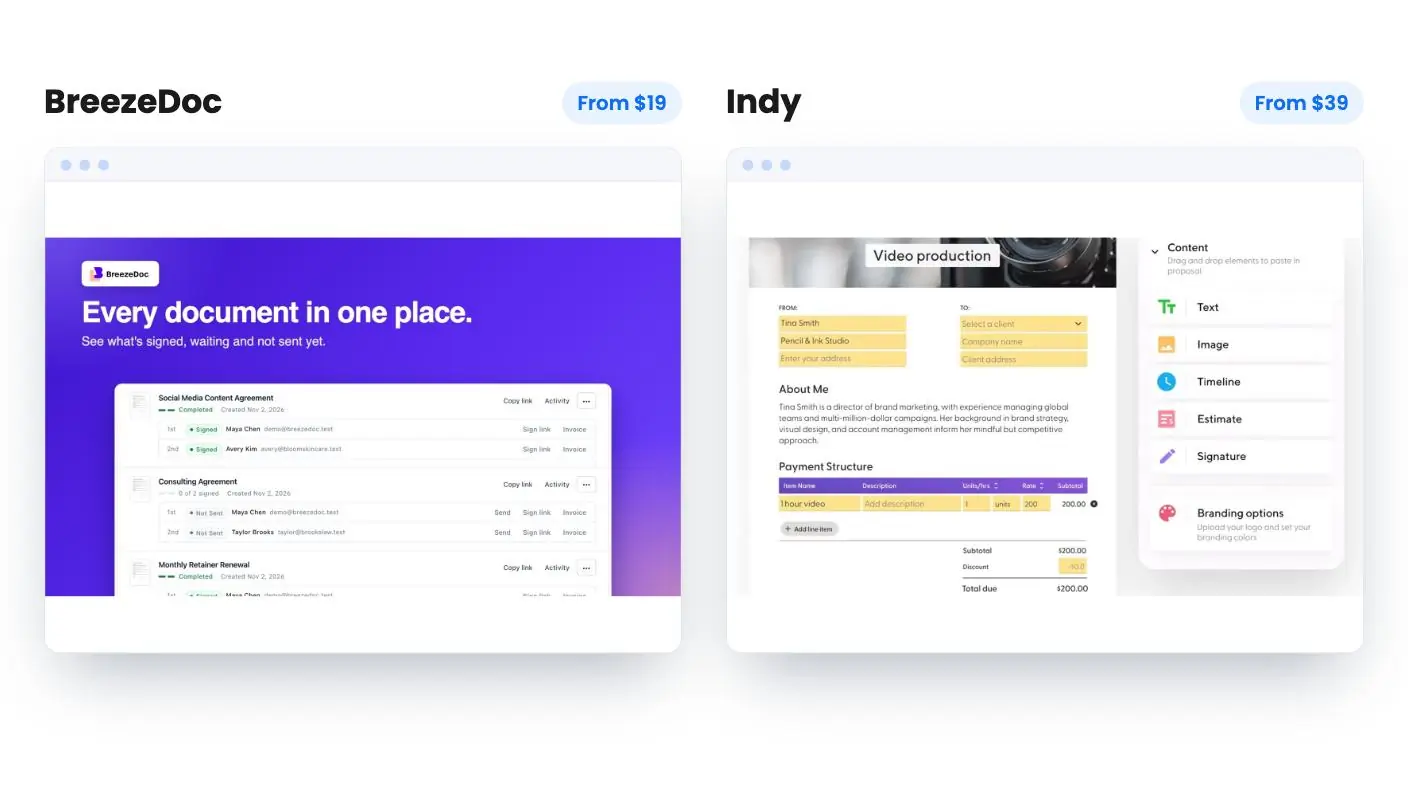
BreezeDoc is an AppSumo Original, built and run by AppSumo’s own team, and it’s the most complete of the one-time-price DocuSign alternatives. It costs $19 for Individual (list $180) or $49 for Agency (list $300). You can see how it fits with AppSumo’s other in-house tools in our AppSumo Originals guide.
Here’s what the listing includes:
- Unlimited documents on every plan. One document counts once, however many people sign it.
- Autodetect. Upload a PDF and BreezeDoc finds and places signature, initials, date and text fields, then assigns them to the right signer.
- Templates. Start from the template library, save any document as a template, or turn a sent document into one.
- Bulk send. Send one template to a CSV of signers. Individual covers 100 signers per send and Agency covers 500.
- Public signing links. Put a link on your site for waivers, NDAs and intake forms. Individual gets 10 links and Agency gets unlimited.
- Tracking and reminders. See when each signer opens, views and signs, with automatic reminders to anyone who hasn’t signed.
- Audit trail. The signed PDF goes to all parties with a certificate of completion. Passcodes protect sensitive documents.
- Stripe invoices, API and Zapier on every plan, plus webhooks and an MCP server on Agency.
Signers don’t need an account. AppSumo’s summary mentions a 60-day money-back guarantee, and BreezeDoc also has a free plan, covered below.
BreezeDoc holds a 3.68 rating from 172 AppSumo reviews, with buyers praising the user-friendly interface, quick document processing and value with no monthly fees.
Who should pick something else: healthcare teams that need HIPAA, anyone who needs eIDAS qualified signatures, and teams larger than Agency’s 4 seats. The FAQ also says sending signing emails from your own domain isn’t available yet.
Compare it head to head in BreezeDoc vs DocuSign, or read the full BreezeDoc review.
Get BreezeDoc for $19 on AppSumo →
2. Indy: for freelancers who want the whole paperwork flow
Indy is a freelancer workspace where proposals, contracts, invoices and client projects live together. It’s $39 once on AppSumo (list $300).
The listing says accepted proposals turn into contracts and invoices automatically, so you stop retyping client details. Clients sign electronically without creating an account, and you get real-time updates when contracts are viewed or signed. Invoices take PayPal, Stripe or direct deposit, and Indy connects with Google Calendar and Zapier.
Indy is a good fit if signing is one step in a bigger freelance workflow. If signing is your only need, BreezeDoc does that job in more depth. Indy has one AppSumo review so far, at 5 out of 5. Codes must be redeemed within 60 days. See the deal at https://appsumo.com/products/indy-80f377ef/.
3. OnboardHive: for consultants who sell with proposals
OnboardHive is built for the step before the contract. It tracks how long a client actually reads your proposal, in 10-second heartbeats, and alerts you when they come back to it.
When the client accepts, the same link turns into a branded onboarding portal. The client signs with a typed e-signature, recorded with a timestamp and user agent audit trail, then confirms the deposit and moves into intake. Clients never need an account. You can export proposals, intake answers and signature audit trails, and route uploads to your own Google Drive.
OnboardHive starts at $49 once, with $79 and $199 tiers above it. It has one AppSumo review so far, at 4 out of 5. Its own FAQ says it can’t advise on signature requirements in your jurisdiction, so check yours for high-value contracts. See the deal at https://appsumo.com/products/onboardhive/.
Get OnboardHive for $49 on AppSumo →
4. FuseBase: for teams that want signing inside client portals
FuseBase is a client portal and workspace platform, not a dedicated signing tool. It earns a place here because AppSumo’s review summary lists e-signatures among its features, next to AI agents, security controls and transcription.
You get branded client portals, docs, tasks and AI agents in one workspace. It starts at $79 once (list $468), and codes stack, so larger teams can buy more capacity. FuseBase has the strongest track record of these picks, at 4.68 from 607 AppSumo reviews. Choose it if you’re already looking for a client portal. If you only need signatures, BreezeDoc is simpler and cheaper. See the deal at https://appsumo.com/products/fusebase/.
Get FuseBase for $79 on AppSumo →
Subscription DocuSign alternatives
If you’d rather pay monthly, or you need features none of the lifetime deals offer, these are the subscription tools worth a look. They’re listed from lowest to highest entry price.
BoldSign
BoldSign has the lowest entry price of the subscriptions we checked. Growth costs $5 per user a month billed yearly and includes 50 envelopes per user a month, shared across the account, plus 10 templates. Business costs $15 per user a month billed yearly and adds unlimited envelopes, unlimited templates, SSO and HIPAA support. Premium is $99 a month for unlimited users and 250 envelopes, with extra envelopes at $0.50 each. Monthly billing costs more on every plan.
Pick BoldSign if you want a low per-user subscription or need HIPAA on a mid-priced plan.
signNow
signNow’s pricing page lists Business at $8 a month billed annually ($20 monthly), Business Premium at $15 ($30 monthly) and Enterprise at $30 ($50 monthly). Annual plans include 100 signature invites a year, and monthly plans include 10 a month, with extra invites billed per invite. Business includes unlimited templates, reminders and an audit trail. Bulk send, signing links and payment collection start on Business Premium.
Pick signNow if you want a well-known subscription and send a modest number of documents.
SignWell
SignWell Light costs $10 a month billed yearly ($12 monthly) for one sender, with unlimited documents and 5 templates. Business costs $30 a month billed yearly ($36 monthly), includes 3 senders and unlimited templates, and adds extra senders at $12 a month each on yearly billing. SignWell says yearly billing saves 20%.
Pick SignWell if you want a clean, simple sender with unlimited documents on a small monthly budget.
Zoho Sign
Zoho Sign’s US prices are per user. Standard is $10 a month billed annually ($12 monthly) with 25 envelopes per user a month. Professional is $16 billed annually ($20 monthly) with unlimited envelopes and unlimited templates. Enterprise is $22 billed annually ($28 monthly) and adds bulk send and payment collection. There’s also a free plan and a 14-day trial.
Pick Zoho Sign if your business already runs on Zoho apps such as Zoho CRM or Zoho Books.
Youtrust (formerly Yousign)
Yousign has renamed itself Youtrust. Its pricing page shows euro prices excluding VAT: One is €9 a month or €108 a year with 10 signature requests a month, Plus is €23 per user a month with unlimited signatures, and Pro is €38 per user a month. US dollar prices weren’t shown on the page, so check current pricing in your currency. Advanced and qualified eIDAS signatures are paid add-ons, with qualified signatures starting at €10 each.
Pick Youtrust if you work mostly in Europe and may need eIDAS advanced or qualified signatures.
Adobe Acrobat Sign
Adobe sells e-signatures inside its Acrobat plans. For one user, Acrobat Standard costs $179.88 a year prepaid ($14.99 a month on an annual plan, $24.99 month to month). Acrobat Pro costs $239.88 a year prepaid ($19.99 a month annual, $29.99 month to month) and adds bulk sending. Team licenses start at $16.99 per license a month on annual billing. Adobe’s pricing page doesn’t list a transaction cap for these plans, so check current terms if you send in volume.
Pick Adobe if you already need Acrobat to edit, convert and combine PDFs, since signing then comes at no extra cost.
Dropbox Sign (formerly HelloSign)
Dropbox Sign Essentials costs $15 a month for one user, or $180 a year at its regular annual rate, with unlimited signature requests. Standard costs $25 per user a month and starts at two users, or from $600 a year. Premium, for five or more users, is quoted by sales. Paid plans come with a 30-day free trial.
Pick Dropbox Sign if you already work in Dropbox and want a well-known brand at a lower price than DocuSign.
PandaDoc
PandaDoc is built around sales documents. Starter is $19 per seat a month billed annually and includes unlimited documents created in the app, with up to 5 templates. Business is $49 per seat a month billed annually and adds unlimited templates, payment collection and CRM integrations. Enterprise is quoted by sales.
Pick PandaDoc if your documents are sales proposals and quotes that need to connect to a CRM.
Free DocuSign alternatives
Several e-signature tools have a free plan that lets you send real documents for signature, not just a trial. Here are the ones we confirmed on each vendor’s pricing page.
| Tool | Free plan limits |
|---|---|
| BreezeDoc | Unlimited documents and templates, 1 user, 1 public signing link, bulk send up to 19 signers |
| BoldSign Essential | 25 envelopes a month (5 until business details are verified for personal email signups), 2 templates, 1 user |
| PandaDoc Free | 5 documents a month, up to 5 templates |
| Zoho Sign Free | 5 envelopes a month, 1 user |
| SignWell Free | 3 documents a month, 1 template, 1 sender |
| Dropbox Sign Free | 3 signature requests a month, unlimited self-signing |
| Youtrust Free | 2 signature requests a month, 1 user |
BreezeDoc’s free plan is the most generous here because it has no monthly document limit. It leaves out reminders, custom signing emails, Stripe payments and a custom logo, which is what the $19 Individual license adds. BoldSign is the runner-up on volume.
If you need more than a handful of documents a month, a free plan won’t last long, and that’s where a one-time license beats a subscription.
Is there a free version of DocuSign?
Not for sending. DocuSign lets anyone sign documents for free and offers a free trial with a set number of envelope sends, but sending your own documents needs a paid plan. If you want free sending, BreezeDoc, BoldSign, Zoho Sign and PandaDoc are the best free DocuSign alternatives.
Cheapest DocuSign alternative
The cheapest DocuSign alternative is BreezeDoc at $19 once on AppSumo. That one payment covers unlimited documents for as long as you use it, so the cost keeps falling every year. If you want a team, Agency is $49 once. BreezeDoc also sells a Pro subscription on its own site at $10 a month or $99 a year, so the AppSumo license is the cheaper way in.
Here’s what each option costs over three years for one user, using regular annual prices.
| Tool and plan | Year 1 | 3-year total |
|---|---|---|
| BreezeDoc Individual (AppSumo) | $19 | $19 |
| Indy (AppSumo) | $39 | $39 |
| BreezeDoc Agency (AppSumo, team of 4) | $49 | $49 |
| OnboardHive (AppSumo) | $49 | $49 |
| FuseBase (AppSumo) | $79 | $79 |
| BoldSign Growth | $60 | $180 |
| signNow Business | $96 | $288 |
| SignWell Light | $120 | $360 |
| Zoho Sign Standard | $120 | $360 |
| DocuSign Personal (prepaid) | $120 | $360 |
| Youtrust One | €108 | €324 |
| Adobe Acrobat Standard | $179.88 | $539.64 |
| Dropbox Sign Essentials | $180 | $540 |
| PandaDoc Starter | $228 | $684 |
| DocuSign Standard | $300 | $900 |
The gap grows with every year and every extra user. A team of four on BreezeDoc Agency still pays $49 in total, while four seats of PandaDoc Starter cost $912 a year.
What is the cheapest e-signature software?
BreezeDoc is the cheapest paid e-signature software at $19 once. Among subscriptions, BoldSign Growth at $5 per user a month billed yearly is the lowest entry price we found, followed by signNow Business at $8. For zero cost, BreezeDoc’s free plan has no monthly document limit.
What is better than DocuSign?
For most small businesses, BreezeDoc is better value than DocuSign. It sends unlimited documents for $19 once, while DocuSign Personal caps you at 5 envelopes a month for $120 or more a year.
DocuSign still makes sense for large companies that need its enterprise admin controls, deep integrations or regulated-industry features. For everyone else, the right DocuSign alternative depends on what else you need:
- Proposals tied to a CRM: PandaDoc.
- PDF editing as well as signing: Adobe Acrobat.
- HIPAA on a budget: BoldSign Business.
- European eIDAS signatures: Youtrust.
- Everything else, for the lowest cost: BreezeDoc.
Is Adobe Sign better than DocuSign?
Adobe is the better choice if you already pay for Acrobat, because signing is included with PDF editing. DocuSign is the more specialized signing platform, with more workflow and envelope controls on its higher plans.
On price, Acrobat Standard at $179.88 a year gives you a full PDF editor plus e-signatures, while DocuSign Standard costs $300 per user a year for signing alone. If you only need signatures and not PDF editing, both cost far more than BreezeDoc, which you can read about in our BreezeDoc review.
How do you choose a DocuSign alternative?
Start with how many documents you send and how many people send them. Then decide whether you’d rather pay once or every year.
- You send contracts alone, often: BreezeDoc Individual at $19 once.
- You run a small team or collect waivers at scale: BreezeDoc Agency at $49 once.
- You want proposals, contracts and invoices in one place: Indy or OnboardHive.
- You need a client portal with signing inside it: FuseBase.
- You want a low monthly subscription: BoldSign, signNow or SignWell.
- You already use Zoho, Dropbox or Acrobat: Zoho Sign, Dropbox Sign or Adobe Acrobat.
- You sell with proposals tied to a CRM: PandaDoc Business.
All of these DocuSign alternatives let signers sign without buying anything, and all keep an audit trail.
Are DocuSign alternatives legally binding?
Yes, for most US business contracts. The legal weight of an e-signature comes from the law, not from the brand of the tool.
The federal ESIGN Act says a signature or record can’t be denied legal effect just because it’s electronic. The Uniform Electronic Transactions Act (UETA) does the same at the state level in 49 states and Washington, DC, and New York has its own law with a similar effect. Wills and some family law documents follow different rules.
In the EU, most everyday contracts can use simple electronic signatures, but some regulated documents need eIDAS qualified signatures. BreezeDoc’s FAQ says its signatures are simple electronic signatures, so choose accordingly. Youtrust and BoldSign sell qualified signatures as paid add-ons.
The bottom line
For most small businesses weighing DocuSign alternatives, BreezeDoc is the clear first pick. $19 once covers what DocuSign charges $120 or more a year for, without the 5-envelope monthly limit, and its free plan is the most generous of the free options. Indy and OnboardHive are smart choices when signing is part of a bigger proposal-to-payment flow, and FuseBase fits teams that want a full client portal.
If you need a subscription, BoldSign and signNow have the lowest entry prices, SignWell and Zoho Sign are simple and affordable, and Dropbox Sign is a solid middle ground. Adobe Acrobat wins if you also edit PDFs, and PandaDoc wins for CRM-connected proposals.
For the full side-by-side, read BreezeDoc vs DocuSign. You can also browse the rest of the AppSumo Originals, or compare tools in our forms and scheduling lifetime deals guide.
See the BreezeDoc deal on AppSumo
Why each one made the list
- BreezeDoc: $19 once (list $180) for unlimited documents, templates, reminders, Stripe payments and bulk send to 100 signers. $49 Agency adds a team of 4, unlimited public signing links, webhooks and an MCP server.
- Indy: $39 once (list $300). Accepted proposals turn into contracts and invoices, clients e-sign without an account, and invoices take PayPal or Stripe.
- OnboardHive: From $49 once. Tracks real read time on proposals, then turns the accepted proposal into an onboarding portal with a typed e-signature, deposit and intake.
- FuseBase: From $79 once, with stackable codes. Branded client portals, docs, tasks and AI agents in one workspace, rated 4.68 from 607 AppSumo reviews.
Frequently asked questions
What is better than DocuSign?
For freelancers and small teams, BreezeDoc is the better value. It costs $19 or $49 once on AppSumo and sends unlimited documents. DocuSign Personal costs $120 to $132 a year and includes 5 envelopes a month.
Is there a free version of DocuSign?
DocuSign offers a free trial and a free account for signing documents others send you, but sending your own documents needs a paid plan. Free alternatives include BreezeDoc, BoldSign, Zoho Sign, PandaDoc, SignWell and Dropbox Sign.
What is the cheapest e-signature software?
BreezeDoc is the cheapest paid option at $19 once on AppSumo, with unlimited documents. The cheapest verified subscription is BoldSign Growth at $5 per user a month billed yearly, followed by signNow Business at $8.
Is Adobe Sign better than DocuSign?
Adobe's e-signatures come bundled with Acrobat, so they're the better buy if you already edit PDFs in Acrobat. Acrobat Standard costs $179.88 a year prepaid for one user. For signing alone, BreezeDoc costs far less.
Are DocuSign alternatives legally binding?
In the US, the ESIGN Act and state UETA laws give electronic signatures legal effect for most business contracts, whichever tool you use. Some documents, such as wills, follow separate rules, and some EU documents need eIDAS qualified signatures.
Which DocuSign alternative has unlimited documents?
BreezeDoc sends unlimited documents on every plan, including its free plan. Dropbox Sign paid plans, PandaDoc Starter and Business, SignWell Light, BoldSign Business and Zoho Sign Professional also list unlimited documents or envelopes.
Which DocuSign alternative is best for proposals?
PandaDoc is built around sales proposals, with payments and CRM integrations on its $49-per-seat Business plan. On AppSumo, OnboardHive and Indy cover proposals for a one-time price.