



The deals at a glance
| Tool | Suits | Price |
|---|---|---|
| Rhino Voice | Best for private, unlimited dictation on a Mac | $12 |
Both apps do the same core job. You speak, and clean text lands in whatever app your cursor is in. The difference is how you pay and where your voice goes. In Rhino Voice vs Wispr Flow, you’re choosing between a $12 one-time Mac app that runs entirely on your computer and a cross-platform subscription with team and meeting features.

Get Rhino Voice for $12 on AppSumo →
If you work on a Mac and mostly want to talk instead of type, Rhino Voice is the easy pick. See the deal on AppSumo.
Rhino Voice vs Wispr Flow: the quick answer
Choose Rhino Voice if you dictate on a Mac and want private, unlimited dictation for $12 once. Choose Wispr Flow if you need dictation on Windows or your phone, a meeting notetaker, or team admin tools.
That covers most readers. The rest of this page goes through price, privacy, platforms and features so you can check the details that matter to you.
| Rhino Voice | Wispr Flow | |
|---|---|---|
| Price | $12 once (AppSumo lifetime deal) | Free plan, Pro $15/user/mo or $12/user/mo billed annually |
| Free option | No | Yes, with limited words per week |
| Platforms | Mac (macOS 14 or later) | Mac, Windows, iPhone, Android |
| Where speech is processed | On your Mac | Not stated on its pricing page |
| Dictation limit | Unlimited minutes | Limited on Free, unlimited on Pro |
| Personal dictionary | Yes, unlimited entries | Yes, plus snippets |
| Account needed | No | Yes, per-user plans |
| Meeting notetaker | No | Yes, Mac and Windows |
| Team features | No | Shared dictionary, team workspace, admin tools |
| Languages | Not listed | 100+ |
How much does each one cost?
Rhino Voice costs $12 once. Wispr Flow Pro costs $15 per user per month, or $12 per user per month billed annually, according to its pricing page.
Here’s what that looks like over time for one person.
| Time | Rhino Voice | Wispr Flow Pro (annual) | Wispr Flow Pro (monthly) |
|---|---|---|---|
| First year | $12 | $144 | $180 |
| Two years | $12 | $288 | $360 |
| Three years | $12 | $432 | $540 |
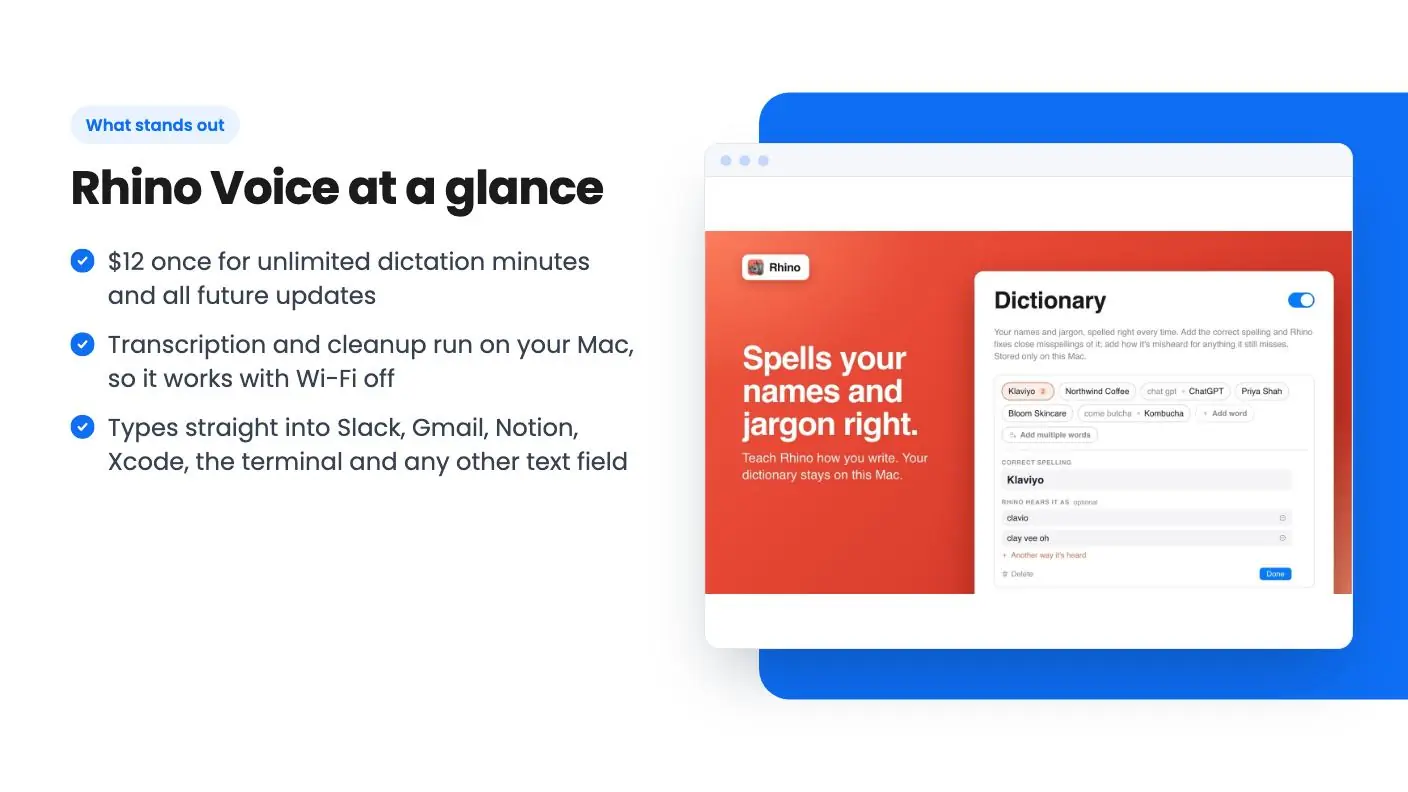
Rhino’s price covers lifetime access, unlimited minutes and all future updates. AppSumo’s plan terms add three conditions: redeem the code within 60 days, one Mac per code, and no stacking.
Wispr Flow does have a free plan, which is a real plus. The pricing page says it includes speech-to-text in any app, 100+ languages, a dictionary and snippets, but with limited words per week. It doesn’t give the number. Students get 50% off Pro, educators 40%, and non-profits a discount.
If you’re a single Mac user, the math isn’t close. A single month of Wispr Flow Pro on monthly billing costs more than Rhino does for life.
Which one is more private?
Rhino Voice. AppSumo’s listing says transcription and text cleanup both run on your Mac, no audio or text leaves your machine, and there’s no account, login or telemetry.
That makes Rhino a strong fit for anyone who dictates sensitive material. Think client notes, legal drafts, health details or code under an NDA. You can also use it with Wi-Fi off, on a plane or anywhere with a bad connection.
Wispr Flow’s pricing page doesn’t describe on-device processing. What it does list is a set of controls aimed at companies: org-wide HIPAA enforcement with a signed BAA and admin control over model training on the Growth plan, and model training locked off on Enterprise. Those are useful for a business that wants a signed agreement. For an individual who simply wants nothing to leave the laptop, Rhino’s approach is simpler.
Which works on more devices?
Wispr Flow. Its pricing page lists dictation on Mac, Windows, iPhone and Android, while Rhino Voice is a Mac app that needs macOS 14 or later.
This is the clearest reason to pick Wispr Flow. If you dictate on a Windows work laptop or want the same voice habit on your phone, Rhino can’t help. Each Rhino code also covers one Mac, so two Macs means two purchases, and this deal doesn’t stack.
If you love the pay-once idea but need more platforms, Zavi AI is an AppSumo deal that covers Mac, Windows, iOS and Android. Our WisprFlow alternatives page compares it with other lifetime options.
How does dictating feel in each app?
Both apps let you talk into any text field without opening a separate window. Rhino uses a hold-Fn shortcut, and its listing describes a double-press for hands-free recording.
In Rhino, you hold Fn, speak, and release to drop the text in. Double-press the shortcut to lock recording on for longer passages. The listing names Slack, Gmail, Notion, Xcode and the terminal as places it works, and says it works anywhere text goes.
Rhino transcribes with Whisper or Parakeet running locally, then an embedded model cleans up filler words and dropped words. A personal dictionary with unlimited entries fixes names and jargon. You also get a local history of past dictations and writing stats.
Wispr Flow’s pricing page describes speech-to-text in any app, a dictionary and snippets on every plan. Snippets are a nice extra that Rhino doesn’t list. The page also mentions using meeting notes in Claude and ChatGPT, which ties into its Notetaker.
Buyers rate Rhino 4.56 out of 5 across 45 AppSumo reviews. AppSumo’s summary says they praise its accuracy, privacy and ease of use, and that the founder is committed to addressing feedback quickly.
What does Wispr Flow have that Rhino Voice doesn’t?
Wispr Flow adds a meeting notetaker, apps for Windows and phones, team tools and a free plan. Rhino Voice focuses on dictation alone.
Here’s the fuller list from Wispr Flow’s pricing page:
- Notetaker on Mac and Windows, with limited access on Free and unlimited history on Pro. Mobile is listed as coming soon.
- Team features on Pro, such as a shared dictionary and snippets, a shared workspace, centralized billing, user management and usage analytics.
- Security features on Growth and Enterprise, including SSO with SAML, HIPAA enforcement, SCIM provisioning and audit logs.
- Priority support and early access to new features on Pro.
If you run a team that needs one dictation tool with central billing and SSO, Wispr Flow is built for you. Rhino has no team dashboard.
AppSumo’s reviews summary also notes two current limits on Rhino: some users mention language recognition issues, and there’s no clipboard preservation feature yet. If you switch languages constantly, try Rhino early in the redemption window.
Get Rhino Voice for $12 on AppSumo →
Who should choose Rhino Voice?
Rhino Voice is perfect for Mac users who want fast, private dictation without a subscription. That includes:
- Writers and content creators drafting long text by voice.
- Freelancers and consultants who handle client data and want it kept on their Mac.
- Developers who talk prompts into the terminal, Xcode or an AI coding tool.
- Anyone cutting subscriptions who’d rather pay $12 once than $144 or more a year.
Rhino is also one of the AppSumo Originals, the products AppSumo builds itself, alongside TidyCal and SendFox. That gives a $12 app more staying power than a typical small-vendor deal. Read our full Rhino Voice review for the details.
See the deal on AppSumo if this sounds like you.
Get Rhino Voice for $12 on AppSumo →
Who should choose Wispr Flow?
Choose Wispr Flow if you dictate on Windows, iPhone or Android, need a meeting notetaker, or manage a team that needs shared settings and admin controls. Its free plan also lets you try voice typing at no cost before you commit.
Wispr Flow also makes sense for companies with compliance needs. Its higher plans list SSO, HIPAA enforcement with a signed BAA, SCIM provisioning and audit logs, which an IT team may require before approving any tool.
Can you use Rhino Voice and Wispr Flow together?
Yes, and for some people that’s the smartest setup. Use Rhino on your Mac for private, unlimited dictation, and Wispr Flow’s free plan on your phone or a Windows machine for lighter use.
This split works well if most of your writing happens at your desk. The heavy, sensitive dictation stays on your Mac with no meter running, and you still have voice typing on the go. Your total cost is Rhino’s $12, with no monthly bill unless you outgrow Wispr Flow’s free word allowance.
One caution: both apps want a global shortcut. If you install both on the same Mac, pick different keys so they don’t clash.
Get Rhino Voice for $12 on AppSumo →
How do you switch from Wispr Flow to Rhino Voice?
Buy the Rhino code, redeem it within 60 days, install the app and copy your custom words into its personal dictionary. Then cancel your paid Wispr Flow plan once you’re happy.
Moving your dictionary is the step that saves the most frustration. Client names, product names and acronyms are what any dictation app gets wrong first, and Rhino’s dictionary has no entry limit. Give yourself a week of normal work before you cancel, so you know Rhino handles your accent, your vocabulary and your apps. That’s the practical way to settle Rhino Voice vs Wispr Flow for your own workflow.
The verdict on Rhino Voice vs Wispr Flow
For a solo Mac user, Rhino Voice wins on price and privacy, and it does the core job of typing your speech into any app with no limits. Wispr Flow wins on reach, with four platforms, a notetaker and team tools.
So the Rhino Voice vs Wispr Flow decision mostly comes down to one question: is all your dictation on a Mac? If yes, there’s little reason to pay monthly. Rhino costs less than one month of Wispr Flow Pro and keeps your voice on your own machine.
For a wider look at the field, including Apple’s free built-in Dictation and Superwhisper, see our guide to the best dictation software for Mac. And if you’ve settled on Rhino Voice vs Wispr Flow in Rhino’s favor, see the deal on AppSumo and redeem it within 60 days.
Why each one made the list
- Rhino Voice: $12 once gets unlimited dictation minutes in any Mac app, with transcription and cleanup running on-device, no account and all future updates.
Frequently asked questions
Is Rhino Voice a good Wispr Flow alternative?
Yes, if you dictate on a Mac. Rhino Voice types into any Mac app, runs on-device and costs $12 once with unlimited minutes. Wispr Flow is the better fit if you need Windows, iPhone or Android, or a meeting notetaker.
How much does Wispr Flow cost?
Wispr Flow's pricing page lists a Free plan with limited words per week and Pro at $15 per user per month, or $12 per user per month billed annually. Growth and Enterprise plans add team and security features.
Does Rhino Voice work offline?
Yes. AppSumo's listing says Rhino transcribes with Whisper or Parakeet and cleans up text with an embedded model, all on your Mac, so it works with Wi-Fi off.
Does Wispr Flow work on Windows and phones?
Yes. Its pricing page lists dictation on Mac, Windows, iPhone and Android. Rhino Voice is Mac only and needs macOS 14 or later.
Can I use Rhino Voice on more than one Mac?
Each code covers one Mac, and the deal is not stackable. If you need dictation on several machines, Wispr Flow's per-user pricing may suit you better.
Which is cheaper over a year, Rhino Voice or Wispr Flow?
Rhino Voice. It costs $12 once. Wispr Flow Pro costs $144 a year on annual billing or $180 a year paying monthly, at the prices on its pricing page.