
Design & MediaAlternatives
Kapwing Lifetime Deal Alternatives for Small Businesses
Five AppSumo lifetime deals that cover parts of what Kapwing does, from clip cutting to captions and dubbing. Each has caps worth knowing before you pay.
CoProd builds a first draft from your footage for $49. Subclip is a $99 Mac editor that needs your own AI subscription. Both are Mac only.

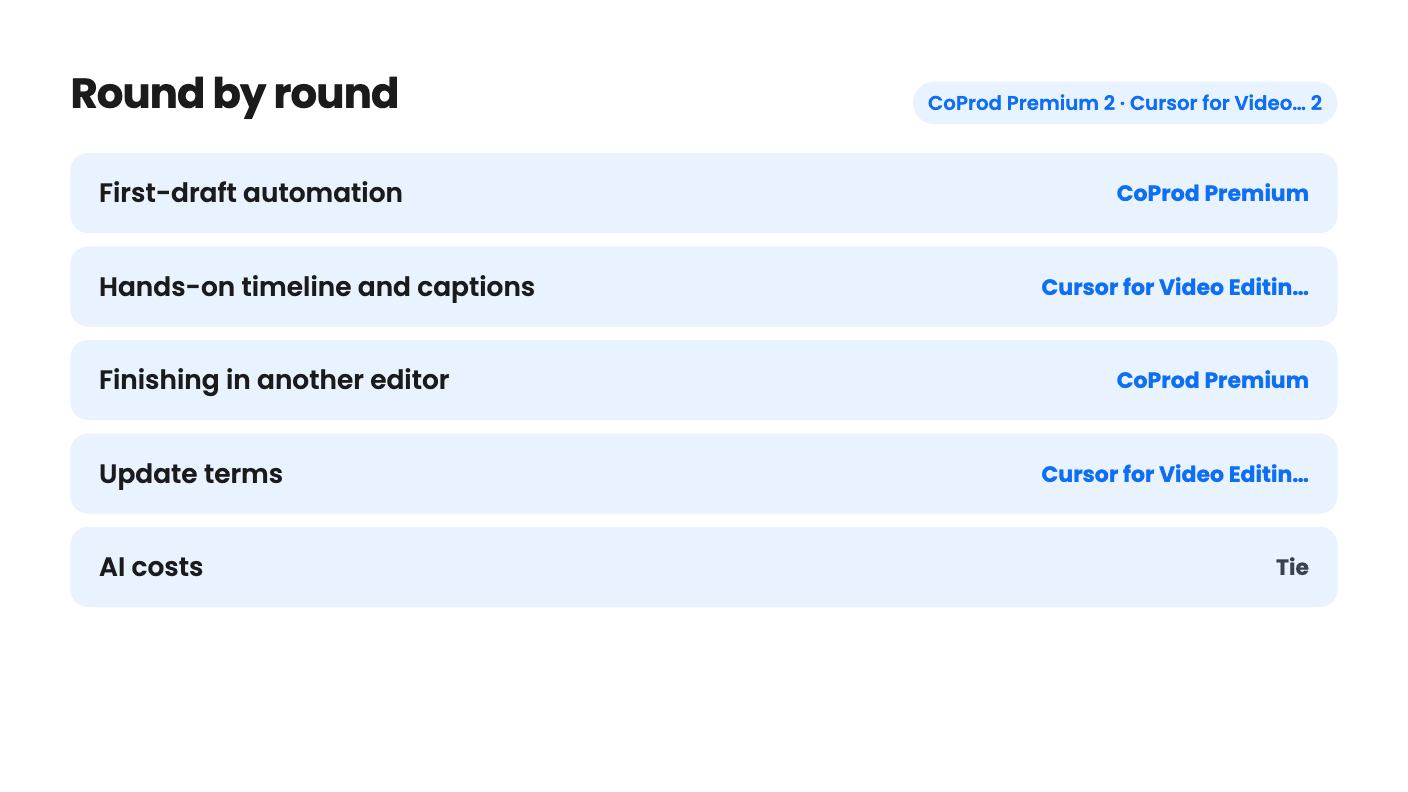
CoProd Premium takes 2 rounds, Cursor for Video Editing: AI Video Editor takes 2.
| Round | Winner | Why |
|---|---|---|
| First-draft automation | CoProd Premium | CoProd's Story Editor drafts chapters from your spoken words and its Producer runs story review, storyboard checks, rendering and quality checks, while Subclip turns your prompts into edits one request at a time. |
| Hands-on timeline and captions | Cursor for Video Editing: AI Video Editor | Subclip pairs the AI with a conventional timeline, in-app screen and camera recording, and caption styling and placement, none of which CoProd's listing describes. |
| Finishing in another editor | CoProd Premium | CoProd exports footage, graphics, captions and audio as separate editable clips for Final Cut Pro or DaVinci Resolve, and Subclip's listing names no editor export. |
| Update terms | Cursor for Video Editing: AI Video Editor | Subclip includes all future plan updates, while CoProd includes two years of updates from license issuance. |
| AI costs | Tie | CoProd bills paid AI through your own API keys and Subclip includes zero AI credits, so both leave the real running cost to you. |
| Price and device coverage | Tie | CoProd is $49 for one Mac with no extra tiers, while Subclip is $99 for one Mac with $199 and $299 options, so the cheaper deal depends on how many Macs you use. |
| CoProd Premium | Cursor for Video Editing: AI Video Editor | |
|---|---|---|
| Starts at | $49 | $99 |
| List price | $149 | Not listed |
| Plan | Lifetime Deal | Lifetime Deal |
| Deal ends | Not listed | Not listed |
| Best for | Content creators, Videographers, YouTubers | Content creators, YouTubers, Small business owners |
| Alternative to | Descript, CapCut | Adobe Premiere, Descript, CapCut |
You have a folder of raw recordings and a Mac, and you’d like to spend less of your week cutting. Two AppSumo lifetime deals go after that problem from opposite ends, and picking the wrong one could cost you more than the $49 or $99 on the sticker.
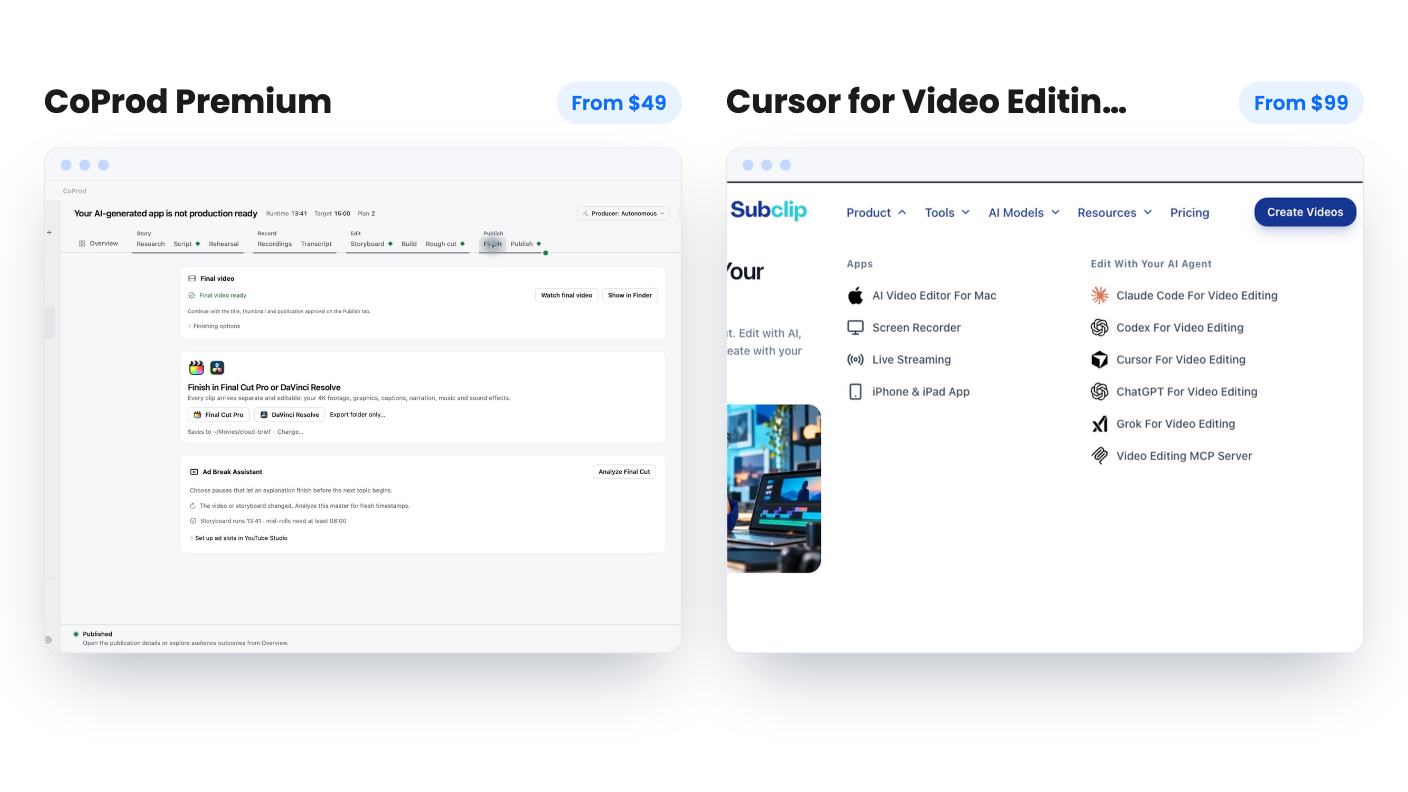
CoProd Premium is a story-first tool for people who talk to camera. Cursor for Video Editing: AI Video Editor, which the listing’s own web address and copy call Subclip, is a prompt-driven Mac editor with a normal timeline. We haven’t tested either one, so everything below comes from the listings. Neither listing includes a demo video.
The real difference is who does the first pass.
With CoProd, you hand over recordings and the Story Editor drafts chapters from the words you actually said. You can start from a script instead, but you approve it. After that, an autonomous Producer works through story review, storyboard checks, the visual pass, rendering and quality checks, and stops to bring findings back when it needs you.
Subclip works the other way round. You import footage, tell the AI assistant in plain language what you want, look at what comes back, and fix it by hand on the timeline. You are driving. The AI follows instructions.
That sounds like a small distinction, but it changes the job. CoProd suits someone who dreads the blank-page stage of a forty-minute ramble. Subclip suits someone who already knows the edit they want and would rather describe it than click through it.
CoProd gives each scene a review screen showing the selected footage, spoken lines, timing, graphics and sound, and then you pick your revisions. It also has built-in brand marks for tools you mention on camera, including AWS, OpenAI, Claude and Docker, and you can import your own artwork as SVG, PNG, JPEG or WebP. That’s a clear signal it’s aimed at tech and software channels. The listing doesn’t say how many built-in marks exist beyond those four.
Subclip leans on templates. The gallery is built around product demos, with scene examples like Button Press, Click Type, Capture Reveal and Card Rail, plus animated text styles such as Blur Reveal and Stamp Type. The listing gives no template count, so treat those names as samples.
One gap affects both. With no demo video on either page, we can’t judge how good the AI’s first attempt looks. For CoProd that’s the whole point of the product, so it’s the bigger unknown. Wait for a demo, or ask the seller for one, before you commit.
This is where CoProd is more specific. It can render a 1080p master locally with graphics, captions, narration, music and sound effects. It can also export to Final Cut Pro or DaVinci Resolve with footage, graphics, captions and audio as separate editable clips. If you already own a favourite editor, CoProd becomes a rough-cut generator and you stay in your own workflow. Nothing in the listing mentions rendering above 1080p inside the app.
It also prepares a YouTube package of title candidates, descriptions, chapters, tags and thumbnails. You approve every upload yourself, which is the right call for a tool that automates this much.
Subclip is more of a self-contained workspace. You can record your screen and camera in the app, generate captions, read the text, pick a style and adjust placement. It handles wide and vertical video. What the listing doesn’t say is how it exports, which formats it writes, or whether anything can move into another editor. It also says nothing about caption accuracy or languages. If you publish in anything other than English, ask before buying.
If vertical clips for social are your main output, Subclip’s explicit vertical support counts in its favour. CoProd’s listing talks about chapters and talking-head storytelling and doesn’t mention vertical formats.
CoProd has one tier at $49, down from a $149 list price. One code covers one creator on one Mac. You get perpetual use of your last eligible version and two years of updates from license issuance. You must redeem within 60 days, and the deal doesn’t stack.
Subclip has three tiers, all one-time purchases with identical editor features: $99 for one Mac, $199 for three, and $299 for unlimited. The plan table in the listing is jumbled, showing prices in one order and device counts in another, so go by the FAQ and check the checkout page. You can upgrade or downgrade between tiers, all future plan updates are included, and you must activate within 60 days. The listing shows a $0 list price, which tells us nothing about the discount.
So on update terms, Subclip is the friendlier deal. CoProd’s “lifetime” means you keep using what you have, with two years of new versions. For a young product with no review history in the listing, those first two years are where most of its value will sit. Subclip’s product menu also mentions an iPhone and iPad app, live streaming and a screen recorder, but this deal covers the Mac editor only.
Neither listing states refund terms, so check AppSumo’s policy.
Don’t let either price fool you.
CoProd sends paid AI work through your own API keys, billed separately. The listing names OpenAI and gives no per-video cost estimate, so the true price of a finished video is unknown. Local transcription and rendering don’t need paid credits, and your project library stays on your Mac. When you send a task to a cloud provider, though, the inputs for that task go to that provider. Think twice about client footage or anything under NDA.
Subclip includes no AI credits on any tier. It works with compatible existing AI subscriptions and has a built-in MCP client, with workflows named for Claude Code, Codex, Cursor, ChatGPT and Grok. The listing doesn’t say which plans qualify or how the AI handles long footage. You also configure the services yourself, which is normal for a developer and probably a chore for everyone else.
There’s a hardware note for CoProd too: an Apple Silicon Mac on macOS 14 or later, plus 32 GB of unified memory if you want local MOSS sound effects. Subclip’s listing gives no chip or macOS requirement.
Pick CoProd if you record long takes and your pain is shaping them into a story. It fits a solo YouTuber who ends in Final Cut Pro or DaVinci Resolve, can spare some API budget, and likes that nothing uploads without approval.
Pick Subclip if your videos are demos, tutorials or short social clips, you already pay for a compatible AI service, and you want to correct a draft on a timeline. Take the $99 single-Mac tier unless you really have several machines.
If you edit on Windows, both are out. If you want AI included in the price, neither delivers. Whichever you choose, activate the license early and run a real project from your backlog before the 60-day window closes.
CoProd Premium review · Cursor for Video Editing: AI Video Editor review
Neither does. CoProd uses your own API keys, billed separately, though local transcription and rendering need no paid AI credits. Subclip's listing says no AI credits are included in any tier and that usage depends on the service you connect.
CoProd. Its listing says you can export footage, graphics, captions and audio as separate editable clips for both editors. Subclip's listing doesn't mention exporting to either.
No. CoProd needs an Apple Silicon Mac on macOS 14 or later. Subclip is described as a Mac editor, and the listing doesn't say which Mac chips or macOS versions it supports.
How this comparison was made: researched from both tools' official listings and demo videos, and written with help from AI. We have not tested CoProd Premium or Cursor for Video Editing: AI Video Editor hands-on yet. Prices and deal terms change, so check AppSumo before you buy. See our affiliate disclosure.
Five AppSumo lifetime deals that cover parts of what Kapwing does, from clip cutting to captions and dubbing. Each has caps worth knowing before you pay.
Seven AppSumo lifetime deals named as Loom alternatives, grouped by job: narrated tutorials, plain recording, interactive demos and personalized outreach video.
Eight AppSumo lifetime deals named as Descript alternatives, grouped by the job you need done, with the caps and gaps each listing shows.

