
Design & MediaAlternatives
Kapwing Lifetime Deal Alternatives for Small Businesses
Five AppSumo lifetime deals that cover parts of what Kapwing does, from clip cutting to captions and dubbing. Each has caps worth knowing before you pay.
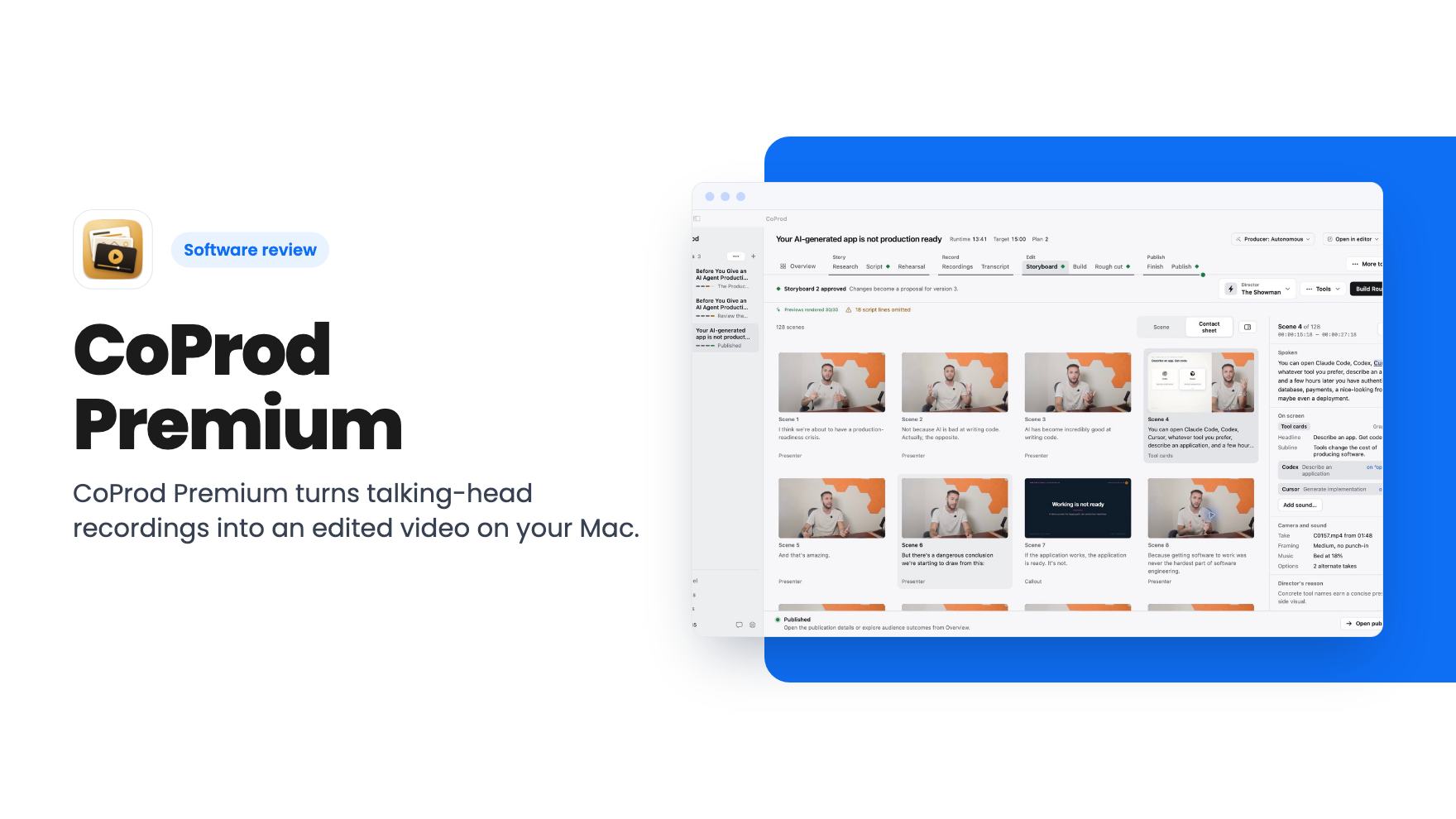
CoProd Premium turns talking-head recordings into an edited video on your Mac. The $49 AppSumo deal is Apple Silicon only and AI costs are billed separately.
Lifetime deal price
$49$14967% off
Lifetime Deal
Our take: Buy it if you're a solo YouTuber on an Apple Silicon Mac who already finishes in Final Cut Pro or DaVinci Resolve and wants a first draft built from your recordings. Skip it if you're on Windows, need more than a 1080p master, or want a fixed monthly cost with no API bills.
Picture a Sunday afternoon. You’ve recorded forty minutes of talking-head footage for a channel video, and now comes the part you actually dread: finding the story in it, cutting the ramble, adding logos and captions, and writing the title and description. CoProd Premium is built for exactly that stretch of work, and it’s on AppSumo for $49 against a $149 list price.
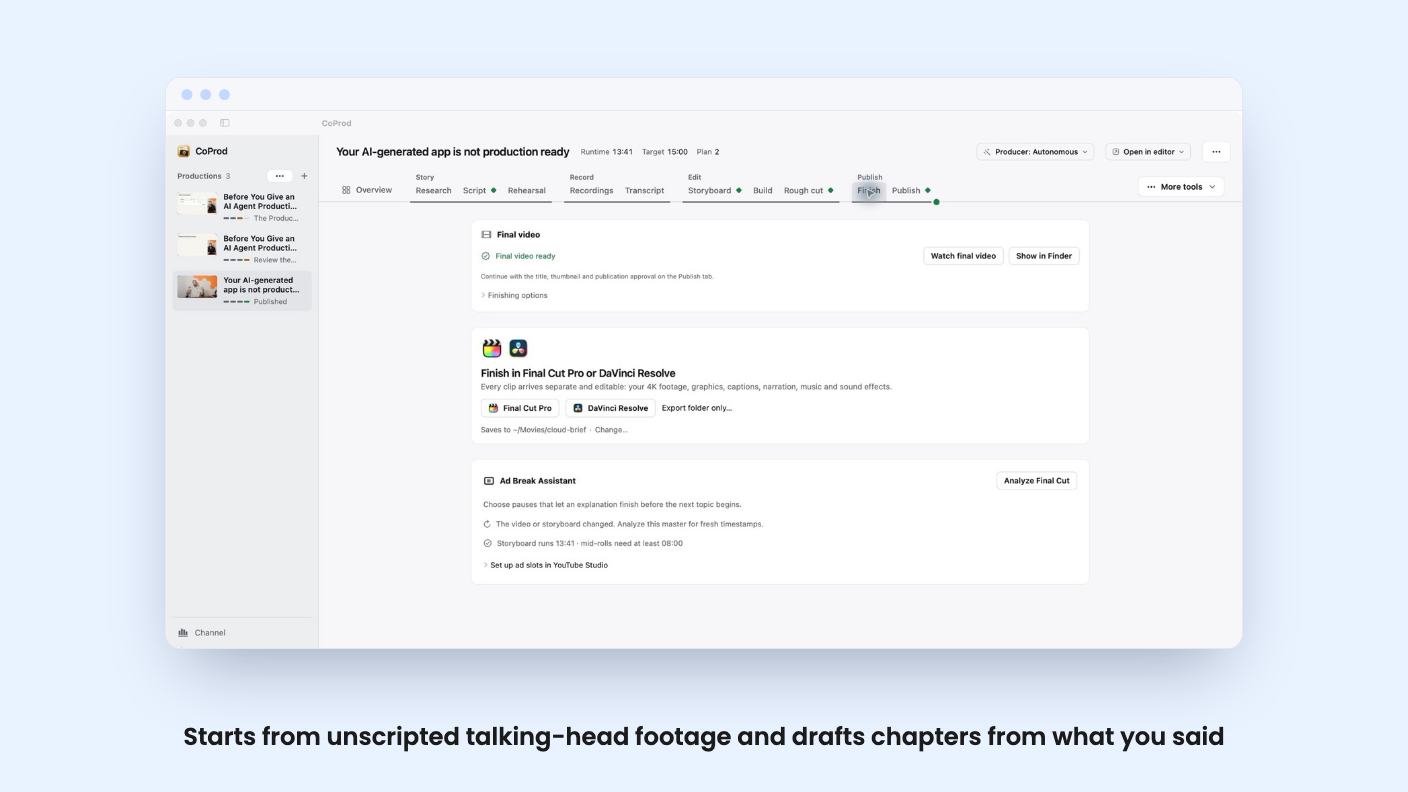
CoProd sits somewhere between an editor and a production assistant. You give it recordings, and its Story Editor drafts chapters from the words you actually said. If you’d rather work from a script, you can start there instead and approve it yourself.
Then an autonomous Producer takes over. According to the listing, it moves through story review, storyboard checks, the visual pass, rendering, and quality checks, and it stops to bring findings back when it needs you. Script approval and every upload stay in your hands.
That last point matters. An auto-editing tool that publishes on its own would be a bad idea, and the listing is clear it doesn’t.
Each scene gets a review screen showing the selected footage, the spoken lines, timing, graphics, and sound. You then choose your revisions. This is the part I’d want to see in action, because everything depends on how good the first draft is. There’s no product video attached to this listing, so we can’t judge how rough or polished that draft looks.
The listing also mentions narrated rehearsals and channel insights. It gives no detail on either, so don’t buy on the strength of those two lines.
This is the strongest practical feature. You can render a 1080p master locally with graphics, captions, narration, music, and sound effects. Or you can export to Final Cut Pro or DaVinci Resolve with footage, graphics, captions, and audio as separate editable clips.
If you already have a favourite editor, that changes how you’d use CoProd. It becomes a rough-cut generator rather than a place you’re locked into. Nothing in the listing says you can render above 1080p inside CoProd, so higher resolutions would mean finishing elsewhere.
There’s also a YouTube package step. It prepares title candidates, descriptions, chapters, tags, and thumbnails, and you approve each upload yourself.
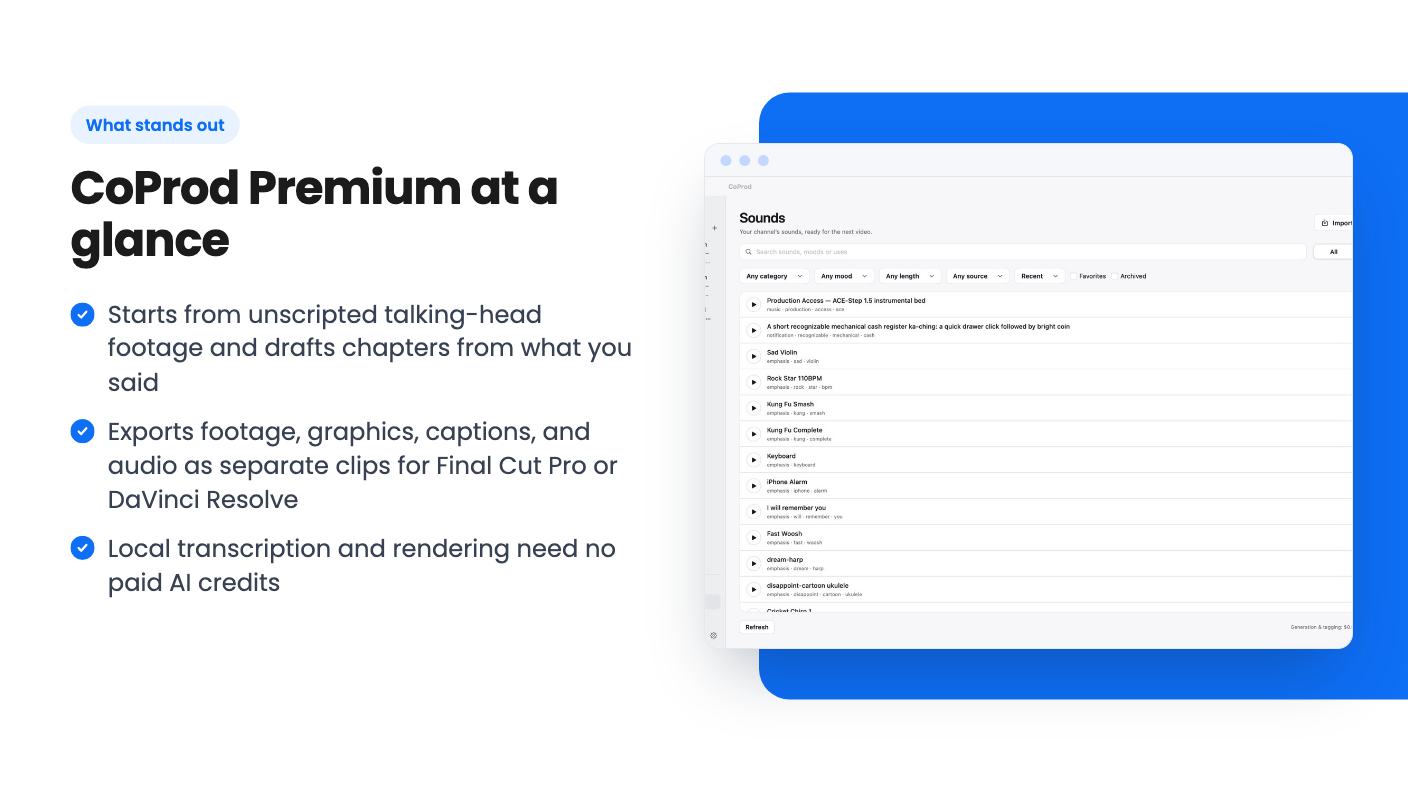
The sound library comes with waveform previews, tags, filters, and favorites. You can also generate one-shot effects locally with MOSS, but only on Apple Silicon Macs with at least 32 GB of unified memory, and only after an engine setup step. Plenty of Macs won’t qualify, so treat that as a bonus rather than a core feature. Saved audio can be reused across productions without another generation call or charge.
On the visual side, there are built-in brand marks for tools you mention on camera, including AWS, OpenAI, Claude, and Docker. That’s a clear nod to tech and software channels. You can also import your own artwork as SVG, PNG, JPEG, or WebP and place visuals at spoken cues beside your presenter footage. The listing doesn’t say how many built-in marks there are beyond those four examples.
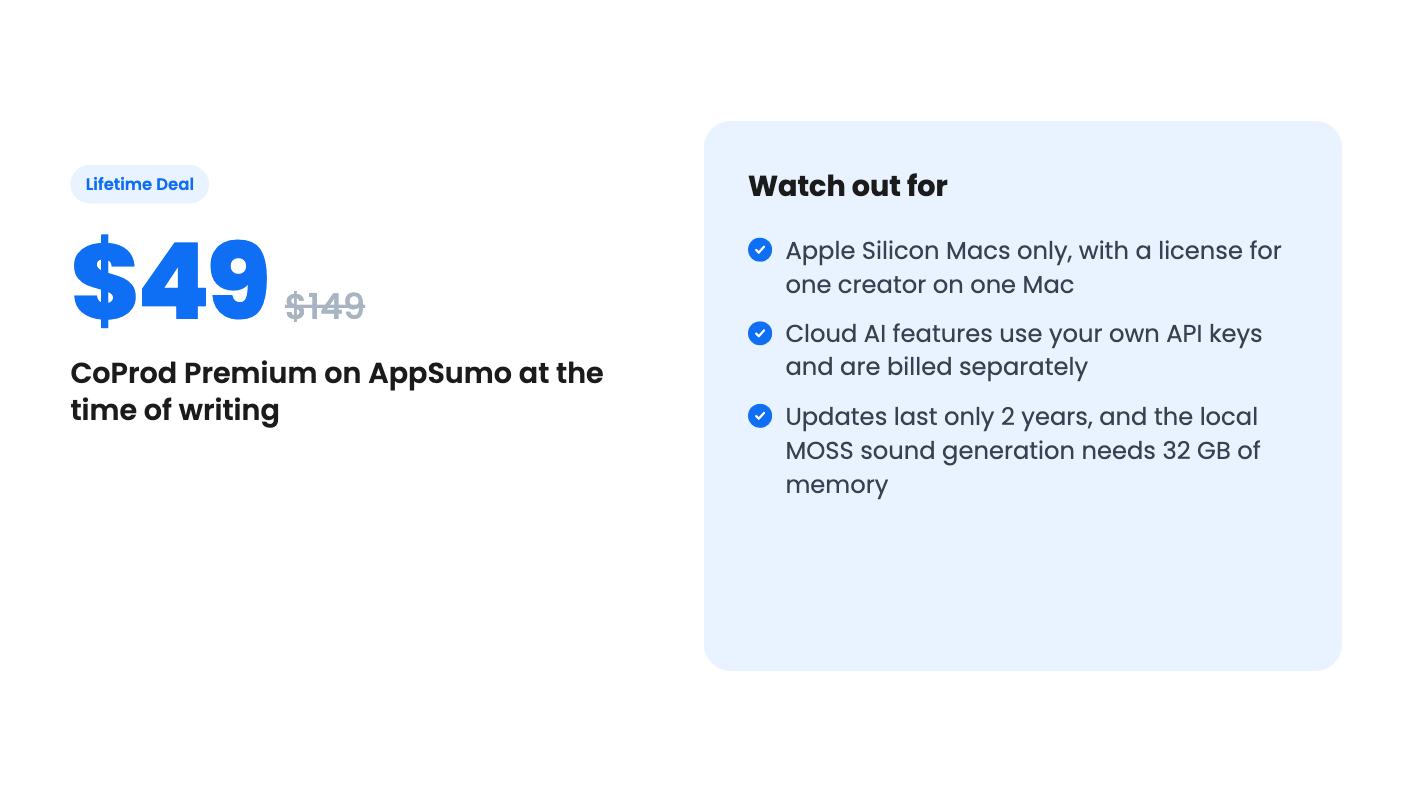
There’s one tier. One code covers one creator on one Mac. You get perpetual use of your last eligible version and two years of app updates counted from license issuance. You have 60 days to redeem the code, and the deal doesn’t stack, so you can’t buy extra seats.
Redemption runs through a Lemon Squeezy page. You enter the code in the discount field, complete a US$0 order, and your receipt includes the Mac installer and license key.
The update window is the part I’d weigh. “Lifetime” here means you keep using what you have. It doesn’t mean two years of fixes becomes forever. For a product this young, with no review history visible in the listing, the first two years of updates are where most of the value will land.
Paid AI usage runs through your own API keys and is billed separately. The listing names OpenAI as an integration but doesn’t list other providers or estimate what a typical video costs. So the real price per video is unknown from the listing alone.
The silver lining is that local transcription and rendering don’t need paid AI credits. Your project library and media are stored locally. But when you send a task to a cloud provider, the inputs needed for that task go to that provider. If you work with client footage or anything under NDA, read that twice.
Then there’s the hardware. You need an Apple Silicon Mac on macOS 14 or later. Windows users and anyone on an older Intel Mac are out.
Skip CoProd if you edit on Windows, need 4K masters from the app itself, or want a predictable all-in monthly cost. Skip it too if you only make short, heavily stylised clips, since the pitch here is talking-head storytelling with chapters. If you’re happy in Descript or CapCut and just want cheaper captions, this is a bigger tool than you need.
It makes the most sense for a solo YouTuber who records long takes, cuts in Final Cut Pro or DaVinci Resolve, and wants a story outline and a first assembly done before they open the timeline. At $49, with local rendering and no subscription, the risk is modest. Just budget some API money, and don’t redeem late: the 60-day window is firm.
No. According to the listing, cloud AI services run on your own API keys and bill separately. Local transcription and rendering don't need paid AI credits, but anything sent to a cloud provider costs you extra.
Only Apple Silicon Macs running macOS 14 or later. The optional local MOSS sound generation also needs at least 32 GB of unified memory and an engine setup step. The listing doesn't mention Windows or Intel Macs.
You get perpetual use of the last eligible version, plus two years of app updates counted from license issuance. After that you keep what you have, but the listing doesn't promise further updates.
How this review was made: researched from CoProd Premium's official listing, and written with help from AI. We have not tested CoProd Premium hands-on yet. Prices and deal terms change, so check AppSumo before you buy. See our affiliate disclosure.
Five AppSumo lifetime deals that cover parts of what Kapwing does, from clip cutting to captions and dubbing. Each has caps worth knowing before you pay.
Seven AppSumo lifetime deals named as Loom alternatives, grouped by job: narrated tutorials, plain recording, interactive demos and personalized outreach video.
Eight AppSumo lifetime deals named as Descript alternatives, grouped by the job you need done, with the caps and gaps each listing shows.

