
Design & MediaAlternatives
Kapwing Lifetime Deal Alternatives for Small Businesses
Five AppSumo lifetime deals that cover parts of what Kapwing does, from clip cutting to captions and dubbing. Each has caps worth knowing before you pay.
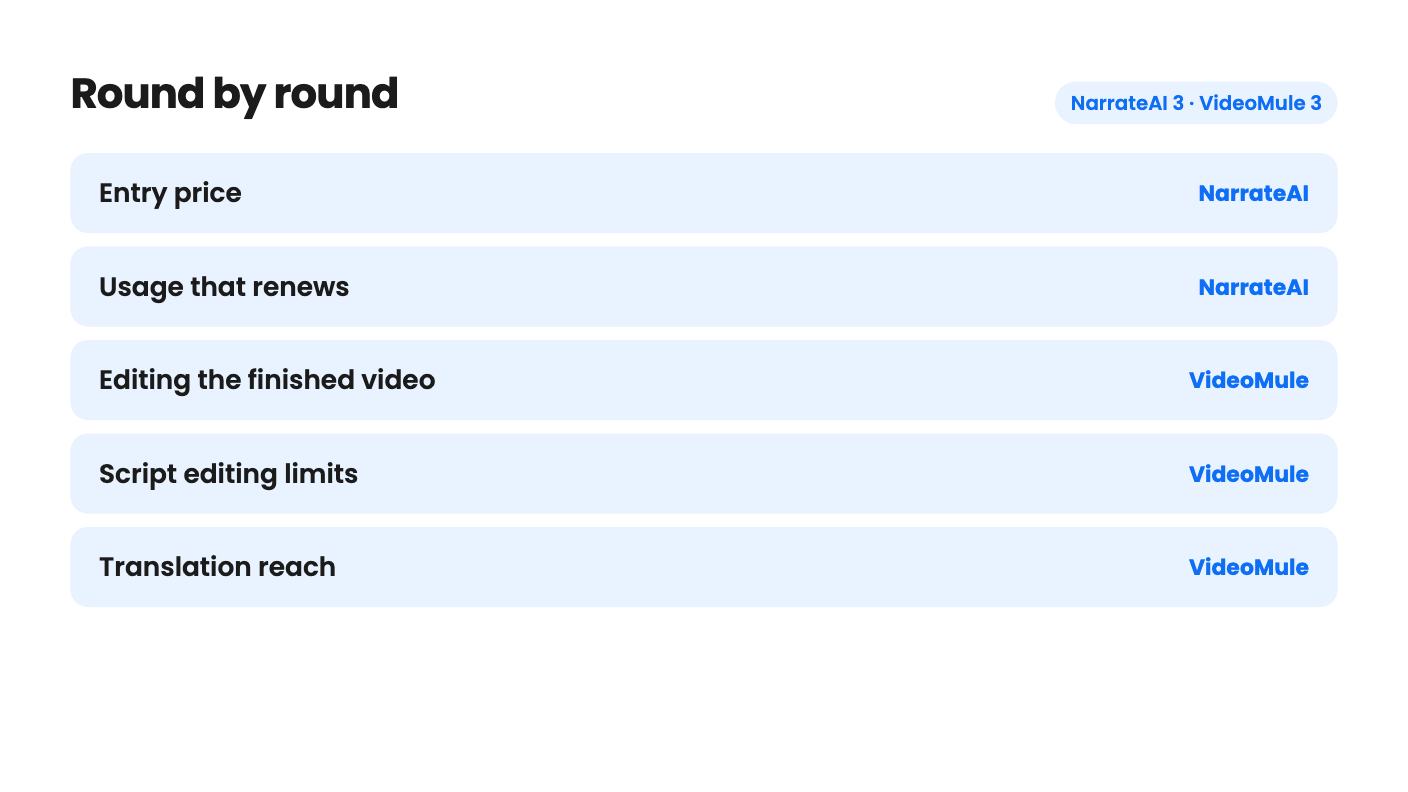
NarrateAI is the cheaper $49 narrator with docs and an IDE hook. VideoMule costs $69 but adds a timeline editor and 70+ language translation.

NarrateAI takes 3 rounds, VideoMule takes 3.
| Round | Winner | Why |
|---|---|---|
| Entry price | NarrateAI | NarrateAI starts at $49 against $69 for VideoMule, and both list a 60-day window to redeem or activate. |
| Usage that renews | NarrateAI | NarrateAI's 45 processing minutes are listed per month, while VideoMule's 30 video-analysis minutes on Tier 1 are one-time. |
| Editing the finished video | VideoMule | VideoMule has a multitrack timeline with automatic zoom-ins and callouts, and NarrateAI describes itself only as adding narration, captions and docs. |
| Script editing limits | VideoMule | VideoMule lists unlimited AI scripts with line-by-line regeneration, while NarrateAI Tier 1 caps AI segment edits at 20. |
| Translation reach | VideoMule | VideoMule translates into 70+ languages with a new script, voice and captions, against NarrateAI's 20+ language dubbing, limited to 3 jobs on Tier 1. |
| Clarity of the listing | NarrateAI | NarrateAI's tier table is readable, while VideoMule's has unlabeled columns, stray values and an FAQ that cuts off mid-sentence. |
| NarrateAI | VideoMule | |
|---|---|---|
| Starts at | $49 | $69 |
| List price | $252 | $249 |
| Plan | Lifetime Deal | Lifetime Deal |
| Deal ends | Not listed | Not listed |
| Best for | Not listed | Content creators, Educators, SaaS |
| Alternative to | Descript, Loom | Descript, Loom, Synthesia |
You’ve got a screen recording of a new feature and no time to make it presentable. Someone has to write what to say, record it, and redo the part where they stumbled. NarrateAI and VideoMule both promise to take that job off your plate, and both are lifetime deals on AppSumo. We haven’t used either, and neither listing includes a demo video, so everything here rests on the listings alone.
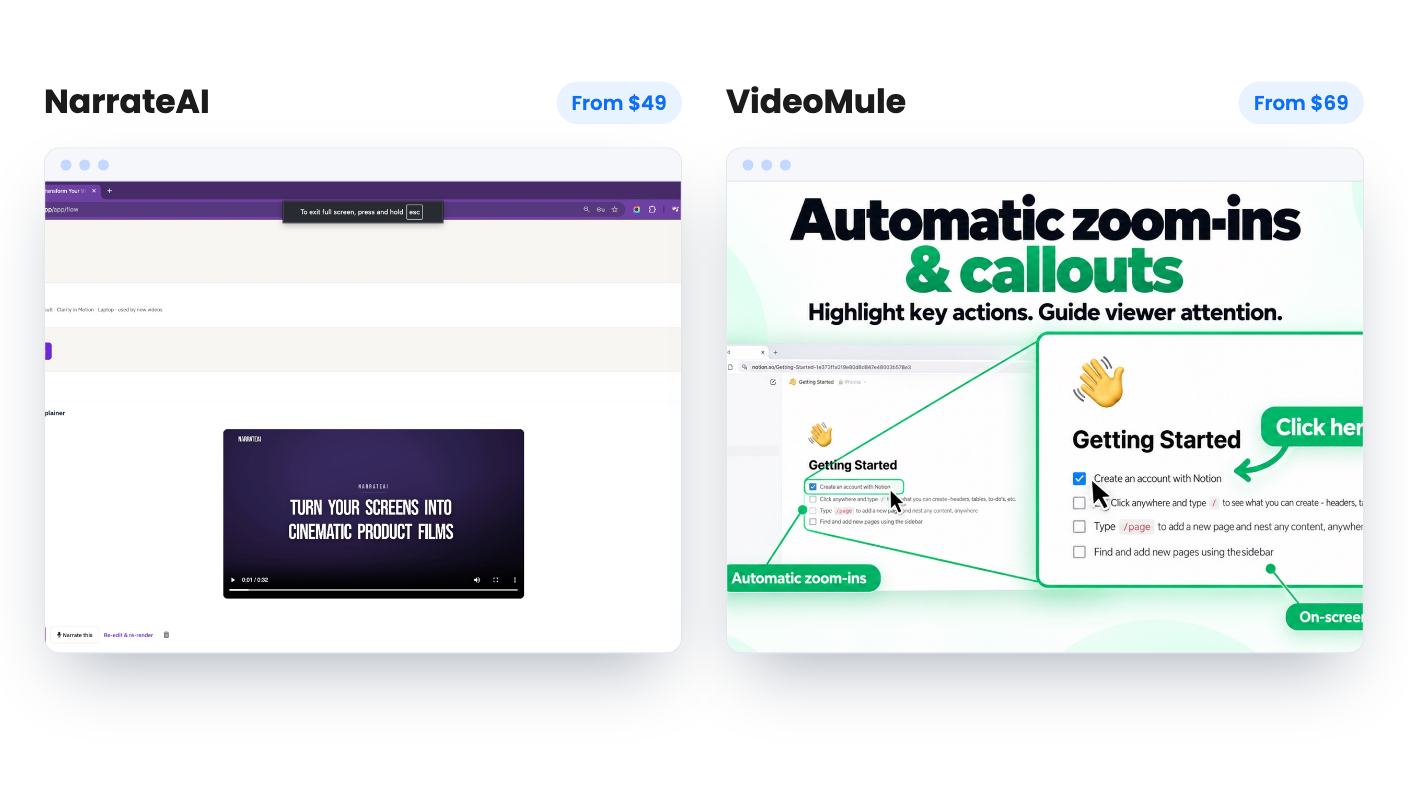
NarrateAI is a narrator. You upload a silent recording (MP4, MOV, AVI and most common formats), it drafts a timed script from what’s on screen, and you edit segments before the voice is baked in. Then you download the narrated video plus an SRT caption file. The listing is honest that it isn’t a full editor, and that’s the right way to read it.
VideoMule wants to be the whole workshop. You record with its Chrome extension or upload something you already have, it writes a script and syncs an AI voiceover, and then you finish in a multitrack timeline covering video, audio and captions. It adds automatic zoom-ins and on-screen callouts, and exports in HD, rendered locally or in the cloud.
So the question is simple. If your recordings are already clean, NarrateAI’s narrower job may be all you need. If you want to tidy the tutorial in the same place, VideoMule is the only one of the two that says it does that.
NarrateAI has three tiers at $49, $98 and $147. Tier 1 gives you 45 processing minutes a month, 5 GB of storage and 20 AI segment edits. Go over and it’s $0.40 a minute. The listing doesn’t define a processing minute or say whether unused minutes roll over, so ask before you assume.
VideoMule has five tiers, from $69 up to $699. Its feature table is hard to trust. The columns aren’t labeled, the numbers fall as the price rises, and a few rows carry stray extra values. Reading it as running from Tier 5 down to Tier 1, which fits the digital twin row, the entry tier gets 15 upload minutes a month, 30 one-time video-analysis minutes, a 15 minute video cap, 5 cloud renders a month and 5 GB of storage. Confirm those on the AppSumo page before paying.
The real gap is which allowance you drain. On VideoMule, Video only and Both analysis modes spend the one-time pool, and that includes silent recordings, so most screen tutorials will use it. When 30 minutes are gone, a 150-minute pack costs $59. That’s close to the price of the Tier 1 deal itself.
NarrateAI’s minutes are listed per month. For anyone who plans to keep making videos, that’s a real point in its favour. Forty-five minutes still isn’t generous, so weekly producers will feel it.
Both tools get the script wrong sometimes, so the editing rules matter. NarrateAI’s own review summary admits buyers needed occasional edits for technical terms. With only 20 segment edits on Tier 1, you could burn through them quickly, and the listing doesn’t say whether the count resets each month.
VideoMule lists unlimited AI scripts and lets you edit any line and regenerate the voiceover. That’s a better fit for a product full of jargon.
On voices, NarrateAI offers a library of AI voices and cloning from 10 to 15 seconds of your own audio. The review summary adds a recent update for bringing your own ElevenLabs voices. VideoMule lists 100+ voices in 35+ languages and takes an ElevenLabs key for premium voices, cloning and dubbing. You’d presumably need your own ElevenLabs account for that, and neither listing gives a price.
Neither page has audio samples. You can’t judge how natural either voice sounds from the page.
VideoMule’s strongest extra is translation. It makes a translated version of a tutorial in 70+ languages with a new script, voiceover and captions, reusing the same recording. One credit covers one translation of one video. Tiers include between 5 and 100, and they don’t renew.
NarrateAI’s auto dubbing covers 20+ languages and can keep background music, but the listing doesn’t name the languages. Tier 1 allows up to 3 jobs. Tier 3 also lists up to 3 while Tier 2 lists up to 15, which looks like a typo, so check with the seller.
VideoMule also sells avatars: stock presenters, a trained photo avatar, and a digital twin from Tier 2 up. We’d treat these as garnish for screen tutorials. Tier 1 has 5 avatar credits, and a minute costs 1 credit at Normal quality or 4 at High.
NarrateAI’s extras point somewhere else. A feature called Flow turns screenshots or a recording into a branded walkthrough. The same video can become a written guide from one of five templates, including Tutorial Guide and Product Documentation. And 18 MCP tools let you ask Cursor or Claude to record a walkthrough of your running app. If you write software, that last one is the most original thing in either listing.
NarrateAI shows 10 AppSumo reviews averaging 5.00. VideoMule shows 4 averaging 4.5. Both are small samples, and both summaries read like marketing copy. Both products look young.
VideoMule’s listing has the extra problem of a confusing table and an FAQ that cuts off mid-sentence while discussing credits available during the refund window. The figures it gives there, 2 / 4 / 6, don’t match the table totals, and we can’t tell what that means for day-one access.
NarrateAI’s gaps are quieter. No definition of a processing minute, no rollover policy, no sample voices, and unexplained dubbing numbers on Tier 3.
Buy NarrateAI if you already record decent screen captures, hate writing and voicing them, and want a low-risk $49 entry with allowances that renew. It also suits anyone who wants a written guide from the same video, or a developer who lives in Cursor or Claude.
Buy VideoMule if you want one tool for recording, scripting, timeline polish and translation, and you accept that the one-time analysis minutes are finite. It makes most sense for a short, planned list of tutorials, a few of which need another language.
Skip both if you publish video weekly and can’t live with these caps, or if you won’t pay without hearing the voices first.
Whichever you pick, use the refund window properly. Upload a real recording of your own product in the first week and judge the script and voice on that.
NarrateAI, at $49 for Tier 1 against $69 for VideoMule. NarrateAI's Tier 1 also lists 45 processing minutes a month, while VideoMule's 30 video-analysis minutes are one-time and extra minutes cost $59 per 150-minute pack.
Both say yes. NarrateAI clones a voice from 10 to 15 seconds of audio and, per AppSumo's review summary, accepts your own ElevenLabs voices. VideoMule lets you connect an ElevenLabs key for premium voices, cloning and dubbing. Neither listing says what ElevenLabs usage adds to your costs.
Not from the listings. Neither has a demo video or audio samples. Both mention a refund window, so upload a real recording of your own product early and judge the script and voice yourself.
How this comparison was made: researched from both tools' official listings and demo videos, and written with help from AI. We have not tested NarrateAI or VideoMule hands-on yet. Prices and deal terms change, so check AppSumo before you buy. See our affiliate disclosure.
Five AppSumo lifetime deals that cover parts of what Kapwing does, from clip cutting to captions and dubbing. Each has caps worth knowing before you pay.
Seven AppSumo lifetime deals named as Loom alternatives, grouped by job: narrated tutorials, plain recording, interactive demos and personalized outreach video.
Eight AppSumo lifetime deals named as Descript alternatives, grouped by the job you need done, with the caps and gaps each listing shows.

