
Design & MediaAlternatives
Kapwing Lifetime Deal Alternatives for Small Businesses
Five AppSumo lifetime deals that cover parts of what Kapwing does, from clip cutting to captions and dubbing. Each has caps worth knowing before you pay.
Luttie is a browser-based color grading and LUT tool with AI Grade. Here's what the four AppSumo lifetime tiers include, and where the $49 plan falls short.

Lifetime deal price
$49$10955% off
Lifetime Deal
Our take: Luttie suits solo creators and small studios who want to build and export their own LUTs without installing anything, especially at the $119 tier and up, where the AI allowance and Pro LUT packs are included. Skip it if you want a full editor, since it only makes looks. Also skip the $49 tier if you plan to lean on AI Grade, because it caps you at 20 generations a month.
You shot a wedding or a product video in S-Log3, dropped it into your editor, and it looks like grey porridge. Now you need a look. You’d rather not buy a plugin bundle or sit through a course on node-based grading just to get one. That’s the gap Luttie is aiming at, and at $49 on AppSumo it’s cheap enough to deserve a proper look.
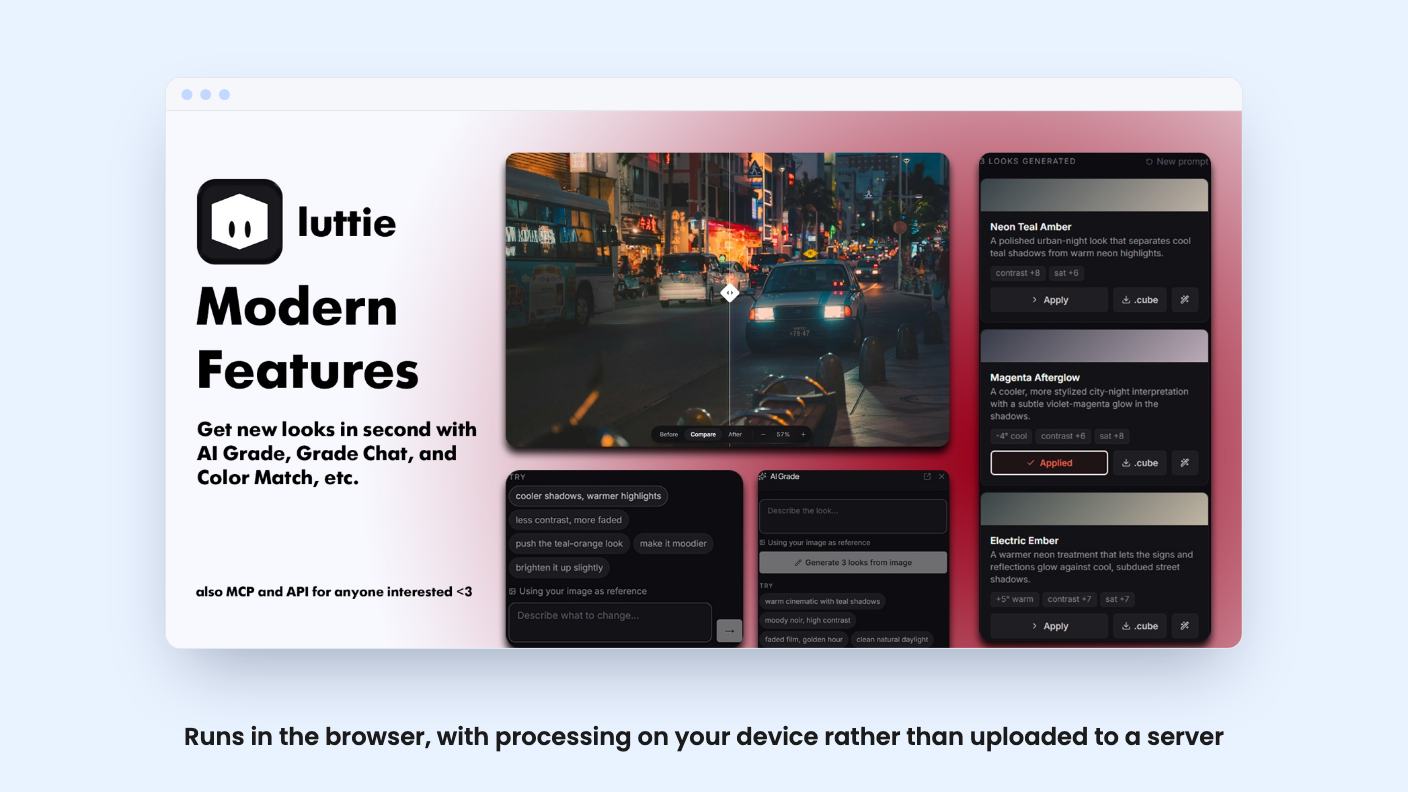
One caveat first. We haven’t used it hands-on, and there was no demo video to go on. Everything below comes from the AppSumo listing, which is marketing copy, so read it with that in mind.
Luttie is a color grading and LUT creator that runs in your browser. According to the listing, it processes images and video on your own device through WebGL or WebGPU, not on someone else’s server. If you handle client footage, that’s a real point in its favor.
The workflow is simple. You build a grade, then export it. Options include .cube LUTs at 17 or 33 points, .3dl files for Flame, Lustre and legacy Avid workflows, and Lightroom and Camera Raw profiles in .xmp format. You can also export the finished photo, or an MP4 with the audio kept. The listing names DaVinci Resolve, Premiere Pro, Final Cut Pro and CapCut as places the results will work.
The listing pitches Luttie as an alternative to Lightroom, Photoshop and Premiere. I wouldn’t take that literally. Nothing in it describes a timeline, cutting or compositing. This looks like a look-making tool that feeds your editor, and that’s a perfectly good thing to be.
The pitch: type a sentence and get three finished looks fitted to your shot. Then refine in plain language with Grade Chat, using prompts like “warmer skin, softer blacks.” There’s also Color Match, which pulls your shot toward a reference image.
The listing’s own FAQ is refreshingly modest here. It calls AI Grade “a starting point, not a replacement for manual controls.” Believe that. Whether the three looks are any good on real footage is something we can’t judge from a feature list.
The bigger practical issue is the meter. AI Grade runs on monthly generation allowances and, on most tiers, one-time credits. The listing doesn’t explain what counts as one generation, so we can’t say whether a Grade Chat tweak uses up the same allowance as a fresh prompt. More on the tiers below, because that’s where they really differ.
If you’d rather grade by hand, the listing describes a fuller kit than you’d expect from a browser app:
Scopes matter more than they sound. Grading by eye on an uncalibrated laptop screen is how people end up with orange skin, and having scopes in the same window is a good sign. The node graph is a nice touch if you like understanding why a look works.
What the listing doesn’t say is how any of this plays on a long 4K clip or an older machine. Browser-based video grading leans hard on your GPU, so check that before you assume it’ll feel fast.
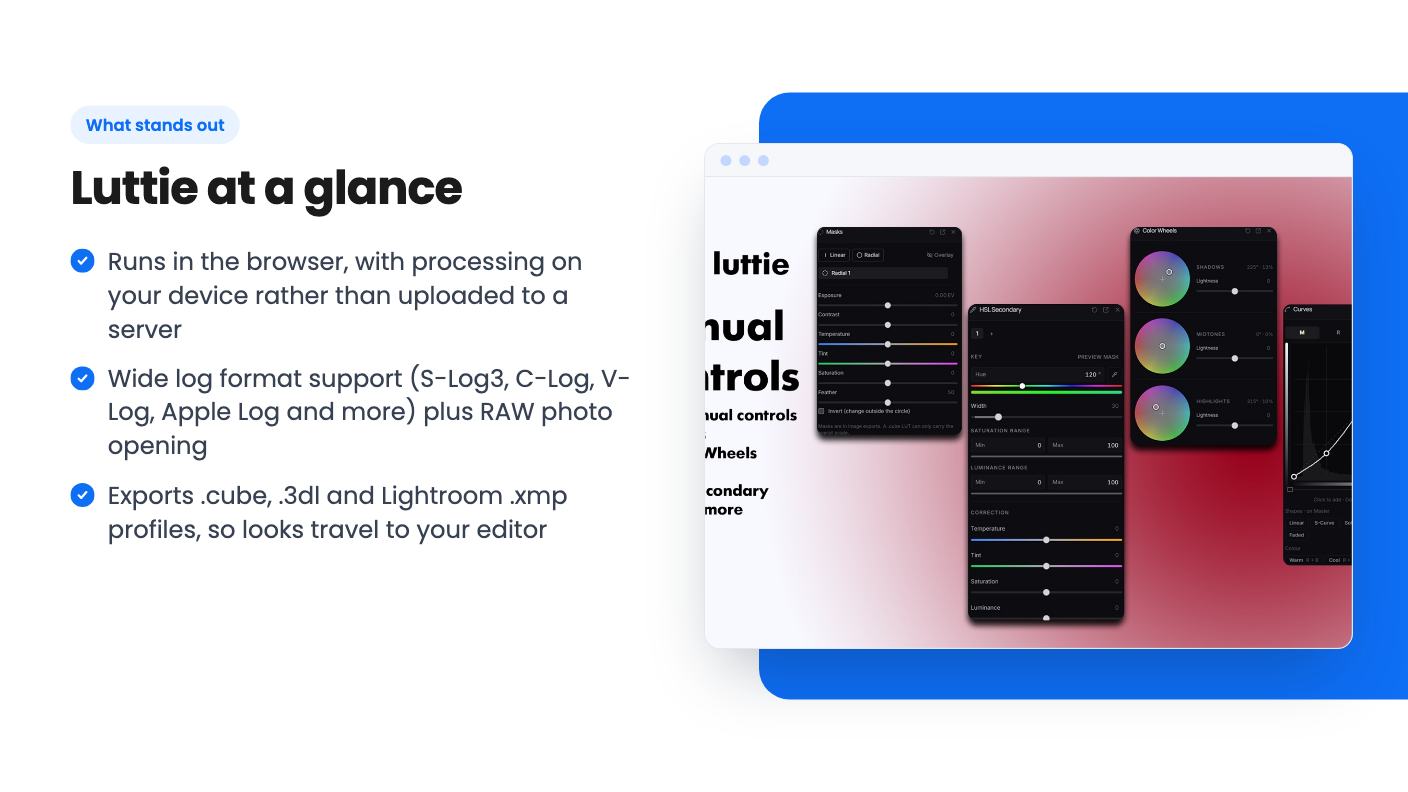
This part of the listing is the most convincing. Luttie decodes S-Log3, C-Log, V-Log, F-Log, LogC, Apple Log, D-Log and more. It also opens RAW photos in ARW, CR2, CR3, NEF, DNG and RAF formats.
Two workflow features stand out. Shot matching lets you grade one shot, then match exposure and white balance on the rest. And the export step checks which footage each LUT expects and warns you about a mismatch. If you’ve ever dropped a Rec.709 LUT onto the wrong log footage, you know why that warning earns its place.
A note on free versus paid. The FAQ says the editor itself is free but exports watermarked images. Pro removes the watermark and adds AI Grade, full-resolution LUT export, RAW support and the film effects. So the free version is a trial, not a working tool.
The listing’s feature table gives its numbers in one run (licenses 20 / 10 / 3 / 1) without labelling which tier is which. We’ve matched them to the tiers by price, with the $349 tier as the biggest. Check the live page before you buy. All four tiers include lifetime access, future plan updates, and the ability to move between tiers.
| Tier | Price | Licenses | AI Grade per month | One-time AI credits | Pro LUT packs |
|---|---|---|---|---|---|
| 1 | $49 | 1 | 20 | 0 | No |
| 2 | $119 | 3 | 100 (shared) | 250 (shared) | Yes |
| 3 | $229 | 10 | 200 (shared) | 500 (shared) | Yes |
| 4 | $349 | 20 | 500 (shared) | 1,250 (shared) | Yes |
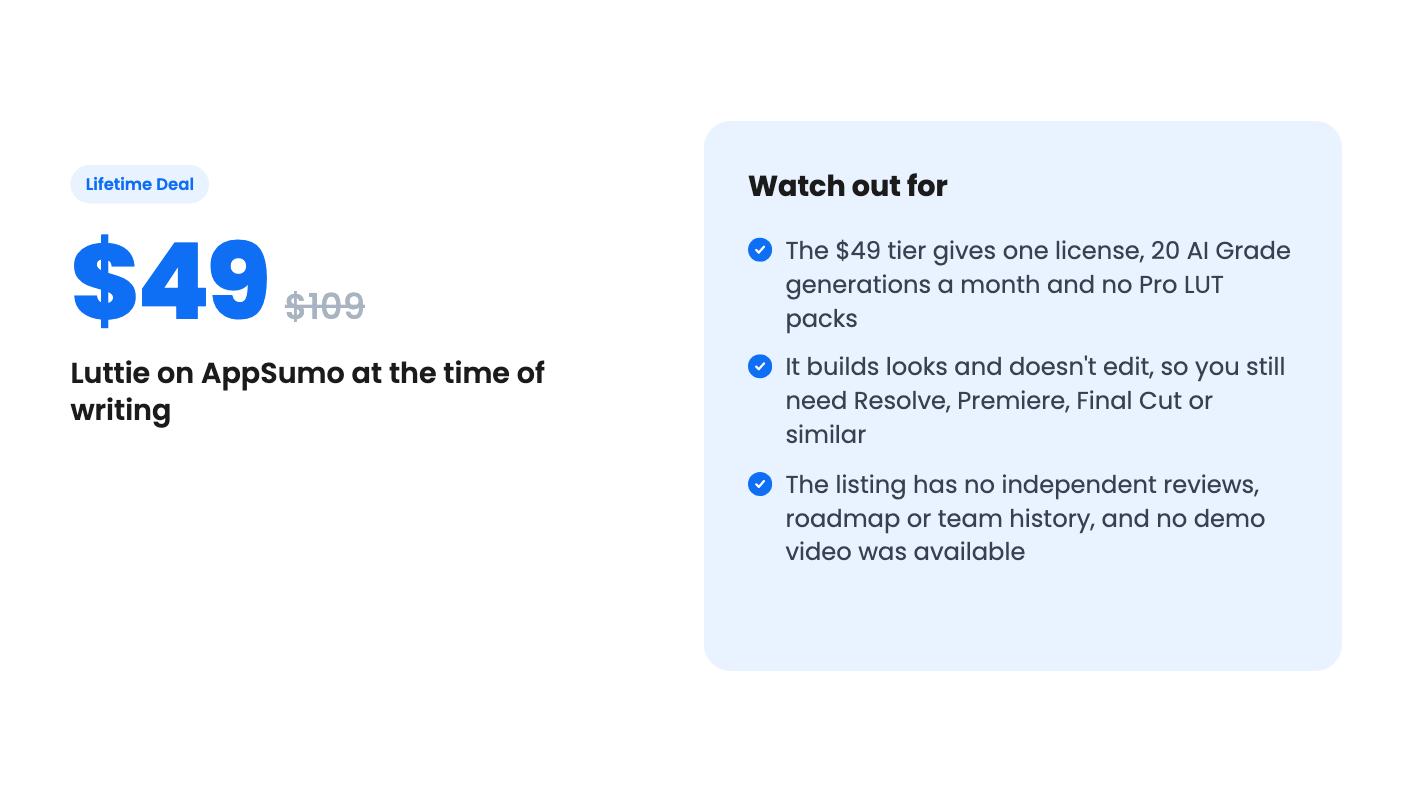
The first tier is where I’d be careful. Twenty generations a month is a thin allowance if you like to experiment, and it comes with no credit cushion and no Pro LUT packs. If you’re mostly curious about the AI side, it will feel tight quickly.
Team sharing starts at tier 2, where you invite people by email and each person gets the plan on their own account. The AI allowance is shared across the license, so ten people drawing from 200 generations won’t go far.
A few things are unclear. The listing doesn’t say whether the $49 tier gets every Pro feature, such as RAW support and full-resolution export. It only singles out Pro LUT packs as missing. The FAQ treats those other features as part of Pro, so I’d assume they’re included, but confirm with the seller before paying.
We also can’t tell how young the product is. There’s no company history, changelog or roadmap in the material we have. A lifetime deal depends on the developer staying around, and “all future plan updates” is only as good as the team behind it.
And the “was” prices look inflated. Tier 4 shows $2,180 as its former price, which no one should read as a real market comparison.
Buy if you’re a solo creator, photographer or small studio that wants to design LUTs and Lightroom profiles in a browser, and you’d mainly grade by hand with AI as a shortcut. Tier 2 is the sensible entry point if you want the AI features and Pro LUT packs. Tier 1 is fine as a cheap experiment, as long as you accept its limits.
Skip it if you need a full video editor, if your machine struggles with browser-based GPU work, or if you already own a LUT collection and grade comfortably in Resolve. You may not need another tool.
The 60-day refund window and the 60-day activation deadline line up neatly. Spend that time grading real footage from your own camera, check the export in your actual editor, and decide before the window closes.
No. According to the listing, Luttie runs in your browser and processes images and video on your device using WebGL or WebGPU instead of sending files to a server. There's nothing to install.
If you'll mostly grade by hand and want to try it cheaply, the $49 tier works, but it has 1 license, 20 AI Grade generations a month and no Pro LUT packs. The $119 tier adds 3 licenses, 100 shared monthly generations, 250 one-time AI credits and Pro LUT packs, which makes it the more realistic starting point for anyone using the AI features.
The listing says AppSumo's 60-day refund policy applies. You also have to activate your license within 60 days of purchase, so try it early.
How this review was made: researched from Luttie's official listing, and written with help from AI. We have not tested Luttie hands-on yet. Prices and deal terms change, so check AppSumo before you buy. See our affiliate disclosure.
Five AppSumo lifetime deals that cover parts of what Kapwing does, from clip cutting to captions and dubbing. Each has caps worth knowing before you pay.
Seven AppSumo lifetime deals named as Loom alternatives, grouped by job: narrated tutorials, plain recording, interactive demos and personalized outreach video.
Eight AppSumo lifetime deals named as Descript alternatives, grouped by the job you need done, with the caps and gaps each listing shows.

