
Social MediaComparison
Creator Insights vs SocialBu: Idea Engine or Everyday Scheduler
Both are $49 social media lifetime deals on AppSumo. Creator Insights helps you research and repurpose. SocialBu schedules, reports and handles the inbox.
PixaSocial Ai cuts long videos into shorts, while SocialBu is a scheduler with analytics. Here's how the $49 lifetime deals and tiers really differ.

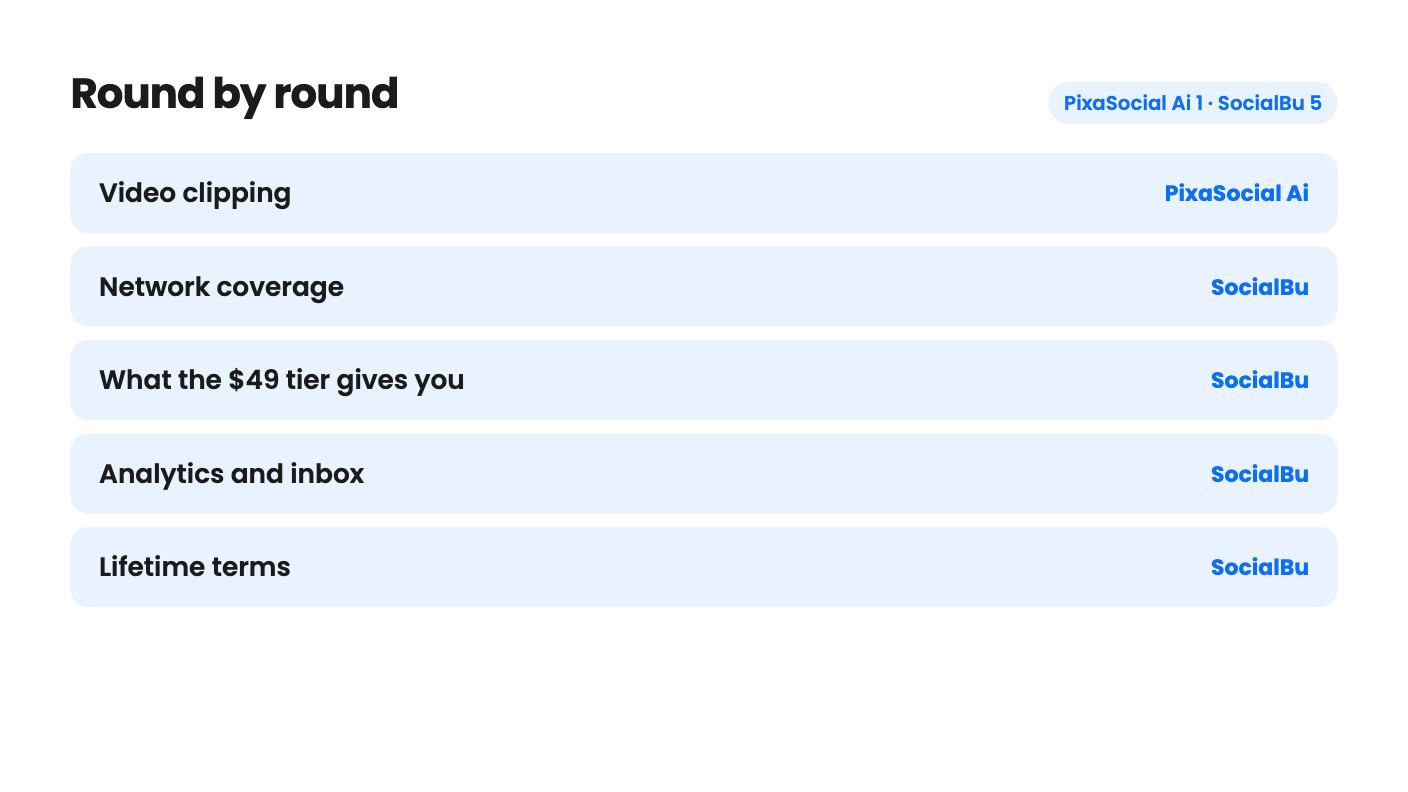
PixaSocial Ai takes 1 round, SocialBu takes 5.
| Round | Winner | Why |
|---|---|---|
| Video clipping | PixaSocial Ai | Reel Factory turns long video into captioned shorts with translation into 60+ languages, and SocialBu's listing has no clip tool at all. |
| Network coverage | SocialBu | SocialBu names Facebook and TikTok, while PixaSocial's list of 12 networks leaves out Facebook and contradicts itself on TikTok. |
| What the $49 tier gives you | SocialBu | PixaSocial's tier 1 shows None for accounts and posts, while SocialBu's entry tier appears to include 600 posts a month. |
| Analytics and inbox | SocialBu | SocialBu shows analytics, best times to post and a reply inbox in its demo, and PixaSocial's listing mentions neither. |
| Lifetime terms | SocialBu | PixaSocial's included usage lasts 12 months with no top-up prices given, while SocialBu's entry limits are stated per month. |
| Track record | SocialBu | SocialBu has 52 AppSumo reviews averaging 4.62, against 2 reviews and no demo video for PixaSocial. |
| PixaSocial Ai | SocialBu | |
|---|---|---|
| Starts at | $49 | $49 |
| List price | $120 | $190 |
| Plan | Lifetime Deal | Lifetime Deal |
| Deal ends | Not listed | Not listed |
| Best for | Content creators, Social media managers, Social media marketers | Marketers, Small businesses, Social media managers |
| Alternative to | Buffer, Hootsuite, Sprout Social, Buffer | Buffer, Hootsuite, Sprout Social, Buffer |
You’ve got a webinar recording sitting on your drive, a LinkedIn page that’s been quiet for three weeks, and a Facebook page nobody has touched since spring. Two $49 lifetime deals promise to help, and they fix different halves of the problem. PixaSocial Ai is built around turning video into clips. SocialBu is built around scheduling, analytics and replying to people. We haven’t used either, so this is a read of the listings and, for SocialBu, the founder’s demo video.

PixaSocial Ai centres on Reel Factory. You give it a long video and it returns captioned shorts, with automatic language detection, transcription and translation into 60+ languages. Publishing to 12 networks and a Canva-like Media Studio sit around that core.
SocialBu has the opposite shape. It’s a scheduler first: a post composer for 12+ networks, a drag-and-drop calendar, queues for recycling evergreen posts, CSV bulk import, analytics, and an inbox for comments and reviews. There’s an AI writing helper too, but the demo only glances at it.
So the first question isn’t price. It’s whether you have footage to chop. If you don’t record video, Reel Factory does nothing for you, and the listing is clear that it isn’t prompt-to-video generation. You can’t type an idea and get a video back.
This is where the two split most for a typical small business. SocialBu names LinkedIn, Instagram, TikTok, Facebook, YouTube and X, and its integrations field lists Facebook, Instagram, LinkedIn, YouTube and Webhooks. If your customers find you on Facebook, that settles a lot.
PixaSocial’s 12 networks are X, Instagram, Threads, LinkedIn, YouTube, Reddit, Telegram, Pinterest, Mastodon, WordPress, Bluesky and Discord. That’s a good list if you care about Bluesky, Mastodon or WordPress in the same queue as LinkedIn. But Facebook isn’t on it. TikTok isn’t either, even though the integrations field names TikTok. The listing contradicts itself, and we’d ask the seller before assuming either way.
SocialBu has its own small wrinkle. AppSumo’s review summary says X link posts have some limitations and buyers want clearer bulk upload templates. If you lean on X or plan to run everything through CSV, test those two first.
Here’s the awkward part for PixaSocial. On tier 1, connected accounts and posts per month both say None, and Reel Factory is not included. Voice and images are top-up. As written, that’s an editor and media library with no publishing, which makes the $99 tier the realistic starting point.
The other PixaSocial tiers don’t climb the way you’d expect:
Paying more gets you less of nearly everything except image generation. It could be a listing error, or it could be deliberate. The listing doesn’t say.
SocialBu’s table has its own problem: it has no column labels. Reading it with the last value as the $49 tier, the entry plan looks like 600 posts a month, 8 custom queues, 500 AI writer credits a month, 1 team, no automations, and a social inbox. It would not include Listen, Content Curation or the MCP connection. That’s our best reading, not a stated fact, and the social accounts row (300 / 75 / 25 / 10 / 150) doesn’t fit the pattern, so check the live page.
Even with that caveat, SocialBu’s $49 looks like a working scheduler. PixaSocial’s $49 doesn’t.
PixaSocial says platform access and core modules are lifetime, but included usage covers 12 months. After that you top up, or keep the login and the editors. The listing gives no top-up prices, so you can’t work out what year two costs. AI video isn’t unlimited either.
SocialBu’s terms are plainer. You get lifetime access plus future AppSumo plan updates, you must activate within 60 days, and you can upgrade between five tiers while the deal runs or downgrade within 60 days of purchase. The higher tiers cost $129, $279, $499 and $799. The listing doesn’t say what a credit buys, so we can’t tell you how far 500 AI credits goes.
If you outgrow the entry plan, SocialBu’s upgrade path is at least spelled out. PixaSocial’s isn’t.
SocialBu has 52 AppSumo reviews averaging 4.62 out of 5. The summary is marketing copy and 52 is a modest sample, but it’s far more than PixaSocial’s 2 reviews at 4.00, which tells us almost nothing. PixaSocial’s listing also has no demo video, so we haven’t seen its interface at all.
SocialBu’s demo shows analytics with best post types, best times and a publishing-versus-engagement chart. The founder also says LinkedIn reporting breaks followers down by company size, industry and job function. That’s useful if you sell to other businesses, though the demo doesn’t show it at scale. PixaSocial’s audience modules, such as the Feedback Simulator, Operators and Blueprint, come with no example output, so we’d treat them as a possible bonus.
Pick PixaSocial Ai if you already record podcasts, webinars or talking-head videos, and a week of captioned, translated shorts from one recording is the main attraction. Plan on tier 2 at $99, and confirm which networks work today.
Pick SocialBu if you want one place to schedule, watch results and answer comments, especially if Facebook or TikTok is part of your mix. It’s the safer $49 gamble because the entry plan appears to do the core job. Skip it if you need automations on day one, since the entry tier seems to have none.

Whichever you choose, use the refund window for real work. With PixaSocial, run one actual video through Reel Factory. With SocialBu, schedule a week of posts to the two or three networks you use and see how X links and CSV import behave.
SocialBu. Facebook and Instagram are both named in its listing, while PixaSocial Ai's list of 12 networks includes Instagram but not Facebook.
As written, no. Tier 1 shows None for connected accounts and posts per month, so tier 2 at $99 looks like the real entry point for publishing.
Not entirely. The feature table has no column labels, and the social accounts row (300 / 75 / 25 / 10 / 150) doesn't follow the pattern. Confirm the limits on the AppSumo page before paying.
How this comparison was made: researched from both tools' official listings and demo videos, and written with help from AI. We have not tested PixaSocial Ai or SocialBu hands-on yet. Prices and deal terms change, so check AppSumo before you buy. See our affiliate disclosure.
Both are $49 social media lifetime deals on AppSumo. Creator Insights helps you research and repurpose. SocialBu schedules, reports and handles the inbox.
Ten AppSumo lifetime deals for small businesses, from booking and forms to SEO and outreach, with the limits and tier quirks each listing shows.
Both are $49 AppSumo deals for social media. Creator Insights is built for research and scripting, PixaSocial Ai for cutting long video into shorts.

