


Lifetime deal price
$24$6060% off
Lifetime Deal
5.0(4 AppSumo reviews)
Quick verdict
Our take: Buy if you're a freelancer or small agency that wants multi-project boards, client intake forms and a branded portal without a monthly bill. Skip it if you need a proven, mature tool with a big integration library, or if your team is larger than the seat count you can afford.
Best for: Freelancers, Project managers, Agencies
Alternative to: Asana, ClickUp, Trello
What we like
- Only team seats are limited; boards, projects, tasks, forms and storage are unlimited on every tier
- Client forms, guest access and custom-domain portals suit agency work
- Columns, List, Calendar and Gantt views all run from the same tasks
- 60-day refund window through AppSumo
Watch out for
- Seat count is the only lever, so larger teams get expensive fast
- The listing's seat order looks inconsistent with the prices, so confirm before buying
- Few independent reviews (3 on AppSumo), and the product's track record isn't shown in the listing
You have six clients. Each one has a Trello board, a shared spreadsheet and an inbox full of messages that start with “quick one, can you also…”. Nothing is broken, exactly. You just can’t see the whole picture in one place, and requests keep slipping between tools.
Get t0ggles for $24 on AppSumo →
t0ggles is a project management app built for that kind of juggling, and it’s on AppSumo as a lifetime deal starting at $24. We haven’t used it ourselves, so everything in this t0ggles review comes from the listing. Treat it as a buyer’s read of the marketing, not a field report.
One board for several projects at once
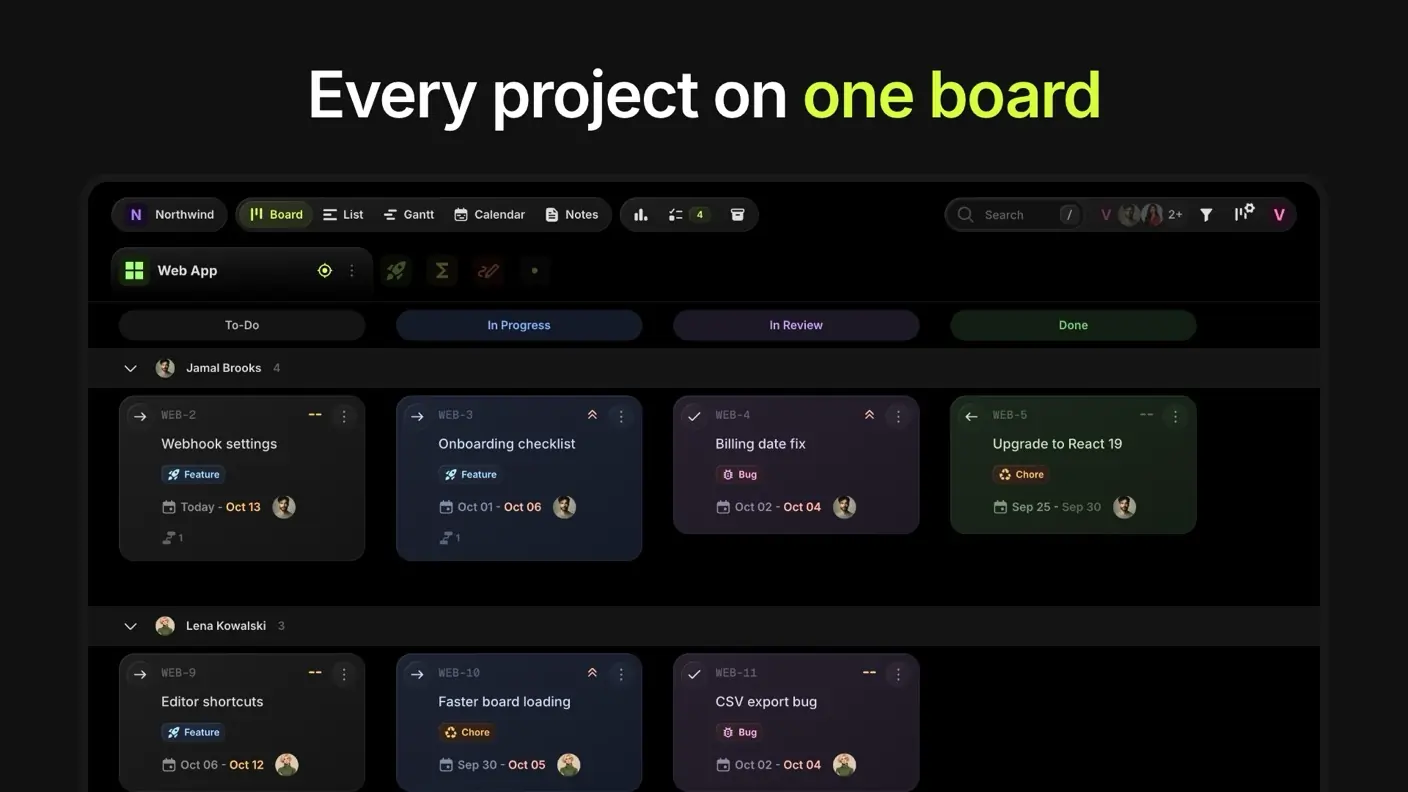
The core idea is a single board that shows every project’s tasks, statuses and due dates side by side. If you’ve ever flipped between five Kanban boards to answer “what’s due this week?”, you’ll see the appeal.
When you want to concentrate on one client, Focus mode turns a single project into its own Kanban board, and you can switch back. Swim lanes group tasks by assignee, priority, milestone, tag or due date.
There are four views in the listing, as this t0ggles review shows: Columns, List, Calendar and Gantt. They’re all built from the same tasks, so you aren’t maintaining a separate Gantt chart that drifts out of date.
Client intake and the branded portal
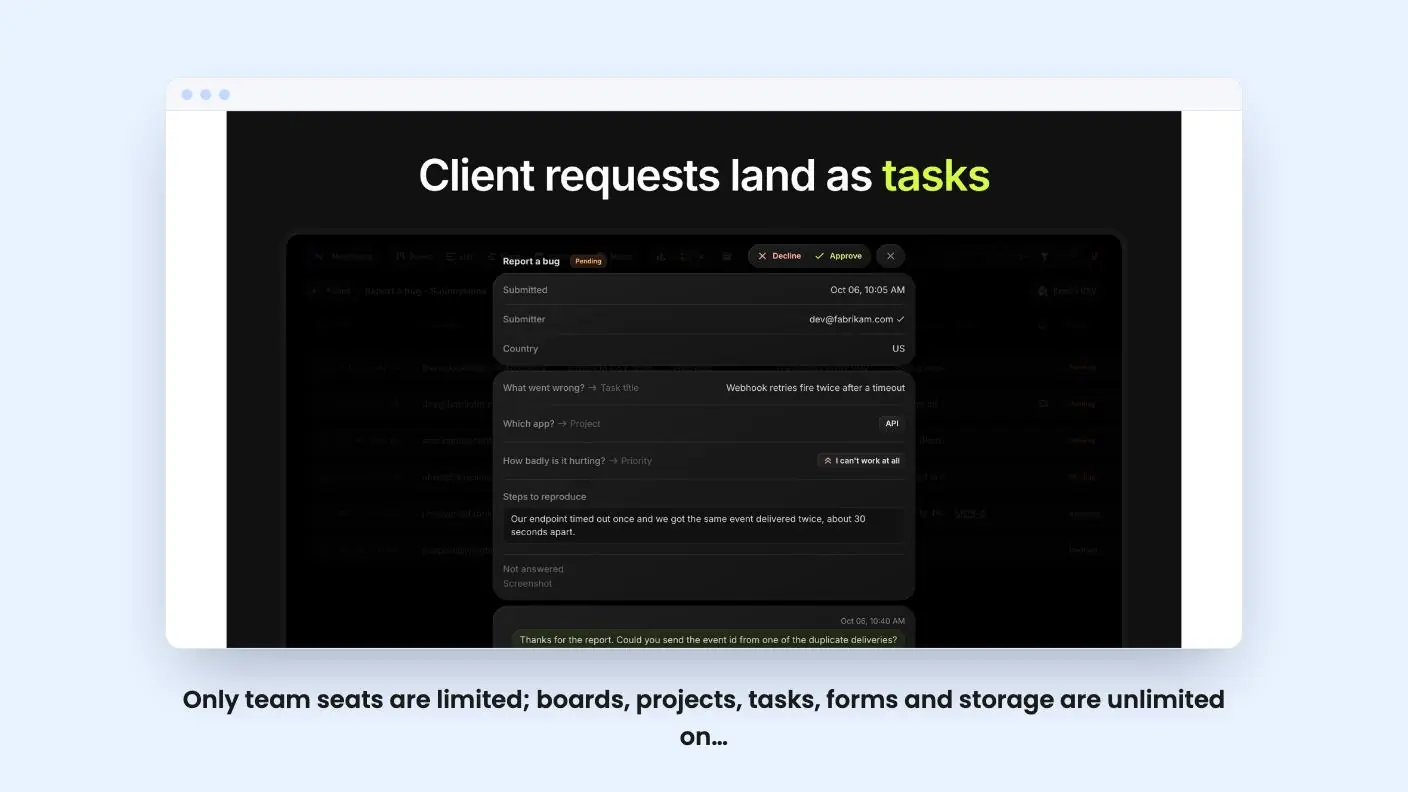
This is the part that makes the tool look aimed at agencies and freelancers. You can publish a form that files each submission as a task in the right project, with answers mapped to task fields.
Submissions land in a queue where you approve or decline them. You can reply to the submitter by email from the same thread, which cuts down on the chase through your inbox.
Clients can also be invited as guests to a whole board or a single project, so they follow progress without seeing everything else. Guests don’t use a seat, according to the listing. You can even serve a board on your own domain, like projects.yourcompany.com.
The listing doesn’t say how much you can style the portal or how guests comment on tasks. If a client-facing look matters to you, ask before you commit.
Get t0ggles for $24 on AppSumo →
Planning, reports and time tracking
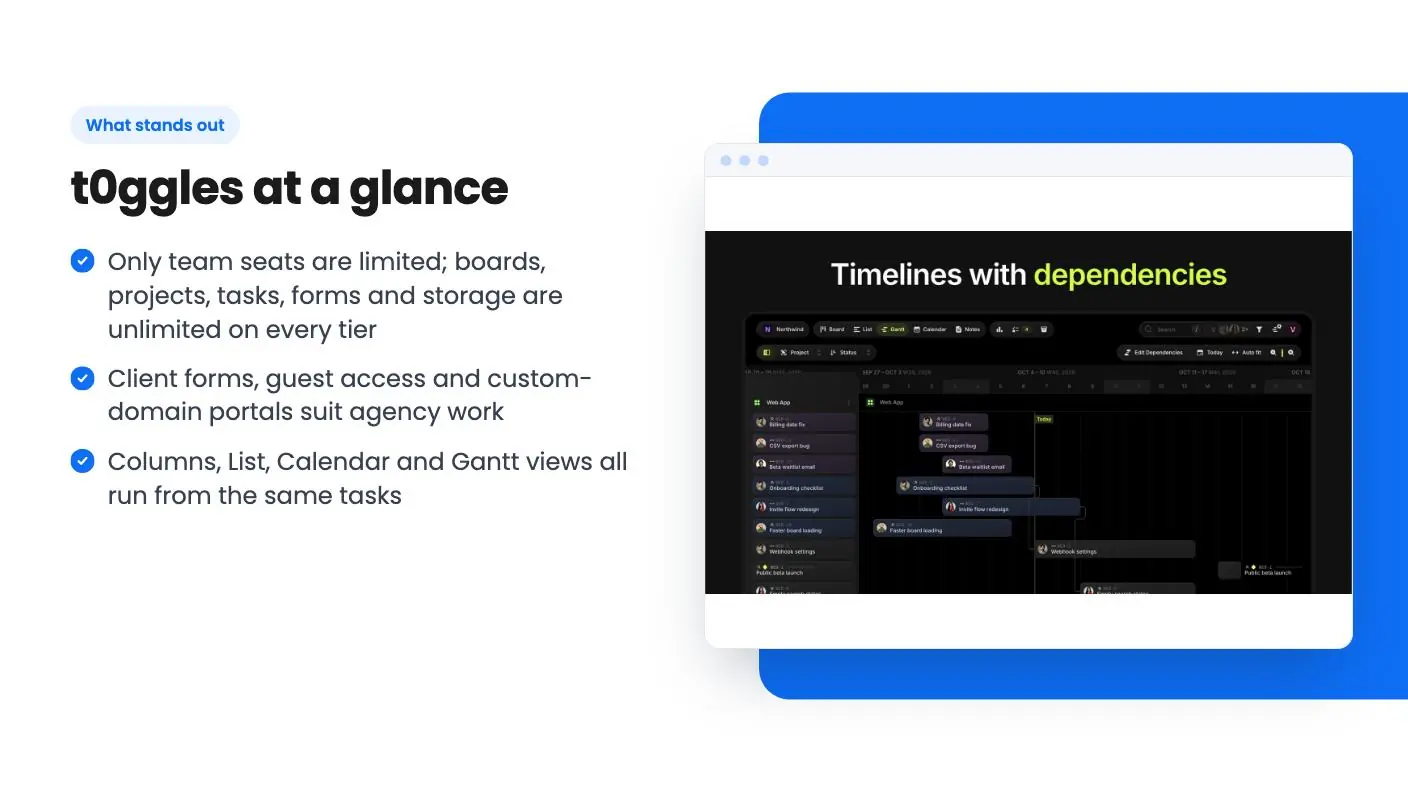
Tasks can be linked as predecessors and successors with lag days, and t0ggles refuses dependency loops. That’s a small detail, but anyone who has broken a Gantt chart with a circular link will appreciate it.
Milestones have progress bars that fill as linked tasks get done. Reports cover burndown, team workload and dependency health, and they export to CSV or PDF. You can also log time on tasks to see where the hours on a project went.
The listing doesn’t mention invoicing or billing from tracked time. Treat the time log as a record, not a billing system.
The AI and developer angle
This section is longer than you’d expect from a small-business tool. You can describe work in plain language and the built-in AI creates tasks with descriptions, due dates, tags and priorities.
A built-in MCP server lets assistants such as Claude, ChatGPT, Cursor or VS Code read and update your board. There’s also a free desktop app called t0ggles Crew, where AI coding agents pick up tasks, do the work and update statuses and comments. GitHub syncs both ways, so issues and pull requests become tasks.
Automations cover things like assigning the dev lead when a task is tagged Bug, or creating a report task on the 1st of every month.
If you don’t write code, most of this is background. If you do, or you hire developers, it’s a real differentiator. We can’t say how well the agent workflow actually performs, since the listing only describes it.
What the t0ggles deal costs, and the seat question
There are five tiers, and the only thing that changes is team members. A team member is one person with a login who can create and edit tasks.
| Tier | Price | List price |
|---|---|---|
| Tier 1 | $24 | $60 |
| Tier 2 | $49 | $180 |
| Tier 3 | $139 | $600 |
| Tier 4 | $279 | $1,800 |
| Tier 5 | $399 | $3,000 |
The listing prints the seat counts as 50 / 30 / 10 / 3 / 1. Read literally, that puts 50 seats on the $24 tier, which can’t be right. More likely the order is reversed, with one seat at $24 and 50 at $399. The listing doesn’t spell this out, so check the tier details on the AppSumo page before you pay.
Every tier gets unlimited boards, projects, tasks, notes, forms and file storage, plus AI, automations, integrations and custom domains. You can switch between tiers while the deal is live, and add extra team members from the Billing tab later. The listing doesn’t give a price for those extra seats, which makes it hard to plan growth.
You have to activate your license within 60 days, and there’s a 60-day refund window through AppSumo. If you already have a t0ggles account with an active subscription, cancel it first.
Who should skip t0ggles
The product’s age and track record aren’t shown in the listing, and AppSumo shows only 3 reviews, all five stars. That’s too thin for this t0ggles review to draw conclusions from. A lifetime deal is only as good as the company’s ability to keep running, so keep that in mind.
If your team needs deep reporting across dozens of people, a large library of native integrations, or heavy permission controls, check those specifics first. The listed integrations are Figma, GitHub, Google Calendar, Zapier and Claude, which is a short list. Zapier widens it, but that’s an extra service you may pay for.
Teams of ten or more should also run the numbers. Seats are the only thing you pay for, and the top tier is $399 for the largest team.
For a solo freelancer or a two-or-three-person studio, the lowest tiers cost less than a couple of months of most competing tools. That is the short version of this t0ggles review. Import your current board from CSV, try the client form on a real project, and use the 60-day window to decide.
Related reading: SmartTask vs t0ggles, Syncupp vs t0ggles, SmartTask review.
All t0ggles features
Taken from t0ggles's AppSumo listing. We haven't tested these features hands-on.
See every project's status without switching boards
- Put all your projects on one board and see each one's tasks, statuses, and due dates side by side
- Switch to Focus mode to turn a single project into its own Kanban board, then switch back
- Group tasks into swim lanes by assignee, priority, milestone, tag, or due date to see who is working on what
- Change views in one click between Columns, List, Calendar, and Gantt, all built from the same tasks
Take client requests in without the email chase
- Publish a form that files each submission as a task in the right project, with answers mapped to task fields
- Approve or decline submissions from a queue, and reply to the submitter by email from the same thread
- Invite clients as guests to a whole board or a single project, so they follow progress without seeing everything
- Serve a board on your own domain, like projects.yourcompany.com, for a branded client portal
Plan timelines that hold up when dates move
- Link tasks as predecessors and successors with lag days, and t0ggles refuses dependency loops
- Set milestones and watch each progress bar fill as the linked tasks get done
- Open the reports for burndown, team workload, and dependency health, then export them to CSV or PDF
- Log time on tasks to see where the hours on each project actually went
Let AI agents work your board alongside your team
- Describe the work in plain language and AI creates tasks with descriptions, due dates, tags, and priorities
- Connect Claude, Cursor, or another AI assistant through the built-in MCP server so it can read and update your board
- Run t0ggles Crew, a free desktop app, and AI coding agents pick up tasks from your board, do the work, and update the status and comments
- Sync GitHub both ways so issues and pull requests become tasks and stay in step with them
- Set up automations like "when the tag is Bug, assign the dev lead" or a report task created on the 1st of every month
What changes by plan
| Feature | Tier 1 $24 | Tier 2 $49 | Tier 3 $139 | Tier 4 $279 | Tier 5 $399 |
|---|---|---|---|---|---|
| Team members | 1 | 3 | 10 | 30 | 50 |
What the lifetime deal includes
- Lifetime access to t0ggles
- All future plan updates
- You must activate your license within 60 days of purchase
- Ability to upgrade or downgrade between 5 license tiers
- No codes, no stacking—just choose the plan that is right for you
At a glance
- Best for
- Freelancers, Project managers, Agencies
- Alternative to
- Asana, ClickUp, Trello
- Integrations
- Figma, GitHub, Google Calendar, Zapier, Claude
- Category
- Operations › Project Management
- Website
- t0ggles.com
Decided t0ggles fits? The lifetime deal starts at $24. Check the tier limits on AppSumo before you pick one.
Get t0ggles on AppSumoKeep reading about t0ggles
t0ggles FAQ
What is limited on the t0ggles lifetime deal?
According to the listing, only the number of team members changes between tiers. Every tier includes unlimited boards, projects, tasks, notes, forms and file storage, plus AI, automations, integrations and custom domains. Guests don't use a seat.
Can I move my existing Trello or Jira work into t0ggles?
The listing says you can import tasks from CSV, JSON or XML exports and map each column to a t0ggles field. You can also export your tasks back to CSV or JSON whenever you like.
Is there a refund option?
Yes. You have 60 days from purchase to request a full refund through AppSumo. You also have to activate your license within 60 days of buying.
Is t0ggles worth it?
The verdict says it's a good buy for freelancers and small agencies that want multi-project boards, client intake forms and a branded portal without a monthly bill. It's a weaker fit if you need a proven, mature tool with a big integration library, since AppSumo shows only 3 reviews and the listed integrations are Figma, GitHub, Google Calendar, Zapier and Claude.
What are the best t0ggles alternatives?
The listing names Asana, ClickUp and Trello as alternatives to t0ggles. The article notes that teams needing deep reporting across dozens of people, a large library of native integrations or heavy permission controls should check those specifics first.
Does t0ggles have a free plan?
The article doesn't mention a free plan. It describes a lifetime deal on AppSumo starting at $24, with five tiers where the only difference is the number of team members. It also says you should cancel any active t0ggles subscription before buying.