Picture a freelancer with three small Laravel client sites. Each one needs somewhere to run, a MySQL database, an .env file somebody has to fill in by hand, and a monthly hosting bill that never quite gets cancelled. Cloudpen is aimed at that kind of clutter. It’s a browser-based development environment from cloudpen.dev that also hosts what you build, and it’s on AppSumo as a lifetime deal starting at $99.
We haven’t used it. What follows is a read of the listing, with the weak spots pointed out.
A browser editor that also hosts your code
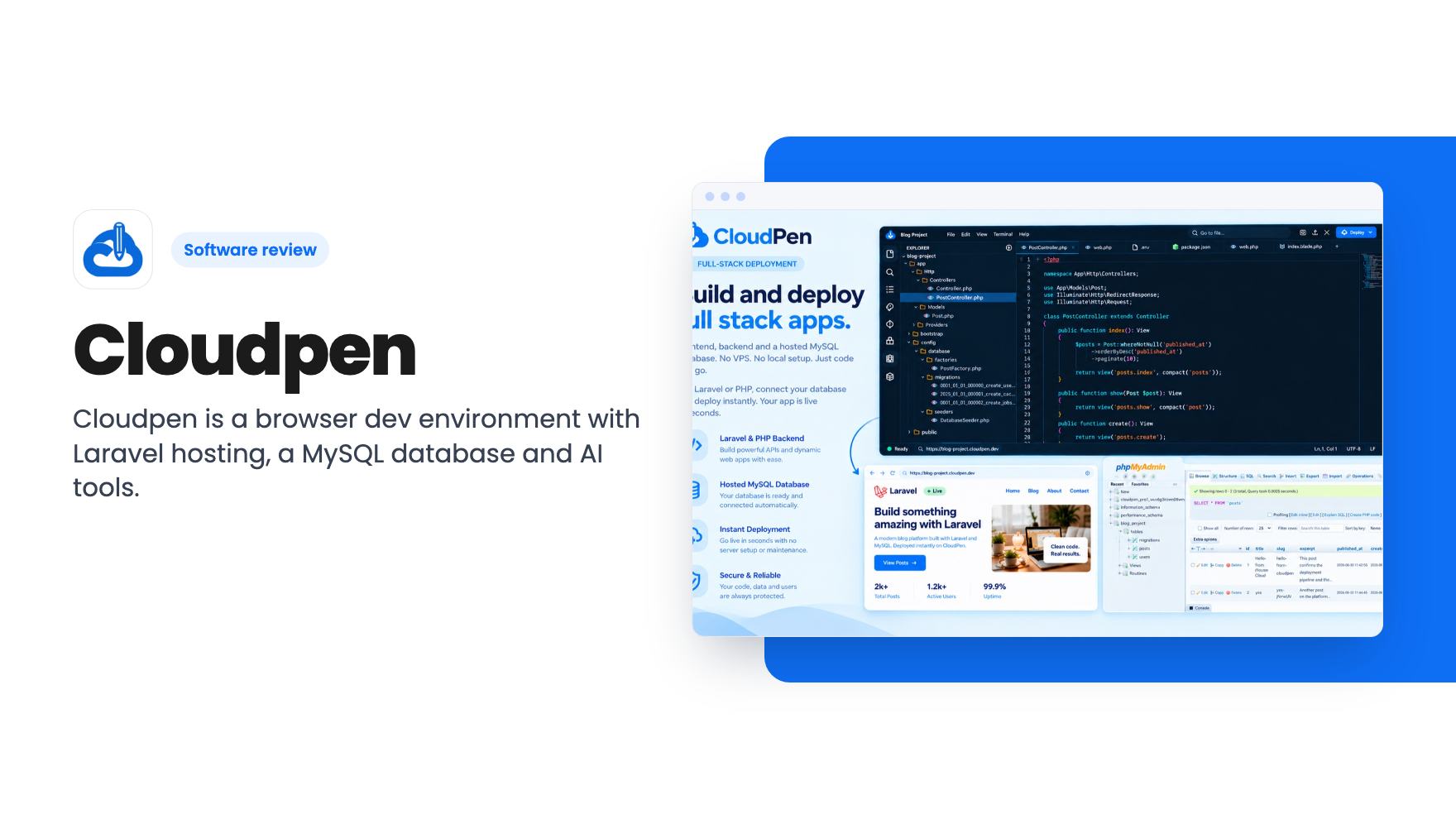
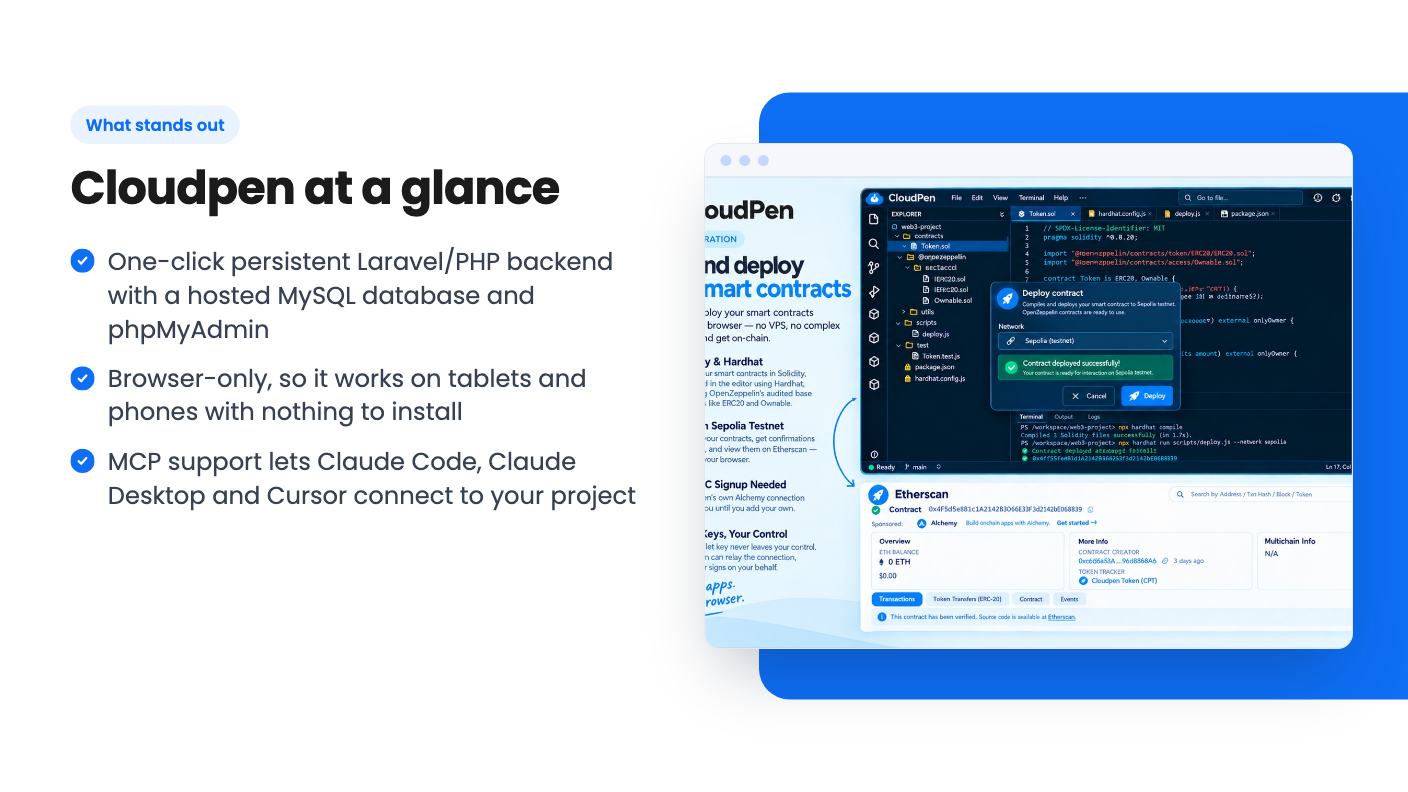
Cloudpen runs entirely in the browser, so the listing says it works on tablets and phones as well as laptops. You get an editor, a Git panel, an API client, an environment variables manager, SFTP deploy and an AI coding agent called Quill. The idea is that you write, test and ship without leaving the tab.
AppSumo files it under Dev Utilities and lists BrowserStack, GitLab and Replit as alternatives. That’s a wide net, and we’d treat it with suspicion. The listing’s own comparison with Replit and Codespaces is an FAQ answer that cuts off mid-sentence, though it clearly points at one-click backend hosting with a database attached as the difference.
The Laravel and PHP hosting is the real draw
This is the feature that matters. Deploy gives you a persistent, always-on PHP or Laravel app, not a static site. A hosted MySQL database is provisioned in seconds, with phpMyAdmin built in and the credentials written straight into your .env. Cloudpen also says it checks that your app is actually responding before it routes traffic to it.
If you build Laravel sites for clients, that removes a few annoying chores. It’s a sensible package.
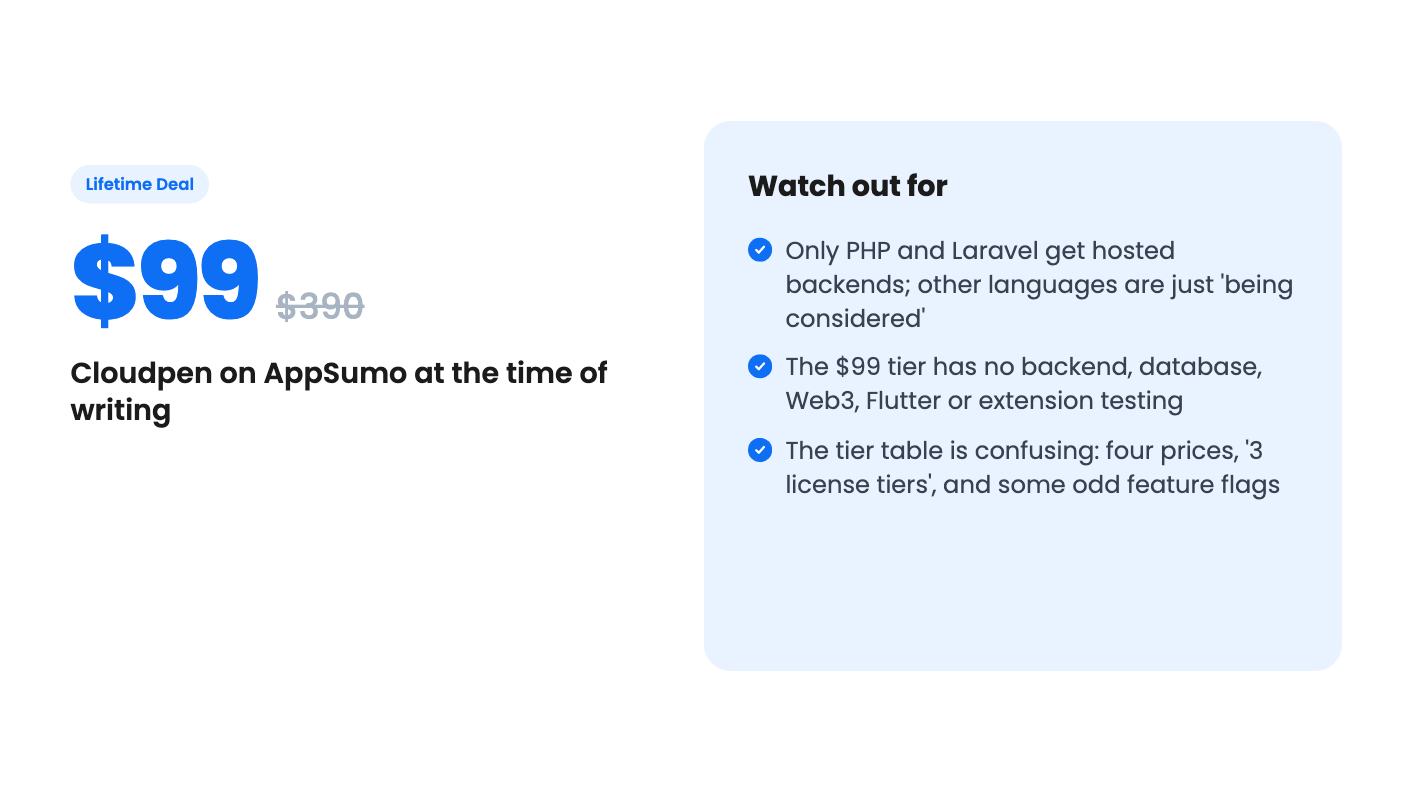
The limits are plain, though. PHP and Laravel are the only supported backends today. The listing says more languages are being considered, which is a hope and not a roadmap. Other frameworks can push to your own VPS, cPanel or DirectAdmin server through SFTP, but then you’re still paying for that server.
The listing also says nothing about uptime guarantees, server regions, backups or what the hardware looks like. For a hobby project that’s fine. For a client’s live site, you’d want those answers first.
Smart contracts, Flutter and extension testing
Cloudpen adds several niche tools on top. You can write Solidity in the editor, compile it with Hardhat (OpenZeppelin base contracts like ERC20 and Ownable are included) and deploy to the Sepolia testnet, with the result viewable on Etherscan. Cloudpen supplies an Alchemy connection so you don’t need your own RPC signup, and it says your wallet key stays with you. Testnet is the only target mentioned, so don’t expect mainnet deployment.
Flutter apps can be built and previewed in a live session without a local SDK, emulator, Xcode or Android Studio. Chrome extensions load into a real Chromium session where console and service worker errors stream live. Those sessions are short. Depending on the tier, they run 5 to 10 minutes and 5 to 25 times a day.
If you never touch Solidity, Flutter or extensions, these are bonus lines in the table and shouldn’t sway you.
Quill and the MCP connections
Quill is the in-editor AI agent. It works from your actual project files, using Cloudpen’s built-in credits or your own OpenAI or Gemini key. The built-in credits are capped per day: 2000, 1000, 100 or 10 requests depending on the tier.
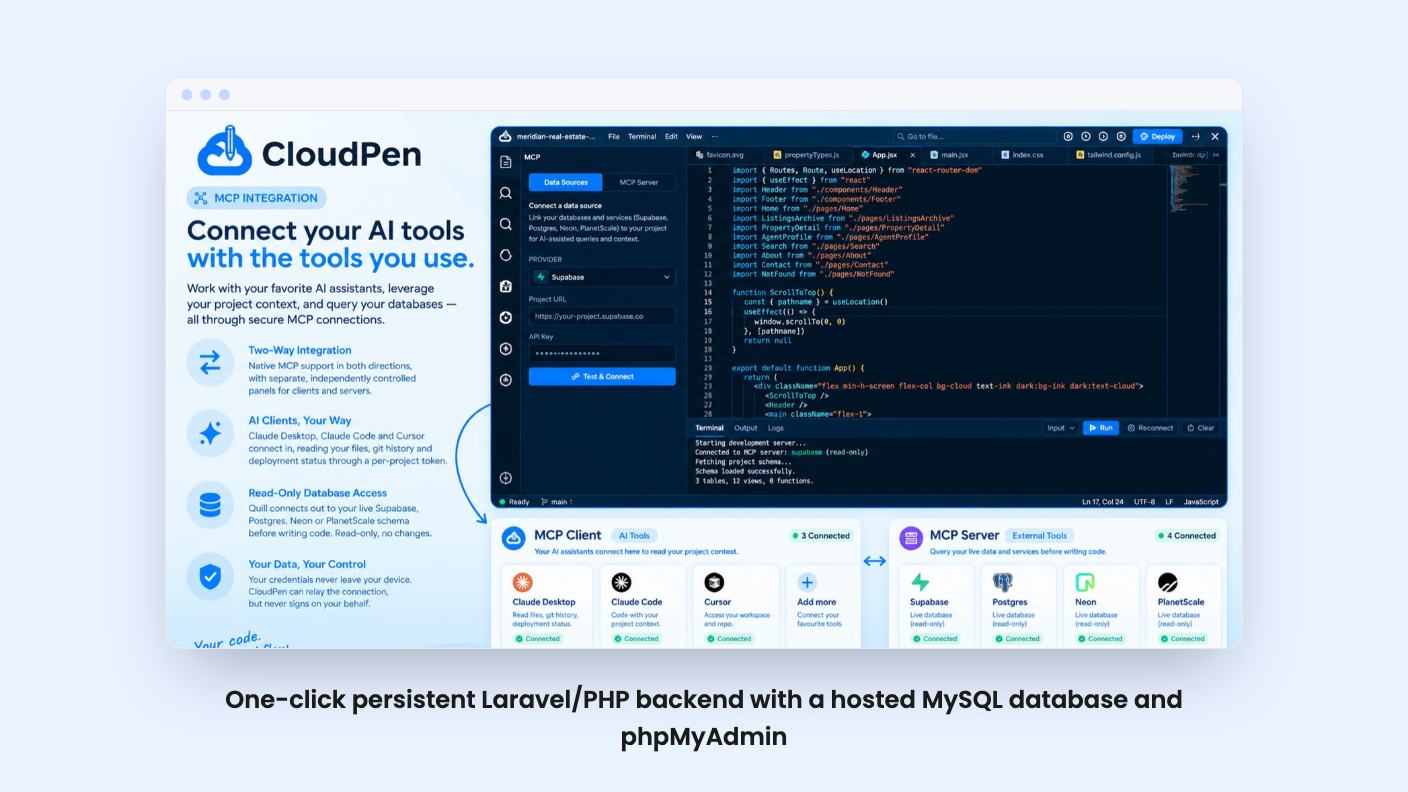
MCP support runs both ways. Claude Desktop, Claude Code and Cursor can connect in through a per-project scoped token and read your files, git history and deploy status. In the other direction, Quill can query a live Supabase, Postgres, Neon or PlanetScale schema, read-only, before it writes code.
That’s a thoughtful setup if you already use those AI tools. Note the caps, though. On the lower tiers MCP data source calls are limited to 50 a day or not included at all.
The tiers, and why you should read the table twice
There are four prices: $99 (list $390), $259 ($576), $449 ($1,152) and $589 ($1,890). The listing says you can switch between 3 license tiers, yet it shows four. You must also activate your license within 60 days of purchase.
The feature table doesn’t label which column belongs to which price. The columns run from biggest to smallest while the prices run from smallest to biggest. The FAQ says Web3 starts at Tier 2, and that only fits if the $99 tier is the smallest column. So that’s our reading, and you should check it on the AppSumo page.
If we’re right, the $99 tier is thin:
- 100 MB of storage
- 3 frontend deployments that expire after 7 days
- No backend, no hosted database, no Web3, no Flutter preview, no extension testing
- 10 Quill requests a day and 3 private projects
- No collaborators
That’s a trial. It isn’t a VPS replacement.
Backend hosting seems to start at $259, with 1 backend and one 128 MB database. That’s small. The $449 tier gets 2 backends and 2 databases (256 MB total), and the $589 tier gets 5 backends and 10 databases (2 GB total) with unlimited collaborators.
The table has other oddities. Priority support is flagged for the cheaper two tiers and not the pricier two, and bring-your-own-key is flagged false for what looks like the top tier. These might be listing mistakes. Ask before you spend $589.
The listing promises lifetime access and all future plan updates. It doesn’t say whether new features arrive with the same caps. AppSumo shows a single review, a 5.00 average, which isn’t enough to tell you anything about reliability.
Who should skip it
Skip it if your backends run on Node, Python, Ruby or anything else. Cloudpen can only deploy to a server you already pay for, so the main saving disappears.
Skip it if you need documented uptime, backups and support commitments for paying clients. None of that appears in the listing.
Skip the $99 tier if hosting is what attracted you. It doesn’t appear to include any.
If you do build Laravel projects, buy the tier that actually includes the backend and database you need, and read the table again before you pay. The listing text we have doesn’t mention refund terms, so check AppSumo’s page for those too.
How this review was made: researched from Cloudpen's official listing, and written with help from AI. We have not tested Cloudpen hands-on yet. Prices and deal terms change, so check AppSumo before you buy. See our affiliate disclosure.