Lead GenerationReview
KingSumo Review: Free Giveaway Tool With a $49 Pro Upgrade
KingSumo runs viral email giveaways. Free tier has unlimited contests, and a one-time $49 Pro adds branding removal, tracking and Mailchimp, Kit and Klaviyo.
Taku is a popup and lead capture tool with white-labeling for agencies. AppSumo sells it at $29, $89 and $179, but only the top tier has 20 client accounts.

Lifetime deal price
$29$34892% off
Lifetime Deal
Our take: Buy the $179 tier if you're an agency or freelancer who wants to resell branded popups to clients and don't mind a young product. Skip it if you need one popup tool for your own site, or if you need deep integrations or proven reliability, since the listing gives no usage limits and shows few integrations.
You build a nice site for a client. Traffic trickles in. Then the client asks why nobody is signing up, and you don’t have a quick answer that doesn’t involve another invoice and another plugin. That’s the situation Taku is aimed at.
Taku is a popup and on-site campaign tool, and AppSumo lists it as an alternative to OptinMonster. The pitch is simple: take the traffic a site already gets and turn more of it into emails and sales. What makes it different from a plain popup builder is the agency angle. You can put your own name on it and resell it.
We haven’t used Taku ourselves, so everything here comes from the AppSumo listing. There’s no demo video to lean on either. Read this as a buyer’s guide to what the page promises and where it’s thin.
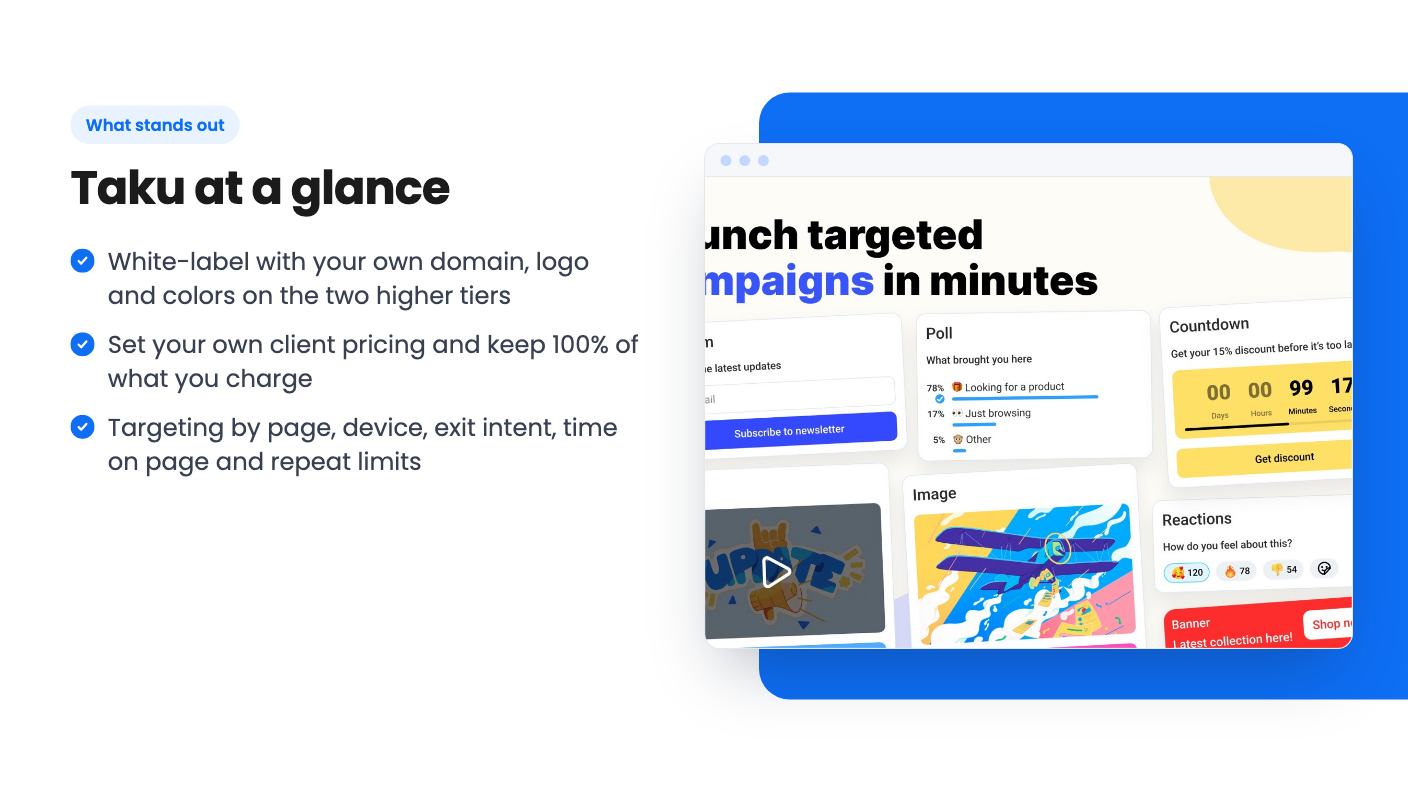
The core is a popup builder. According to the listing, you can add forms, polls, countdowns, buttons, images and videos, or embed content from other tools. That covers the usual email capture and offer promotion jobs.
Setup is meant to be light. You install Taku once on a client’s site, and after that the listing says you can launch and change campaigns without touching the site again. The FAQ claims a campaign can go live in about five minutes with no developer. That’s a marketing number, so treat it as a best case, but the install-once model is genuinely useful if you manage several sites.
There’s also a feedback widget that lets you ask visitors questions on the page, and A/B testing so you can compare two versions of a message. Both are listed without detail. We don’t know how many variants you can test or how results are scored.
This is the part that decides whether a popup helps or annoys people. The listing says you can trigger campaigns by exit intent, time on page, device type and whether the URL contains a specific path. You can also set a maximum repeat count and how long to wait before showing a popup again.
That’s a sensible set. Showing a discount popup only on a pricing path, only on mobile, and only twice per visitor is exactly the control a client will ask for.
What’s missing from the listing is anything about behavior beyond that. There’s no mention of scroll depth, traffic source, or returning versus new visitors. Those are common in the better-known tools, so if you rely on them, ask before you buy.
Reporting covers views, clicks, leads, responses and conversions in one place. Leads can stay in Taku or go to other tools. For a client report, that’s probably enough. For anything deeper, we can’t say.
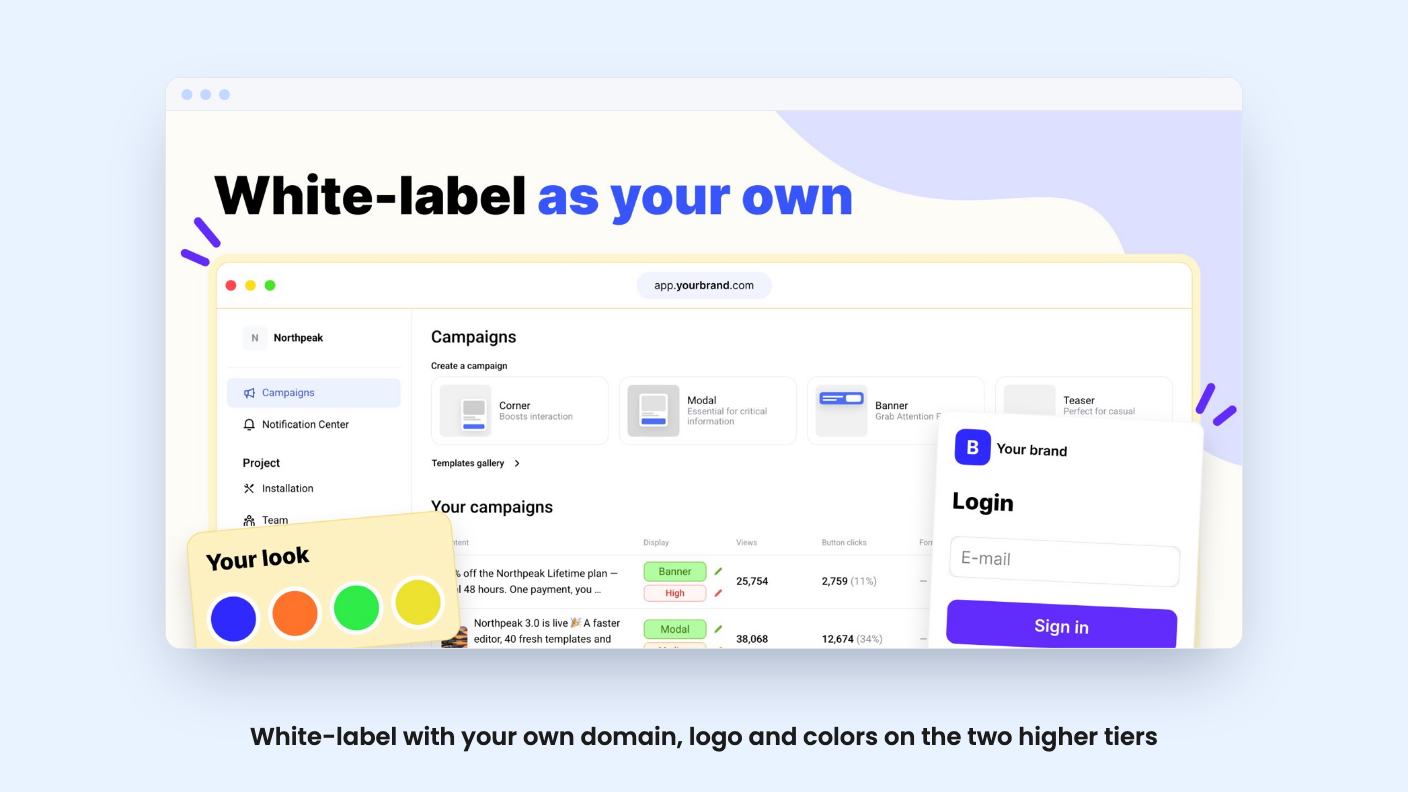
This is the reason to look at Taku at all. On the higher tiers, you can use your own domain, logo and colors, give each client a private workspace with their own login, and set your own monthly price. The FAQ says you keep 100% of what you charge. If a client leaves, you reuse their slot for the next one.
In practice that turns Taku into a small recurring revenue line. Charge a client a monthly fee for conversion popups, and the only cost on your side is the one-time license. That’s a good fit for freelancers and small agencies who already maintain websites.
The catch is that you’re selling software built by someone else, and it’s a young product. If it breaks or the developer disappears, your clients see your name on the problem. Think about that before you promise anything long term.
AppSumo sells three lifetime tiers. All include future plan updates, and you can move between tiers. You have to activate your license within 60 days of purchase.
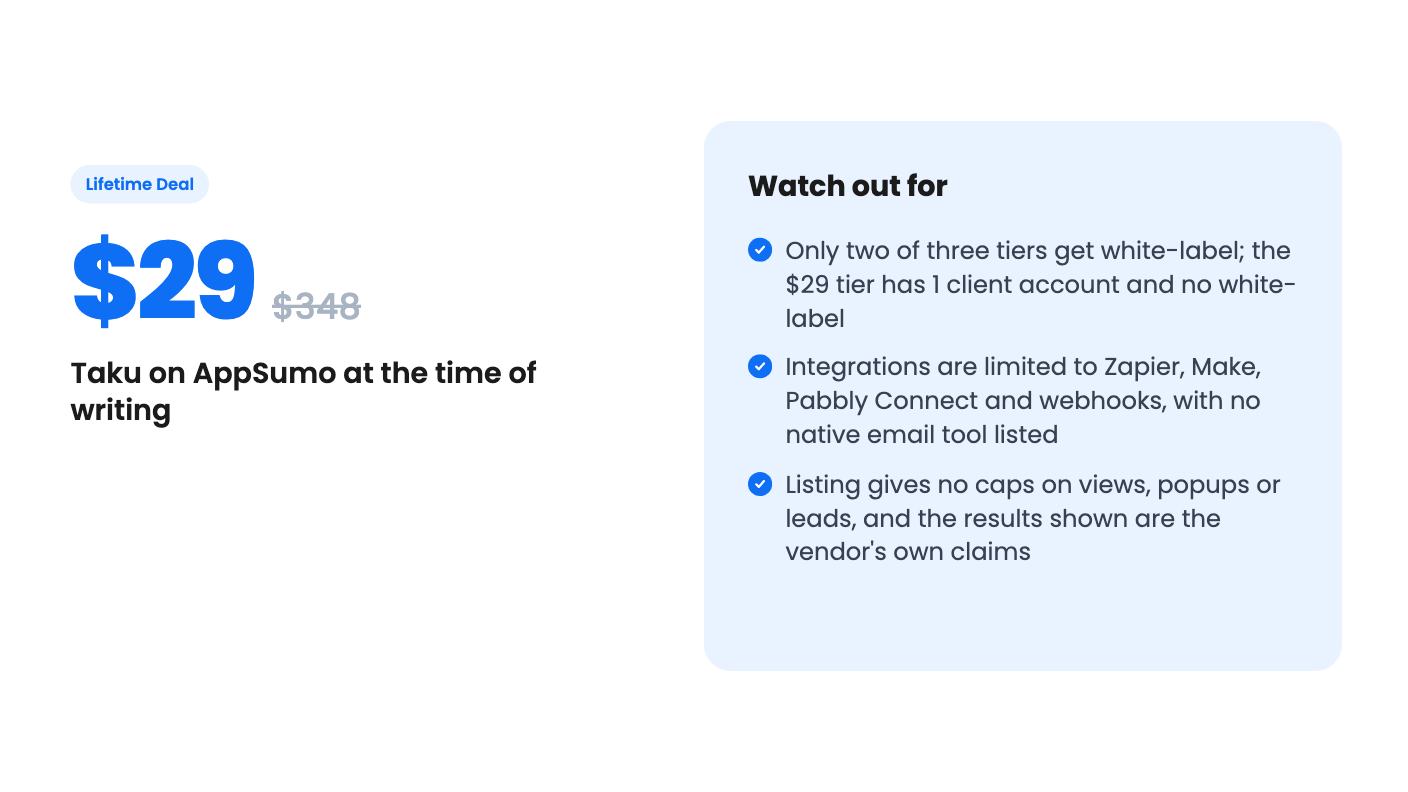
The $29 tier is the one to be careful with. It’s priced like an impulse buy, but it strips out white-labeling, so it only makes sense if you want a single popup tool for one site. Even then, you’re paying for agency features you can’t use.
If reselling is your plan, $89 is a fair test for a small roster, and $179 only makes sense once you’re confident you’ll fill more than five client slots. The ability to switch tiers helps here, though the listing doesn’t explain how upgrade pricing works.
The listed prices of $348 and the other crossed-out figures aren’t worth reading into. The listing shows $0 as the old price for the upper tiers, which is just a data quirk.
The gaps matter. There are no stated caps on pageviews, popups, leads or domains per client account. Lifetime deals often hide limits like that, so ask the seller before relying on it for busy sites.
Integrations are thin: Zapier, Make, Pabbly Connect and webhooks. There’s no native link to an email platform in the listing, so you’d send leads through an automation tool. That works, but it adds a step and possibly another subscription.
The results quoted on the page, $11,000 in sales from one popup and 531 emails in nine days, come with no context about the site, the offer or the traffic. They’re the vendor’s own examples. Don’t plan a client pitch around them.
AppSumo shows two reviews averaging 4.5 out of 5. Two reviews tells you almost nothing yet.
Buy the $89 or $179 tier if you run client sites and want a branded add-on you can charge for. You’ll get the most from it if you’re comfortable explaining a newer tool to clients and have a backup plan.
Skip it if you need a popup tool for one business and want deep segmentation, native email integrations, or a long track record. Established tools cost more each month, but they come with years of proof. With Taku, you’re betting on a young product, and the $29 tier doesn’t give you the one feature that makes it interesting.
According to the listing, white-label is included in the $179 tier (20 client accounts) and the $89 tier (5 client accounts). The $29 tier has no white-label and one client account.
Yes. The listing says you can upgrade or downgrade between the three license tiers. You must activate your license within 60 days of purchase.
Not directly, as far as the listing says. It lists Zapier, Make, Pabbly Connect and webhooks, so you'd route leads to your email platform through one of those. You can also keep leads inside Taku.
How this review was made: researched from Taku's official listing, and written with help from AI. We have not tested Taku hands-on yet. Prices and deal terms change, so check AppSumo before you buy. See our affiliate disclosure.
KingSumo runs viral email giveaways. Free tier has unlimited contests, and a one-time $49 Pro adds branding removal, tracking and Mailchimp, Kit and Klaviyo.
XMagnet bundles prospecting, warm-up, sequences and newsletters. The $59 to $539 AppSumo deal has one-time credits and mailbox caps worth checking first.
Five AppSumo lifetime deals that cover parts of what ZoomInfo does, from contact data to cold email and local prospecting, and who each suits.