Most small business owners have the same Tuesday morning. Forty unread emails, a client asking to move a call, an invoice that’s two weeks late, and a note to yourself to follow up with someone who never replied. None of it is hard. It’s just a steady drip of small jobs that eats the first hour of your day.
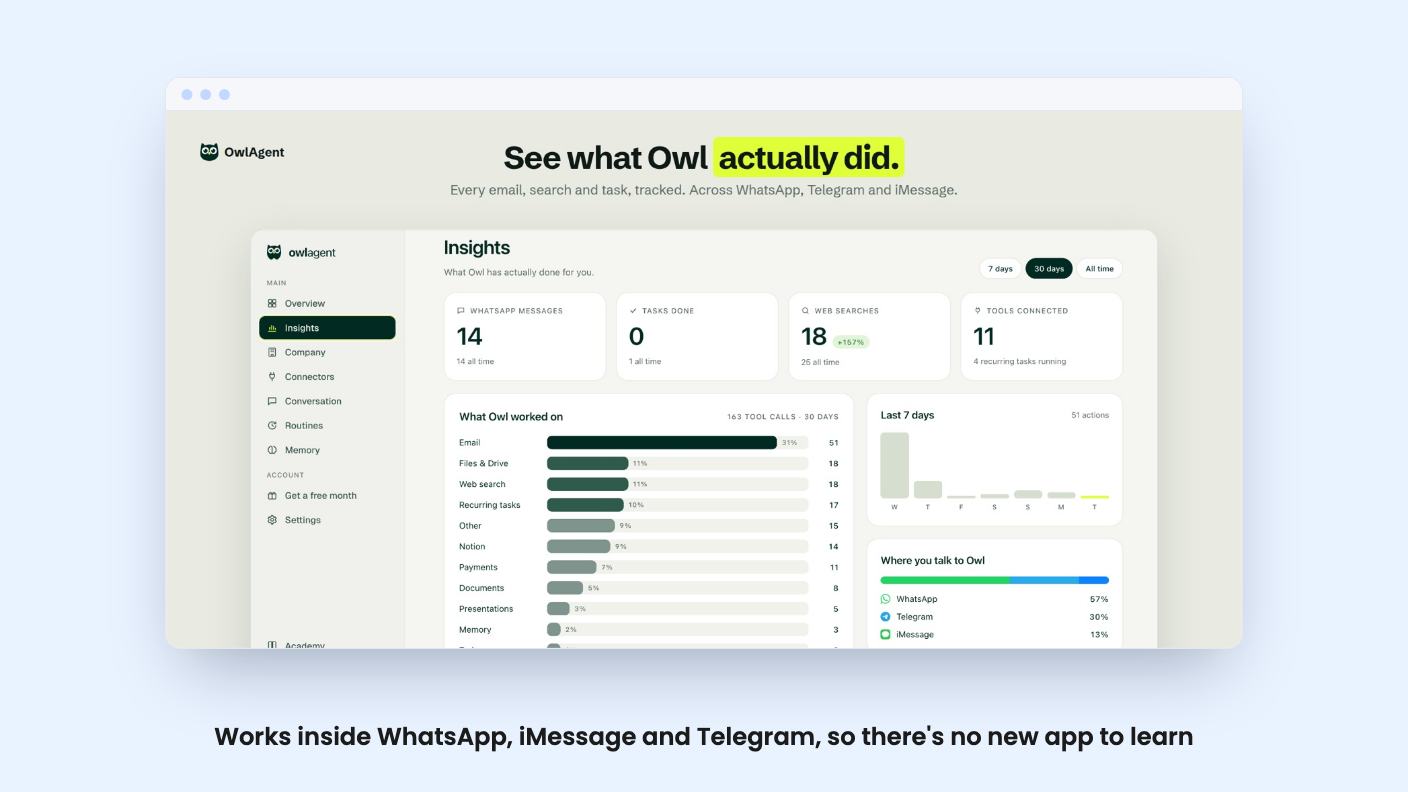
Owl Agent is built for exactly that drip. It’s an AI assistant you talk to through WhatsApp, iMessage or Telegram, and it’s currently a $49 lifetime deal on AppSumo. We haven’t used it, so everything below comes from the listing, and I’ll flag where the listing goes quiet.
What you actually get for texting it
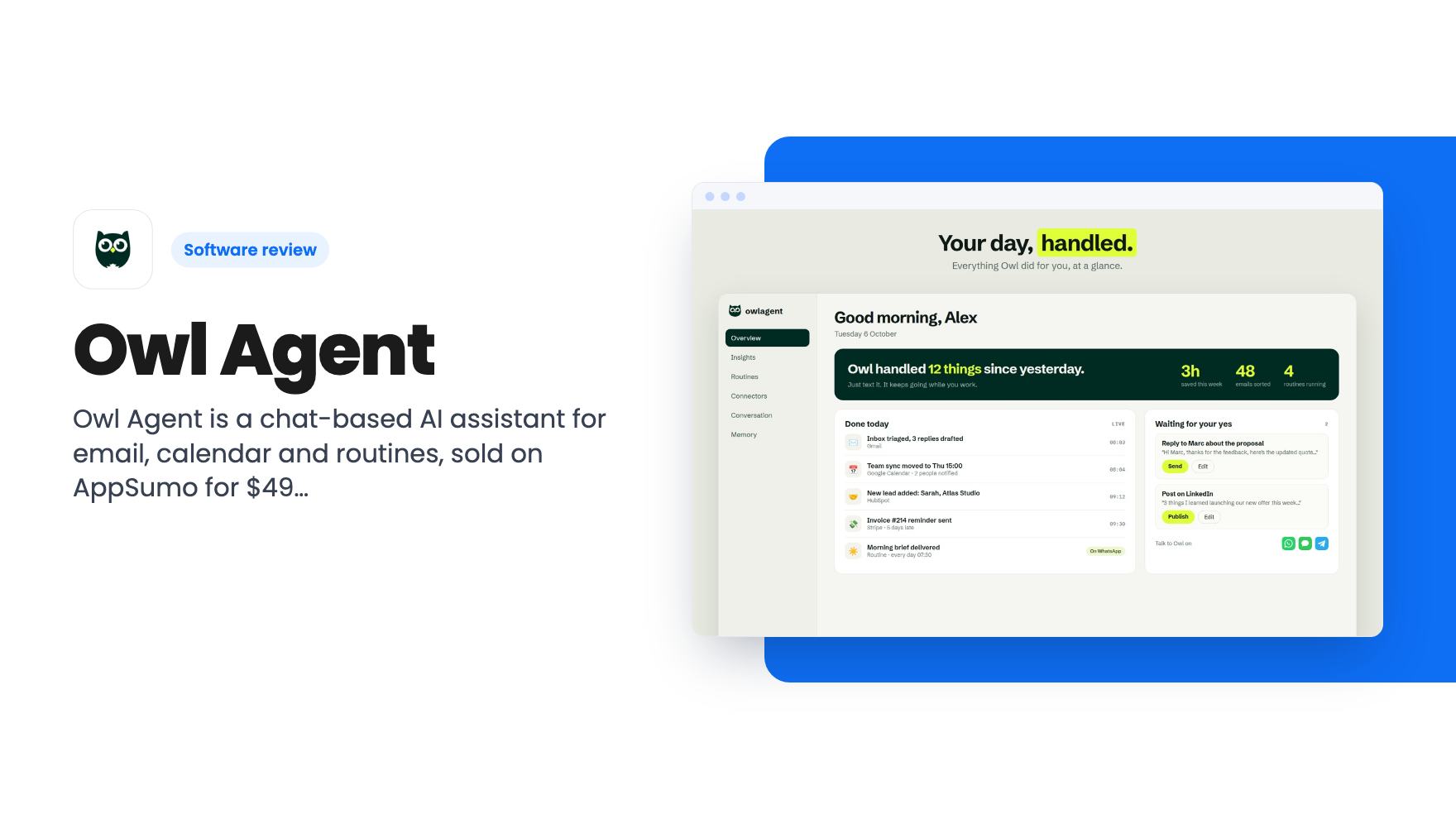
The pitch is simple. You message Owl the way you’d message a human assistant, by text or voice note, and it carries out the task. The listing says there’s no new app to learn because it lives in chats you already use. A web dashboard exists, but the FAQ calls it optional, mostly for connecting tools and checking what Owl did.
That design choice is the best thing about the product. Most automation tools ask you to sit down, open a canvas and wire things together. Owl asks you to type a sentence. If you’re the kind of person who fires off voice notes while walking between meetings, that’s a real fit.
The listing says Owl sorts your email and drafts replies in your tone. It also books and moves meetings and notifies the people involved. It doesn’t say how it learns your tone, how many past emails it needs, or how it handles a calendar that’s already messy. Those are the details that decide whether drafts feel usable or need rewriting every time.
Routines are the part worth watching
The listing’s third feature block is about routines. You set them up by texting Owl, with no forms or workflow builders. The examples given are a morning brief, an invoice chaser, and follow-ups on unanswered emails. Owl runs them on a schedule and reports back in your chat.
That’s a sensible shortlist. These are the chores small businesses forget, and a nudge about an unpaid invoice is worth real money.
But notice the word schedule. The listing describes time-based routines, and it never mentions event triggers, such as acting when a form is submitted or a deal changes stage. That’s the bread and butter of Zapier and n8n, the two tools AppSumo lists as alternatives. So this isn’t a like-for-like replacement. It’s closer to a personal assistant with a calendar of recurring tasks.
The FAQ makes the same contrast. ChatGPT talks, it says, while Owl acts, and unlike Zapier you don’t build workflows because Owl figures out the steps. That’s an appealing claim and an unprovable one from where we sit. Letting software choose the steps is great when it guesses right and annoying when it doesn’t. With no demo video, we can’t tell you which you’ll get.
The connector count needs a closer look
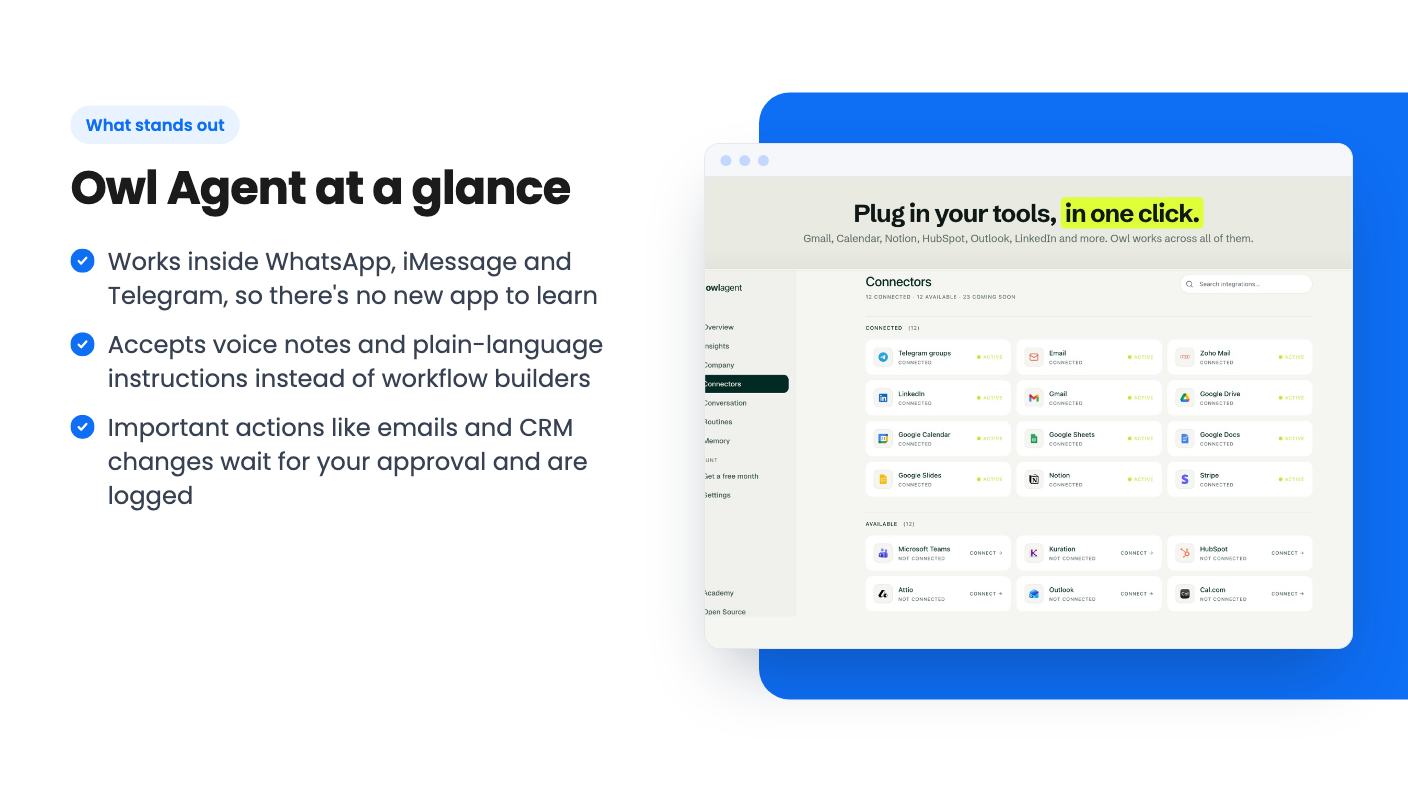
The plan features list says 5 connectors. The listing’s integration field names Gmail, Google Calendar, Google Drive and WhatsApp. The feature copy and FAQ go further, naming Outlook, Notion, HubSpot and LinkedIn, plus the phrase and many more. They also say connecting takes one click with no API keys, and that custom integrations are being added if you ask.
Those two things don’t obviously fit together. If the lifetime tier caps you at 5 connectors, then the long list describes what exists, not what you can switch on at once. The listing doesn’t spell out whether a connector means one tool, one account, or something else.
This matters in practice. A freelancer with Gmail, Google Calendar, Drive and Notion is already at four. Add HubSpot and you’re at the cap. Someone running both Gmail and Outlook inboxes would burn two slots right away. Ask support before buying, because the answer changes how useful the deal is for you.
On the security side, the FAQ says tools connect through OAuth, Owl never sees your passwords, and you can disconnect any tool at any time. That’s the standard approach and what you’d want, though the listing doesn’t mention certifications or where data is stored.
The $49 deal and its fine print
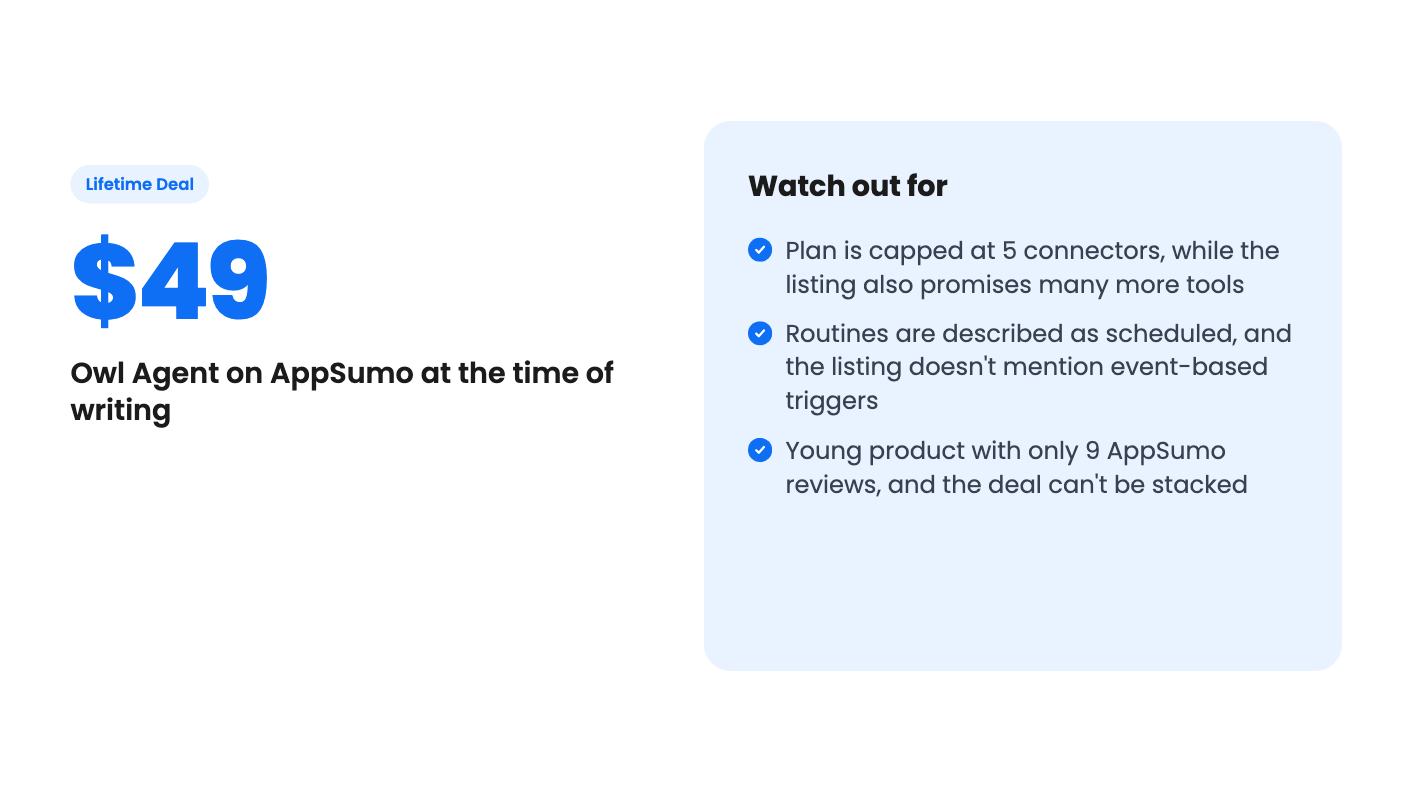
The deal is one tier at $49. It includes lifetime access, all future plan updates, the 5 connectors and unlimited requests. You have to redeem your code within 60 days of purchase, and it’s not stackable, so you can’t buy several codes to raise the connector cap. AppSumo’s summary also cites a 60-day money-back guarantee, which lowers the risk considerably.
A few things the listing doesn’t say:
- What the regular subscription costs. AppSumo shows a list price of $0, which is clearly a placeholder and tells you nothing.
- What unlimited requests means in practice. There’s no mention of fair use limits, rate limits, or whether voice notes count differently.
- Which AI model sits underneath, and what happens to the service if that provider’s costs change.
- Whether future plan updates could add higher tiers that carve out features the lifetime plan lacks.
That last point is the usual lifetime deal worry. An assistant that runs on AI models has ongoing costs, and a one-time $49 has to cover them for as long as you use it. The company says it ships new features weekly based on feedback, and that support replies fast, with a direct email address given. That’s friendly, but it also reads like a small team.
AppSumo shows 9 reviews averaging 5.00 out of 5. That’s a perfect score on a tiny sample, and the summary is marketing copy. Treat it as a good early signal, not proof.
Who should skip it
Skip Owl if your work depends on event-driven automation across lots of apps. If you need branching logic, webhooks, error handling or team permissions, the listing shows none of it, and you’d be better served by a real workflow tool.
Skip it too if you don’t use WhatsApp, iMessage or Telegram for work. The whole product is built around chatting, and the listing doesn’t mention any other front door beyond the optional dashboard.
And be cautious if you’re nervous about an AI sending messages in your name. The approval step helps, since important actions wait for your yes and get logged. Still, you’ll be the one reading every draft before it goes out, so the time saved depends on how good those drafts are.
For a solo founder or freelancer with a chaotic inbox and a habit of texting reminders to themselves, $49 with a 60-day refund window is a low-risk experiment. Email support about the connector cap first, connect your two or three most-used tools, and see within a couple of weeks whether the morning brief and follow-ups actually save you time. If they do, the lifetime price will look cheap. If they don’t, you’ll still have time to ask for your money back.
How this review was made: researched from Owl Agent's official listing, and written with help from AI. We have not tested Owl Agent hands-on yet. Prices and deal terms change, so check AppSumo before you buy. See our affiliate disclosure.