Website BuildersReview
Consently Review: Cheap Cookie Consent, Odd Tier Math
Consently is a cookie consent tool with scanning, policy templates and Google CMP status, sold on AppSumo from $39. Here's what the listing covers and where it's thin.
Grigora bundles a site builder, blog editor, newsletter sending and SEO tools into one AppSumo lifetime deal from $69. Here's what the listing and demo show, and what they don't.

Lifetime deal price
$69$29977% off
Lifetime Deal · ends Dec 7, 2026
Our take: Buy the $69 or $139 tier if you're a blogger or small business that wants one place for a site, a blog and a newsletter, and you can live with a template library that buyers call thin. Skip it if you need a deep template catalogue, large-scale ecommerce, or guaranteed fast support. The 60-day refund window makes a trial reasonable.
Picture a small business that needs a website, a blog that brings in search traffic, a newsletter signup, and some way to see whether Google cares about any of it. Normally that’s a site builder, an email tool and an SEO subscription, each with its own monthly bill and login. Grigora is a bet that one product can cover all of it, and AppSumo is selling it for a one-time payment starting at $69.

We haven’t used Grigora ourselves. What follows comes from the AppSumo listing and a demo video by a reviewer who says he’d tested the tool extensively. That video is sponsored by AppSumo, so keep that in mind when you hear the enthusiasm.
Grigora is a drag-and-drop website builder with a blog editor, lead forms and pop-ups, native newsletter sending, a keyword research tool and AI keyword tracking. Every tier gets a custom domain, hosting with free SSL and a CDN, no watermark, and the ability to remove Grigora branding. There’s also an AI directory maker, which suits anyone building a listings site.
Integrations are short but sensible: Google Analytics, Google Keyword Planner, Google Search Console, Webhooks and Zapier. The listing names Substack, Webflow and WordPress as alternatives. That’s a wide net. Grigora overlaps with each of them in places, but nothing in the listing shows it matching any of them feature for feature.
The reviewer picks a food template called Epicure, runs through a short setup wizard for colors and fonts, and gets a working site generated without any editing. From there he moves into the editor. A layers panel shows the page hierarchy, and a typography panel lets him change a heading size. He builds a dynamic list of recent posts with a “read more” button linked to each post.
This is where the tool looks more capable than the usual no-code builder. He wraps elements in a container, uses CSS flex to line cards up, and sets a minimum height. If you know a little CSS, that’s useful. If you don’t, there’s a sections library of pre-built blocks (a counter, a hero, a contact form, testimonials) that you drag in. He assembles a contact page that way in a few moments.
He also points out weak spots. Dragging elements into a nested container wasn’t smooth, so he used the layers panel instead. There’s no copy-styles option, so he fixed several images by hand. Pages and blog posts live in separate areas, which he likes. The editor has desktop and tablet previews, and header and footer components apply across pages. Those are honest limits from someone who’s being paid to like the product, and they’re worth more than the praise.
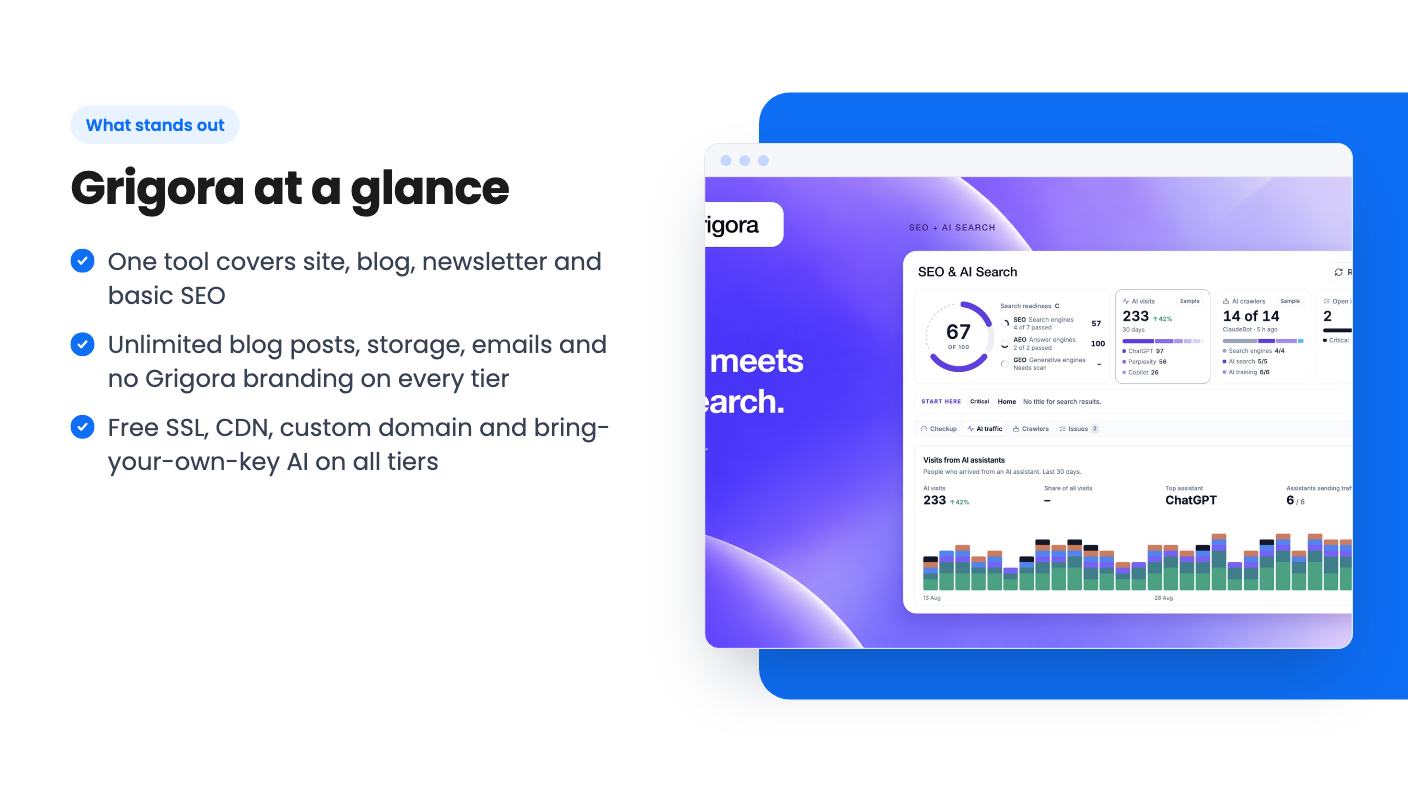
The blog editor is the part I’d look at first. It’s an inline editor with slash commands, similar to Notion or Ghost, plus a focus mode that hides everything but the text. You can pull images from Pexels, add alt text, a title, a link and a caption, and see reading time and word count. A side panel scores your content against a keyword you choose. The reviewer tested it on lorem ipsum and got bad scores, which at least suggests the scoring isn’t flattering everything.
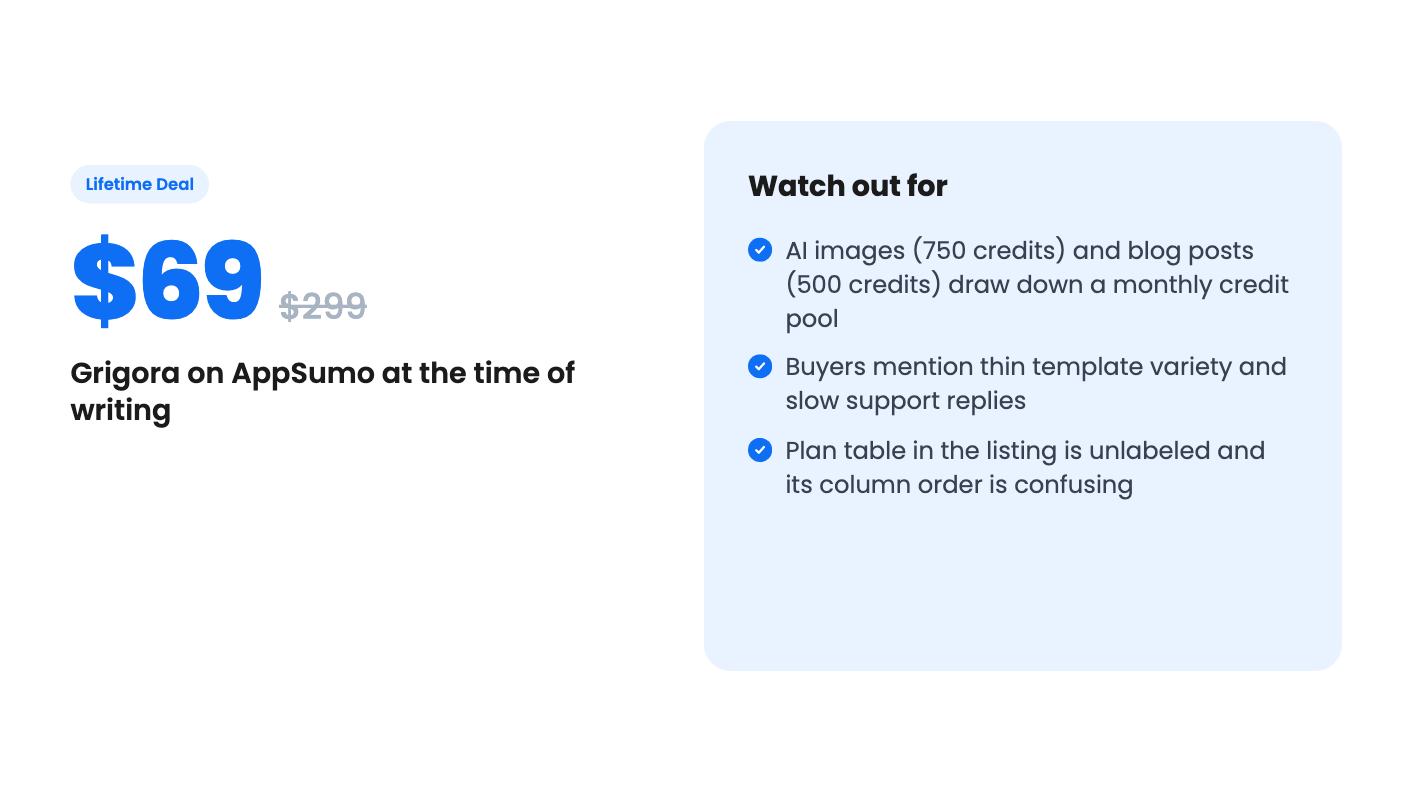
AI sits inside the editor. You can generate an outline or a full post. According to the video, a blog post costs 500 credits and an AI image costs 750. He suggests using your own images or another tool if your plan is light on credits.
The listing says posts will “rank high”. No tool can promise that. The listing also doesn’t say where the keyword research data comes from beyond the Google Keyword Planner integration, or how often rank tracking updates. Ask before you assume it replaces a dedicated SEO tool.
There are five tiers: $69, $139, $349, $799 and $1,299, down from list prices of $299 up to $9,999. All five include lifetime access, future Premium Plan updates, upgrades between tiers while the deal is live, and downgrades within 60 days of purchase.
Unlimited on every tier: blog posts, storage, emails per month and branding removal. Capped: websites and blogs, leads per month, pageviews, team members, subscribers and AI credits.
The plan table in the listing has no column headers. The numbers also don’t climb neatly with price. Websites and blogs read 80 / 30 / 1 / 10 / 3, and AI credits read 1,000,000 / 250,000 / 100,000 / 15,000 / 30,000. So don’t guess which column is your tier. Check the cap on the checkout page before paying.
Credits deserve attention. At 500 credits a post, a pool of 15,000 covers 30 generated posts a month with nothing else drawing on it. Images at 750 credits take it down faster. Every tier supports bring-your-own-key, so you can connect your own AI provider, though the listing doesn’t explain how that interacts with the credit pool.
Two more details. Webhooks are marked false on one tier, and ecommerce features are marked false on another. The video also says the top two tiers were AppSumo Plus exclusives during its promotion, which may no longer apply.
AppSumo’s own summary of buyer reviews, which is marketing copy, still admits that template variety is thin and that support can be slow to reply. With 102 reviews averaging 4.68, buyers are mostly happy, but if design variety matters to you, look at the template library first.
If you plan to sell products, check the tier limits. Product counts range from unlimited down to 1, and one tier has no ecommerce at all. The listing’s FAQ also cuts off mid-question on migrating content, so whether you can import an existing site is unclear. The listing doesn’t say how long Grigora has been around either, which matters when you’re paying once and relying on the company to keep running.
For a blogger or small business that wants a fast site, a decent blog editor and a built-in newsletter, the $69 or $139 tier is a low-risk try, especially with 60 days to get out. Build a real page on it in the first week, check the credit cap against how much AI writing you’ll actually do, and ask support something before the window closes. How fast they answer will tell you plenty.
For a simple business site, blog and newsletter, possibly. The listing names both as alternatives, but it doesn't show the plugin depth of WordPress or the design control of Webflow. The demo video does show CSS flex and a layers panel, so there's some technical depth.
Look at monthly AI credits, subscriber caps, pageviews and the number of sites and blogs. The listing's plan table has no column labels and the order doesn't follow price, so confirm which column belongs to which tier at checkout. Also note that webhooks are marked false on one tier and ecommerce on another.
The listing mentions a 60-day money-back guarantee, and says you can downgrade between tiers within 60 days of purchase. The deal is listed as ending on December 6, 2026.
How this review was made: researched from Grigora's official listing and a transcript of its demo video, and written with help from AI. We have not tested Grigora hands-on yet. Prices and deal terms change, so check AppSumo before you buy. See our affiliate disclosure.
Consently is a cookie consent tool with scanning, policy templates and Google CMP status, sold on AppSumo from $39. Here's what the listing covers and where it's thin.
Five AppSumo lifetime deals listed as Webflow alternatives, from a $69 all-in-one site builder to AI app generators, with who each suits and what's missing.
Eight AppSumo lifetime deals named as Squarespace alternatives, grouped by need, with the limits and gaps each listing shows and who each one suits.