SEO ToolsAlternatives
Linktree Alternatives on Lifetime Deal: 5 Tools Compared
Five AppSumo lifetime deals named as Linktree alternatives, from $19 to $59 entry prices. See who each suits and what the listings leave out.
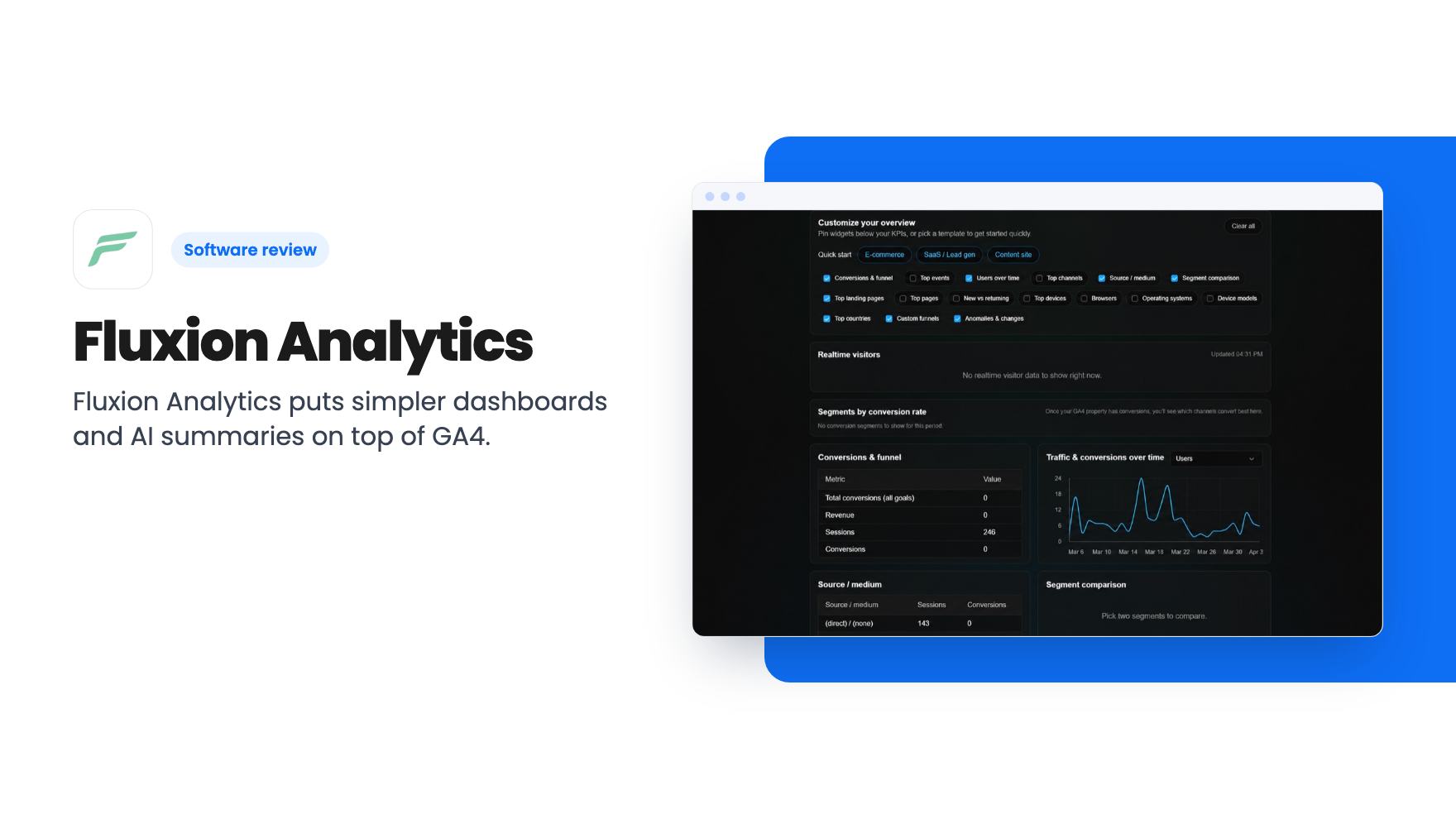
Fluxion Analytics puts simpler dashboards and AI summaries on top of GA4. Lifetime deals run $59 to $249, but the AI insights only last 1 to 2 years.
Lifetime deal price
$59$36084% off
Lifetime Deal
Our take: Worth a look if you or your agency already live in GA4 and want cleaner client-facing views, especially at the $129 or $249 tier. Skip the $59 tier if AI summaries are the reason you're buying. Skip the whole deal if you want a standalone analytics tool that replaces GA4.
You open GA4 to find out which channel sent last week’s leads. Ten minutes later you’re three menus deep, staring at a half-built report you don’t remember starting. That’s the itch Fluxion Analytics is trying to scratch. It doesn’t replace Google’s tool. It sits on top of it and tries to make the daily check-in less of a chore. It’s on AppSumo as a lifetime deal from $59, and a few details in the listing deserve a close read before you click.
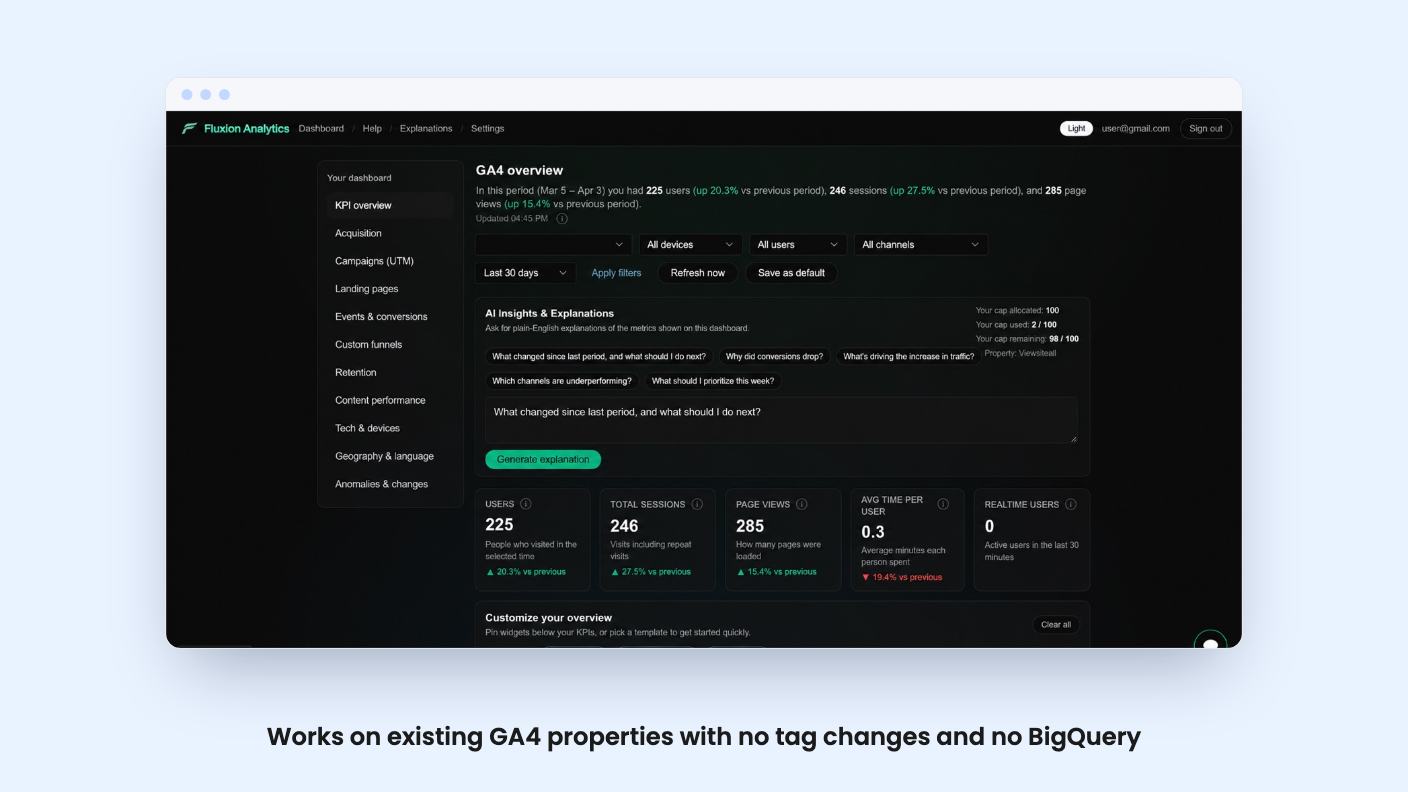
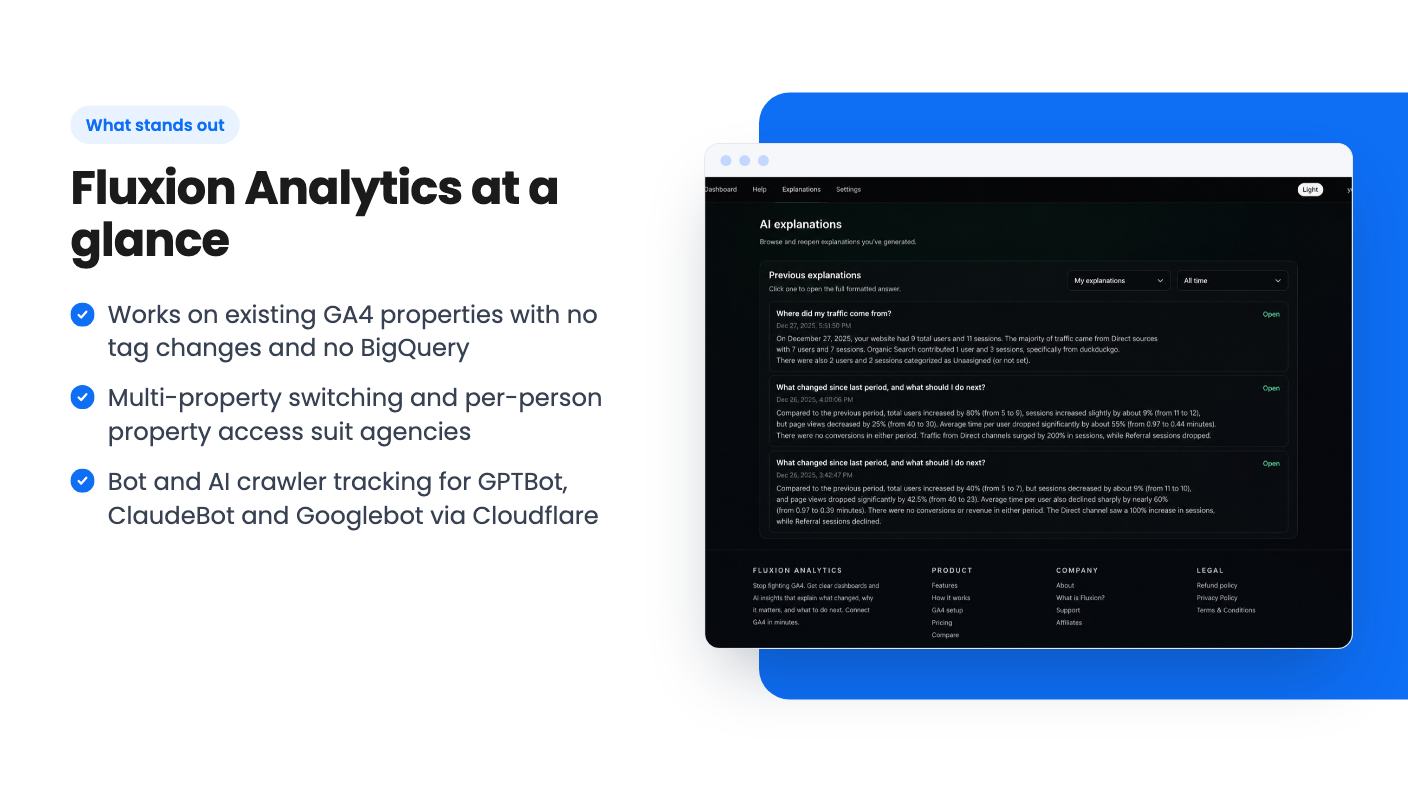
Fluxion connects to your existing GA4 properties through Google OAuth. According to the listing, you don’t change any tags, you don’t need BigQuery, and Fluxion doesn’t touch your tracking setup. All you need is a GA4 property that’s already collecting data and a Google account that can authorize access.
Once connected, you get dashboards you can filter by clicking through campaigns, channels, pages and segments. The listing says you don’t have to rebuild reports to get there.
Your data stays in Google Analytics. Fluxion reads it and changes how it’s shown. For a small product that’s a sensible design, because there’s no migration and no second tracking script. You can disconnect from settings whenever you like, and Fluxion simply loses its read access.
The flip side is obvious. If your GA4 setup is sloppy, Fluxion will give you a tidy picture of messy data.
The main pitch is plain-English summaries that explain spikes, drops and other changes, plus suggested next steps. There’s also an AI Chat where you ask questions and get answers grounded in your dashboard data. Per the listing, the AI works from dashboard metrics and context such as channels, pages and devices.
That sounds handy for an owner who doesn’t want to decode GA4 charts. How good the explanations are, we can’t say. There’s no demo video and we haven’t used the tool. A summary saying traffic fell because organic search fell is easy to produce. One that points you at the real cause is much harder, and the listing gives no examples either way.
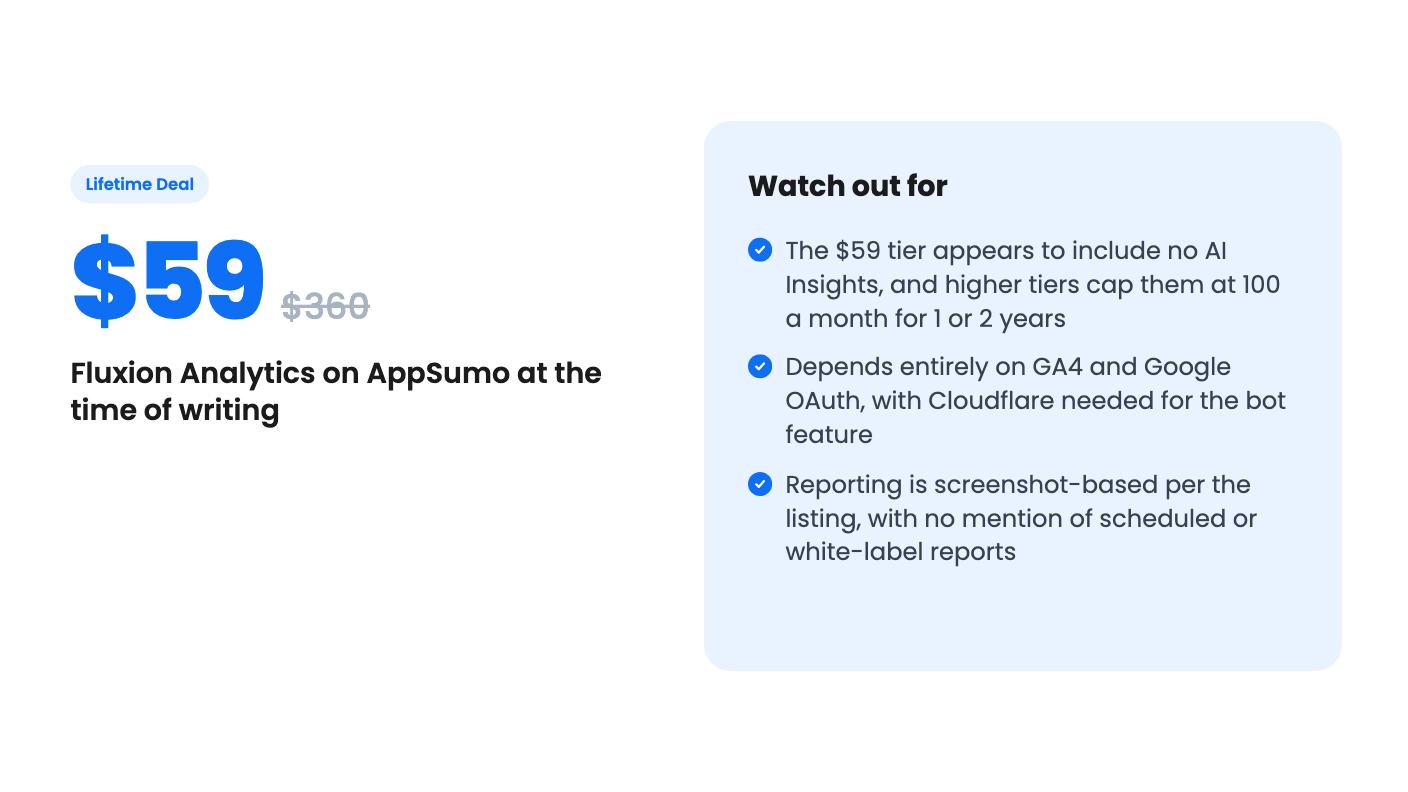
Now the limits. AI Insights are capped at 100 asks a month, and they come with a time window. The plan table reads “100/mo × 2 yrs”, “100/mo × 1 yr” and then a dash. The listing doesn’t say what happens when that window closes. The feature might switch off, or it might become a paid add-on. We don’t know.
So the feature that sounds most exciting isn’t described as a lifetime benefit at all.
Fluxion leans toward agencies and freelancers. Multi-property support lets you switch between client sites without building dashboards from scratch. The account owner connects Google once, and team members only see the GA4 properties they’ve been granted. For a small agency, that’s a reasonable permission model.
On reporting, the listing mentions export-ready views that are easy to screenshot and share. Read that carefully. It says nothing about scheduled email reports, PDF exports or white-labelling. If you need a branded monthly PDF to land in a client’s inbox automatically, this listing doesn’t promise it. You’d be taking screenshots yourself, which is fine for a handful of clients and tiresome for thirty.
The bot and AI traffic feature is the most unusual part. GA4 filters out most bot traffic, so you rarely see it. Fluxion connects to Cloudflare and lists crawlers such as GPTBot, ClaudeBot and Googlebot, broken down by name, company and category. You paste a Cloudflare API token into Settings and the data syncs daily.
If you’re curious how often AI crawlers visit your site, that’s interesting information. It only works if your site runs through Cloudflare, though.
There are three lifetime tiers, and you can upgrade or downgrade between them. You have to activate your license within 60 days of purchase, and there’s no code stacking.
The plan features row says “10 seats / 3 seats / 1 seat” and the AI row says “100/mo × 2 yrs / 100/mo × 1 yr / —”. The columns aren’t labelled. Going by price, the sensible reading is that tier 3 gets 10 seats and two years of AI, tier 2 gets 3 seats and one year, and tier 1 gets a single seat with no AI Insights. That’s our inference, so check it on the listing page before you pay.
If that reading holds, the $59 tier is a dashboard layer for one person with no AI. That may be all a solo site owner needs. But you’d be paying for a friendlier GA4 view, and the AI summaries that set Fluxion apart wouldn’t be part of it.
The $129 tier looks like the practical pick for a freelancer with a few clients. The $249 tier only makes sense if ten people really need seats.
The “list prices” of $360, $960 and $2,760 are AppSumo anchors. Don’t treat them as proof of what Fluxion is worth.
The listing doesn’t say how long Fluxion has existed or how big the team is. It promises all future plan updates, which is standard lifetime-deal wording and tells you nothing about the roadmap.
There’s also dependency risk. Fluxion only works with GA4, and the listed integration is Google Analytics, with Cloudflare for the bot feature. If Google changes API access or limits, or if Fluxion folds, the dashboards go away and GA4 is what you’re left with. That’s no disaster, since your data never left Google. Still, you shouldn’t build client workflows around Fluxion alone.
Check AppSumo’s refund terms on the page itself too. The listing text we have doesn’t spell them out.
Buy if you manage a few client sites, you find GA4’s interface a slog, and you want something you can screenshot into a client update. The $129 tier looks best for that. It’s also reasonable for a small business owner who checks one site weekly and wants plainer dashboards, as long as you accept that the cheapest tier appears to come without AI.
Pass if you want a standalone, privacy-first analytics tool to replace GA4, because Fluxion isn’t that. Pass as well if you need automated, branded reports, or if paying upfront for an AI feature with a one or two year window and no stated plan afterward bothers you.
Before buying, be honest about how often you open GA4. If you log in twice a year, no dashboard layer will change much for you.
No. It reads your existing GA4 data through Google OAuth and presents it differently. Your tracking stays in GA4, and you can still log in there for deeper technical work.
Tier 1 is $59, tier 2 is $129 and tier 3 is $249. The listing shows 10, 3 and 1 seats, and 100 AI asks a month for 2 years, 1 year and none. The columns aren't labelled, so the likely match is 10 seats and 2 years of AI for tier 3, 3 seats and 1 year for tier 2, and 1 seat with no AI for tier 1. Confirm on the listing before buying.
Only for the Bot and AI traffic feature. You add a Cloudflare API token in Settings and Fluxion syncs the data daily. The GA4 dashboards work without it.
How this review was made: researched from Fluxion Analytics's official listing, and written with help from AI. We have not tested Fluxion Analytics hands-on yet. Prices and deal terms change, so check AppSumo before you buy. See our affiliate disclosure.
Five AppSumo lifetime deals named as Linktree alternatives, from $19 to $59 entry prices. See who each suits and what the listings leave out.
Six AppSumo lifetime deals pitched as Google Analytics alternatives, grouped by the job you need done, with tier limits and gaps spelled out.
Ten AppSumo lifetime deals named as Ahrefs alternatives, grouped by job: keywords, site fixes, AI search tracking and competitor research. Limits included.